Hi all
It’s been a while since I’ve posted so hopefully you’ll all like this one
I was working on this very simple pattern maker and PeteVick asked me if I was interested in sharing the code because my compiler was limited to Windows only Apps and he uses Lazarus [ Pascal ] that can compile to both systems… so I said yes and I have to say I’m very pleased with the end results.
After Pete ported my code across he added quite a few more enhancements.. “plus we’ve enjoyed a bit of banter in the process…”
So just letting you all know this was very much a joint effort..
I would also like to thank JJ who did some testing and feedback on the original.. and Husky who has picked up on so many errors and bugs in the past couple of months… Many Thanks
. BPM for now is Limited to Points & Angles 0,45,90,135,180,225,270 & 315
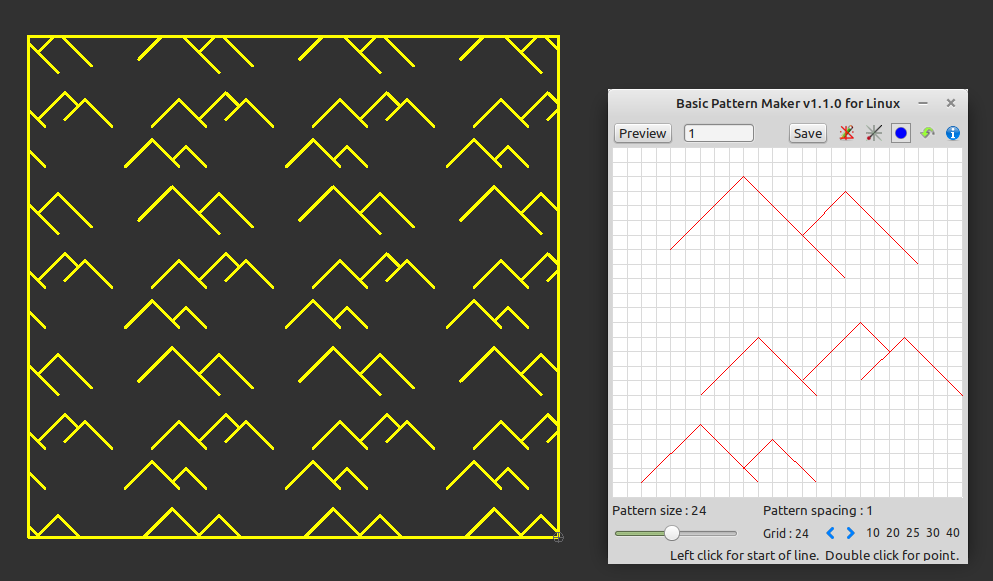
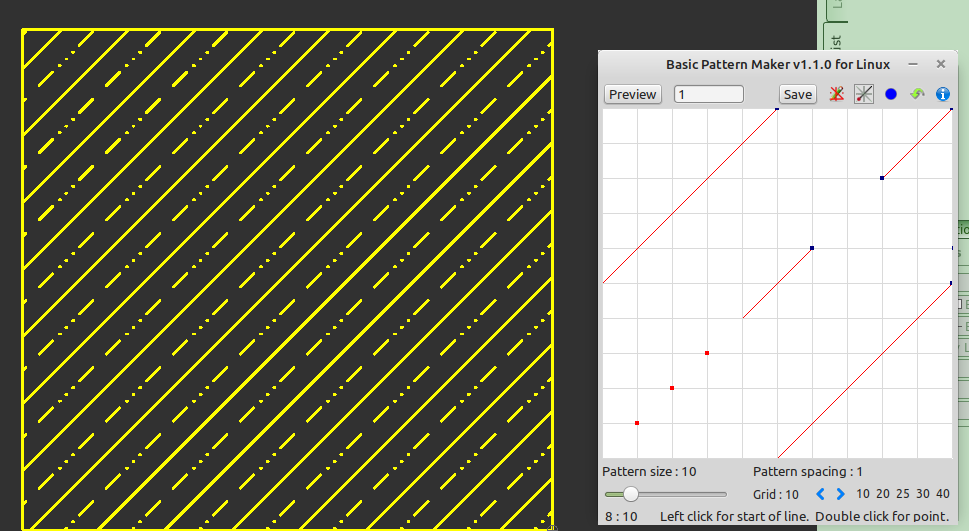
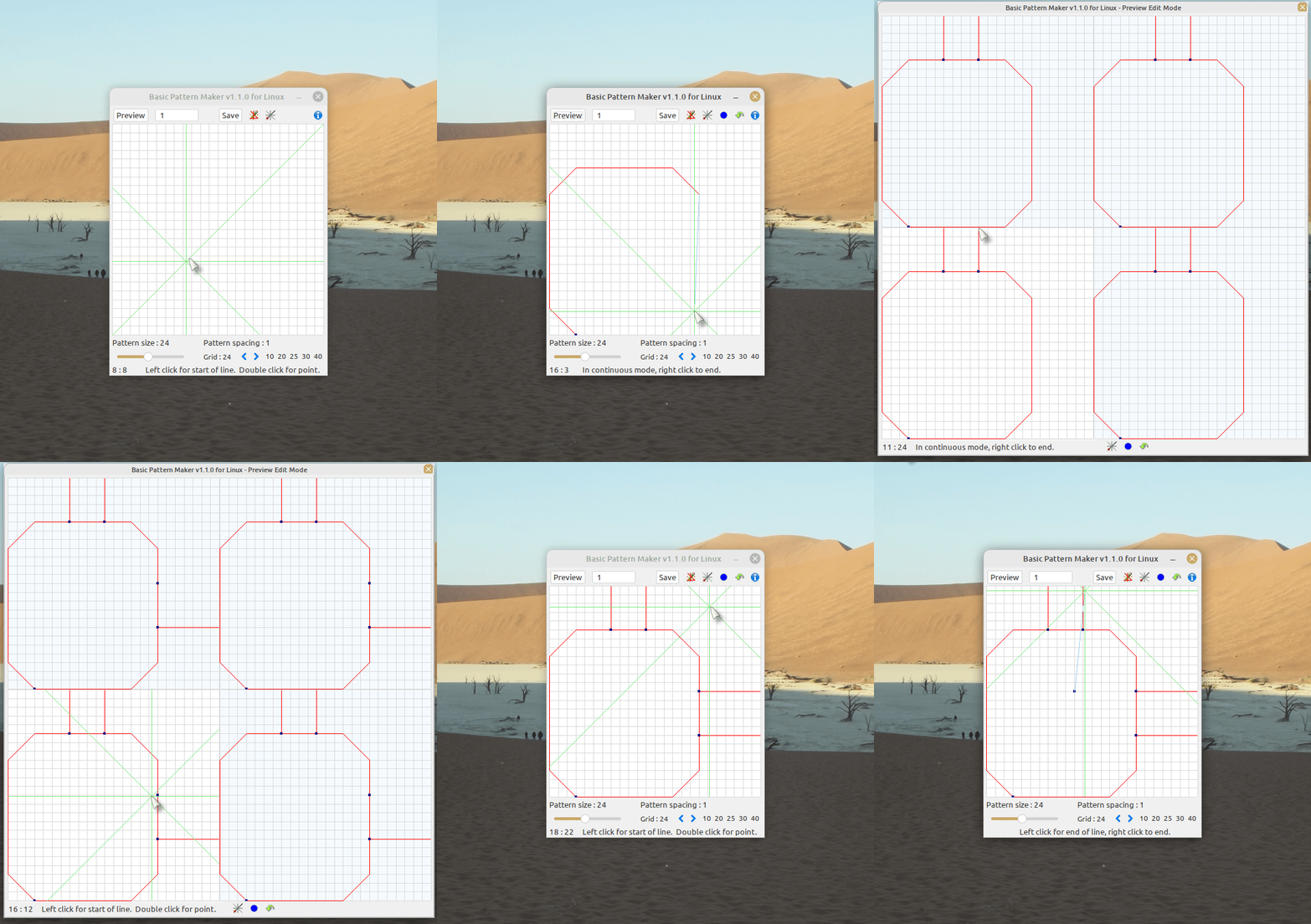
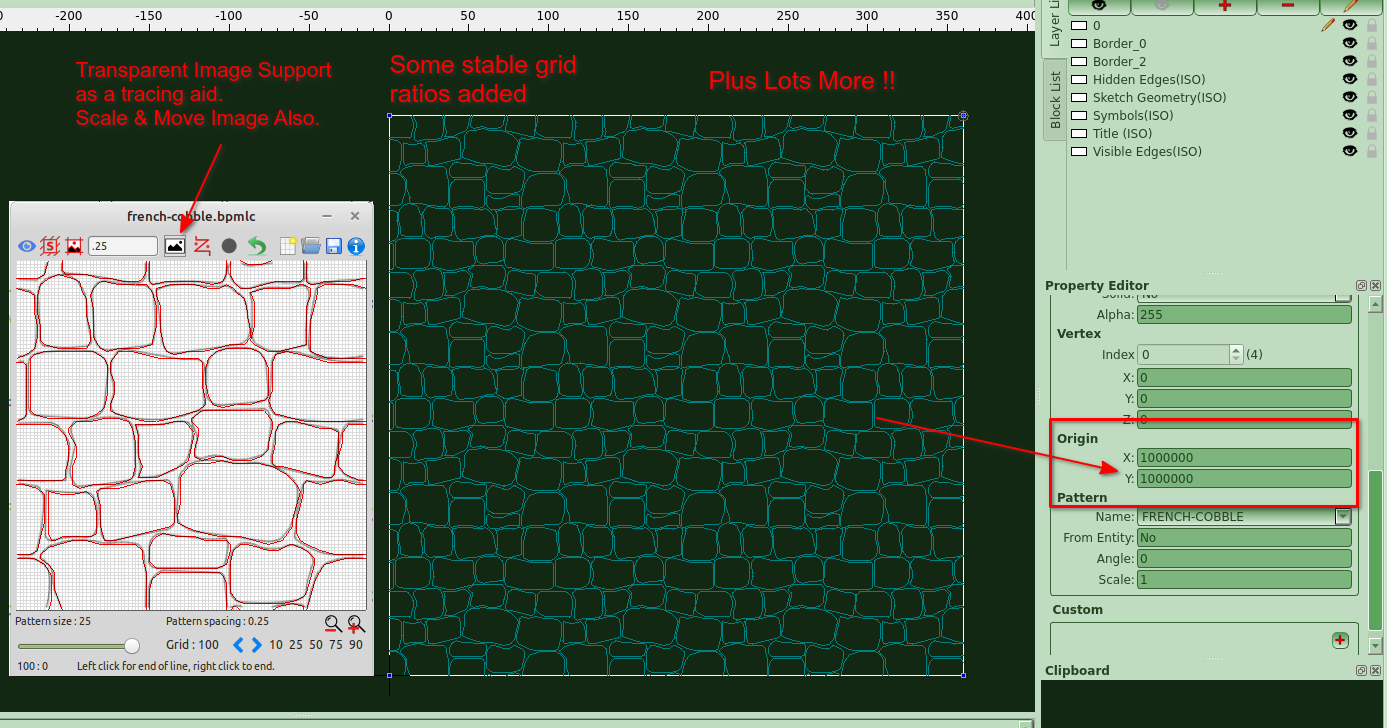
Here are some App screenshots…
. And this is it in action…
. New Version Uploaded Look Further Down
.
Previous Version v1.1.0 was downloaded:-
Basic Pattern Maker Install – Windows.zip Downloaded 51 times
Basic Pattern Maker Install – Linux x32.zip Downloaded 32 times
Basic Pattern Maker Install – Linux x64.zip Downloaded 34 times
.
Happy Hatching
Cheers
John Hyslop & Pete Vickerstaff
Yes it is also restricted to square tiles orthogonal in X and Y.
We’ve kept this a very simple pattern maker, but even with these limitations , some very nice patterns can be created with this..
That’s why Pete and I decide to call it “Basic Pattern Maker”
Hello everyone, it’s been a while since I last posted…
The Lazarus Wizard PeteVick has been busy adding some nice features to our app.
They are:-
Save Sketch / Open Sketch and Edit Sketch
“for usage see information/help button in app”
I’m also including some sample sketch files for you all to play around with..
You can easily create file associations with these in Linux & Windows by right clicking or double clicking the bpmlc file and selecting open with “Basic Pattern Maker” don’t forget to set this to defaults “always open with”.
Please uninstall previous versions, in particular Linux users as these are now deb packages and the previous installers were not … they are not maintained by DEBIAN they are self maintained by Pete and myself.
.
.
. Linux users please uninstall previous version as these are now deb packages
browse to home/username/Basic Pattern Maker/Basic Pattern Maker Uninstall
. New Version Look Down / Fixed “App split between the two monitors”
with dual monitor setup.
.
.
.
Happy Hatching
Cheers
John Hyslop & Pete Vickerstaff
Question - On my Windows 11 two-monitor computer it always starts in the dead middle, split between the two monitors. Is there a way to make it remember its last position or specify display geometry?
Hi Len
We initially had some trouble with window positioning the preview window was going off the screen and there was no way to grab the tool bar to drag it into position.
I have a two monitor set-up but I run Linux Mint and don’t have this problem, we’ll have a look at this as there are settings for the positioning.. I’ll try running my windows VM on two screens to see what happens, it could also be a Windows 11 thing BPM hasn’t been tested on 11..
Meanwhile you could Google this “MultiMonitorTool”
Thanks for the feedback..
Cheers
John
PS I’ve not tested MultiMonitorTool but it’s free and has a 4/5 star review.. Hopefully it gets you out of trouble for now..
Thanks Len for picking this up…
There was a problem with dual monitor setups, the App would open split between the two monitors.. e_surprised
New V1.3.4 Updates below.. there is no need to update if you’re a single monitor user..
.. Linux users please uninstall old version 1.1.0 “if you have it installed” as these are now deb packages browse to home/username/Basic Pattern Maker/Basic Pattern Maker Uninstall
. To uninstall deb versions type this in the terminal:- sudo apt remove basic-pattern-maker
. NEW Version Uploaded Look Further On
. BPM - V1.3.4-Setup-Windows.zip
Was Downloaded 145 times
. BPM - V1.3.4-Setup-Linux32bit.zip
Was Downloaded 131 times
. BPM - V1.3.4-Setup-Linux64bit.zip
Was Downloaded 135 times
.
Cheers
John & Pete
Happy Hatching
Hello. Cool basic pattern maker program you guys have made.
Not sure if you/others know or not but autocad has a really good third party plugin that can output .pat files based on cad drawing input. Assuming you either have access to autocad or are willing to work with the free trial version, you could potentially use that to help you improve your basic pattern maker. I believe that the autocad one I’m referring to allows circles, arcs, etc. The idea I’m suggesting would be to use it to, say, input one simple circle, arc, etc., and then analyze the .pat file output to see how they’re converting a cad circle entity to .pat format and then use that information to upgrade your own basic pattern maker. Just my 2 cents / food for thought. You can find information on the pattern maker I’m talking about by following these links:
OK I know you’re all just itching to try something different with our “Basic Pattern Maker”
.
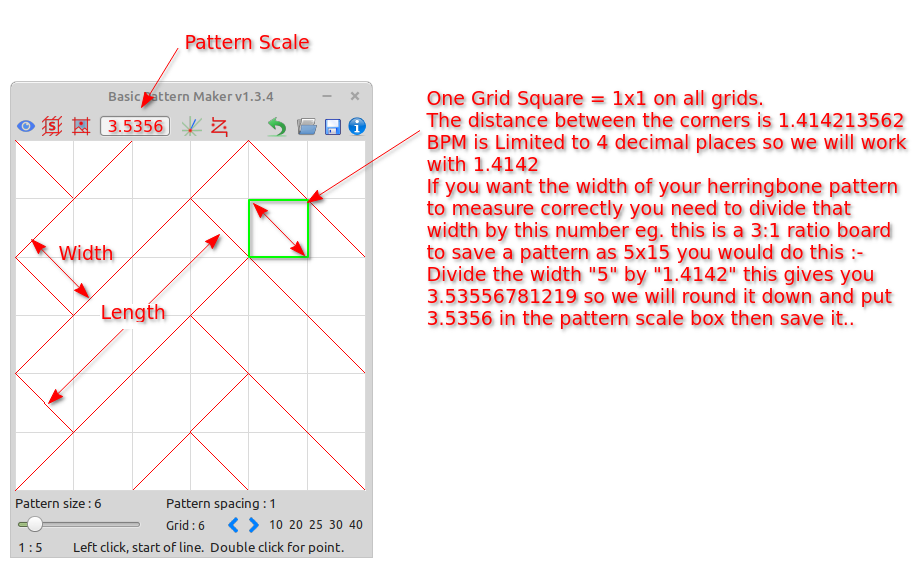
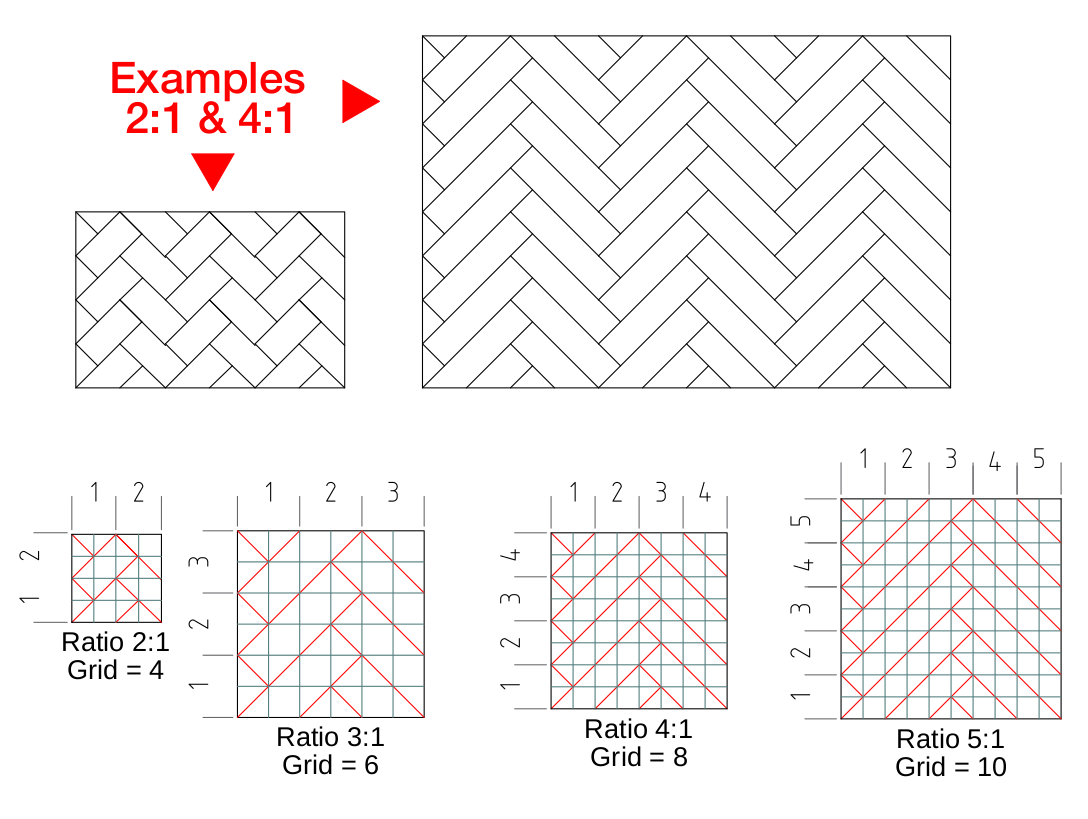
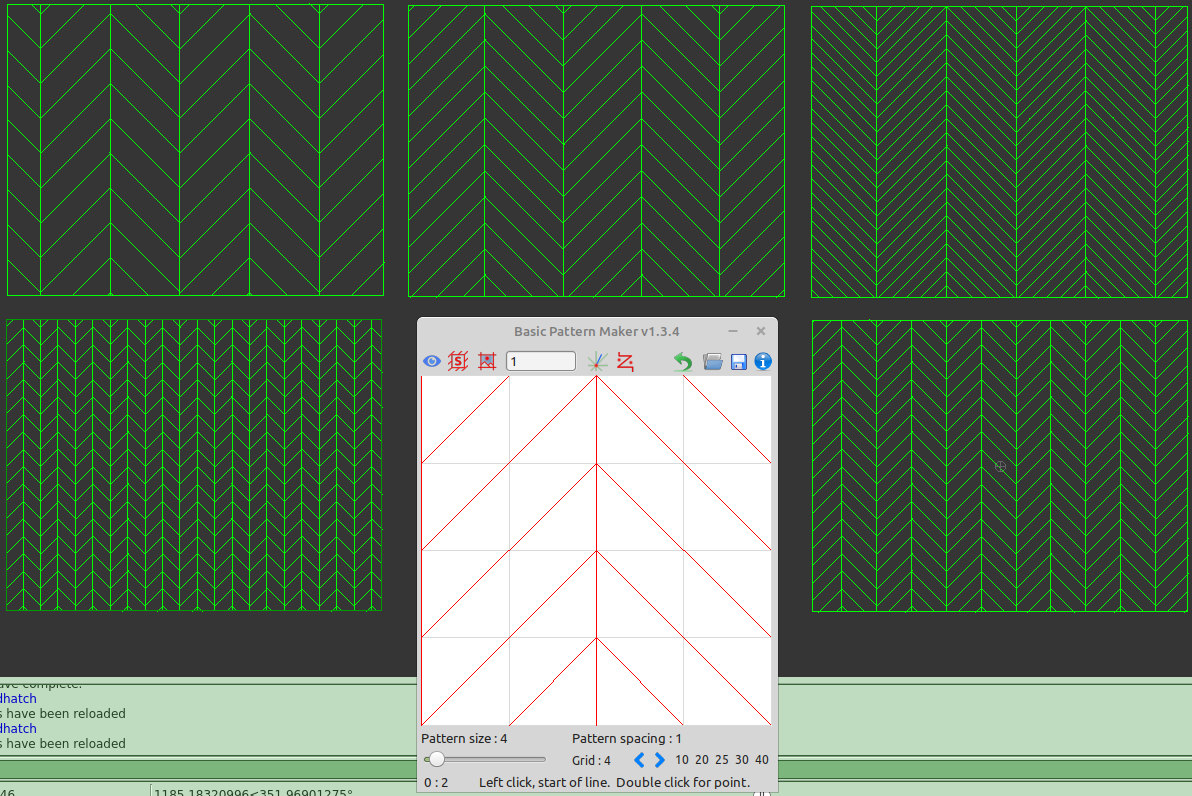
Well how about this then, Herringbone patterns “limited to ratios with lengths being dividable by the widths”.
.
Basic Pattern Maker has a grid limit of 50 so the largest ratio will be 1:25 “the grid needs to always be at least double the ratio”.
Most “not all” commercial paving bricks and boards have common ratios, the reason being is they are easier to work with and they line up with walls in rooms and patios perfectly where uneven ratios don’t.
.
.
And before anyone says anything… sure you can do it at 90deg instead of 45.. but it’s a lot easier doing at 45deg if you stick with the rules above
.
Well PeteVick has been very busy updating our Basic Pattern Maker.
The main additions are as follows:-
There’s a new zoom function with buttons + mouse scroll to zoom.
A “New Sketch” button has been added.
Grid Limit has been increased to 100x100.
Plus lots more “see the information and help for more details”.
Note:- When zooming the grid lines may look pixelated and uneven,this is because
the grid lines are raster based, it has no affect on the saved sketch or pattern,
they will still look nice and neat.
.
.
To uninstall previous deb versions type this in the terminal:-
sudo apt remove basic-pattern-maker
Information,ReloadPatterns script and 76 sample BPM-Sketches are included in the zip files.
.
BPM - V1.4.0 - Setup-Windows.zip Was Downloaded 848 times
BPM - V1.4.0 - Linux 64bit Deb.zip Was Downloaded 773 times
BPM - V1.4.0 - Linux 32bit Deb.zip Was Downloaded 682 times
NEW VERSION AVAILABLE
The AppImage is experimental and may not run on some flavours of Linux but most I’ve tested on have been fine.
BPM - V1.4.0 - Linux 64bit AppImage.zip Was Downloaded 733 times
.
.
Cheers
John & Pete
Happy Hatching
There’s not many 32bit AppImages around these days but Pete and I were discussing whether to release one or not..
So for all of you that don’t have the luxury of 64bit systems or are simply happy with your 32bit system here’s a build
for you, it has everything included as the above posts eg. Documentation,samples,etc.
’
If this gets much attention we’ll add this to all the next uploads/releases.
.
BPM - V1.4.0 - Linux i386 AppImage.zip Was Downloaded 705 times
NEW VERSION AVAILABLE
.
Happy Hatching
John Hyslop & PeteVick
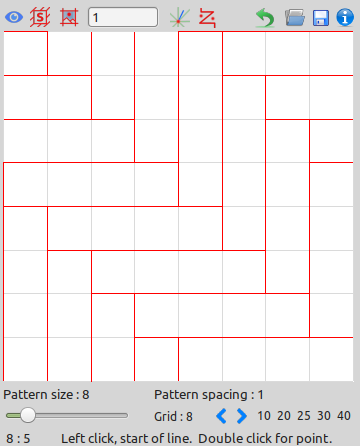
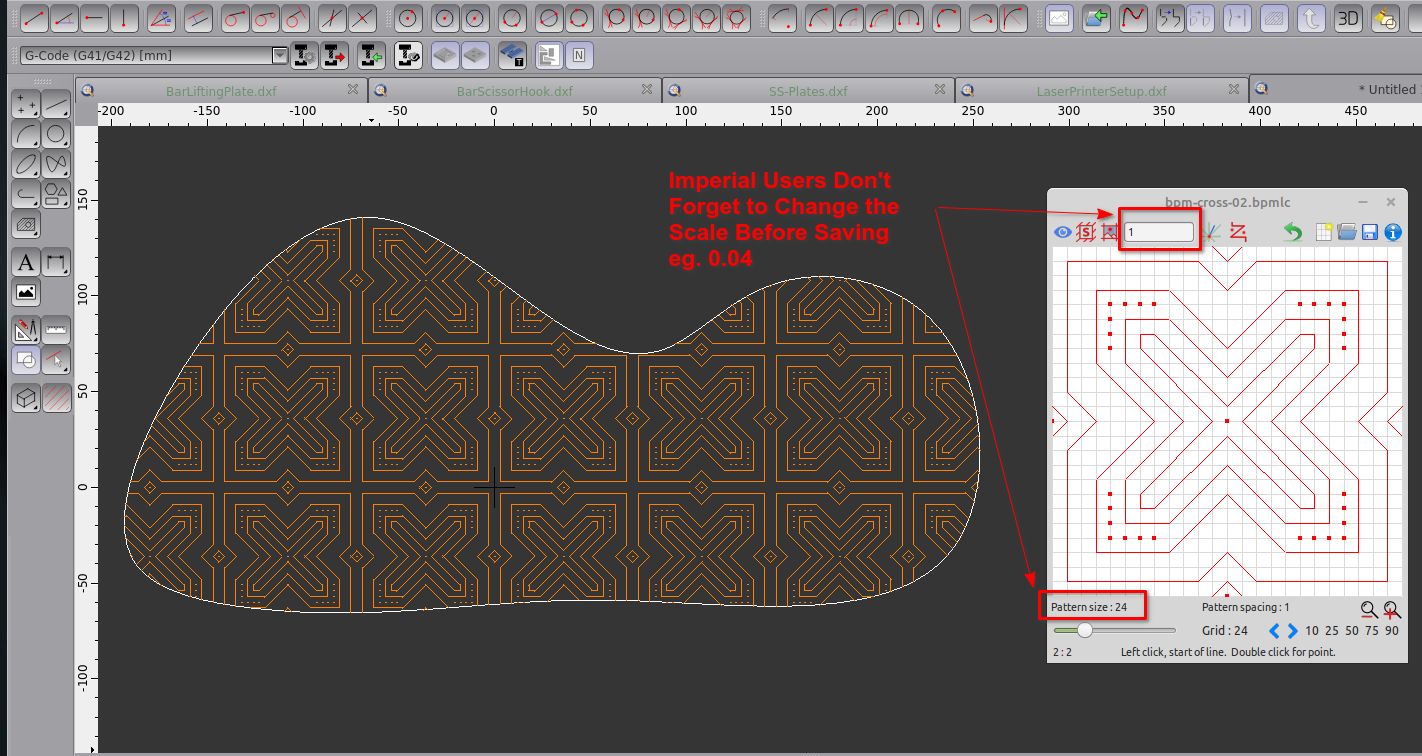
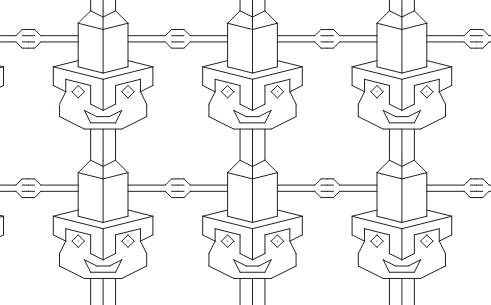
Was just playing around today with this very basic pattern , it’s a good example of the use of lines and points in BPM..
Here’s a copy of the sketch file [ *.bpmlc ] bpm-cross-02.bpmlc.zip (1.1 KB)
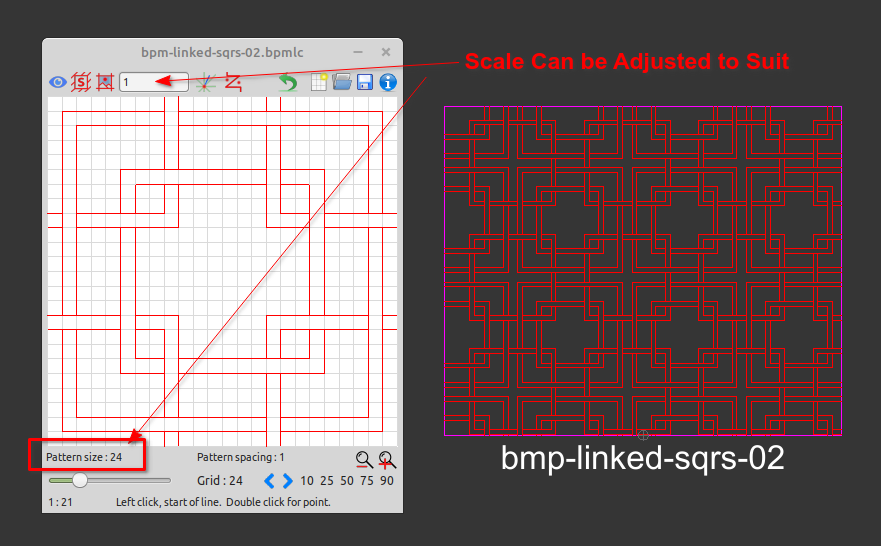
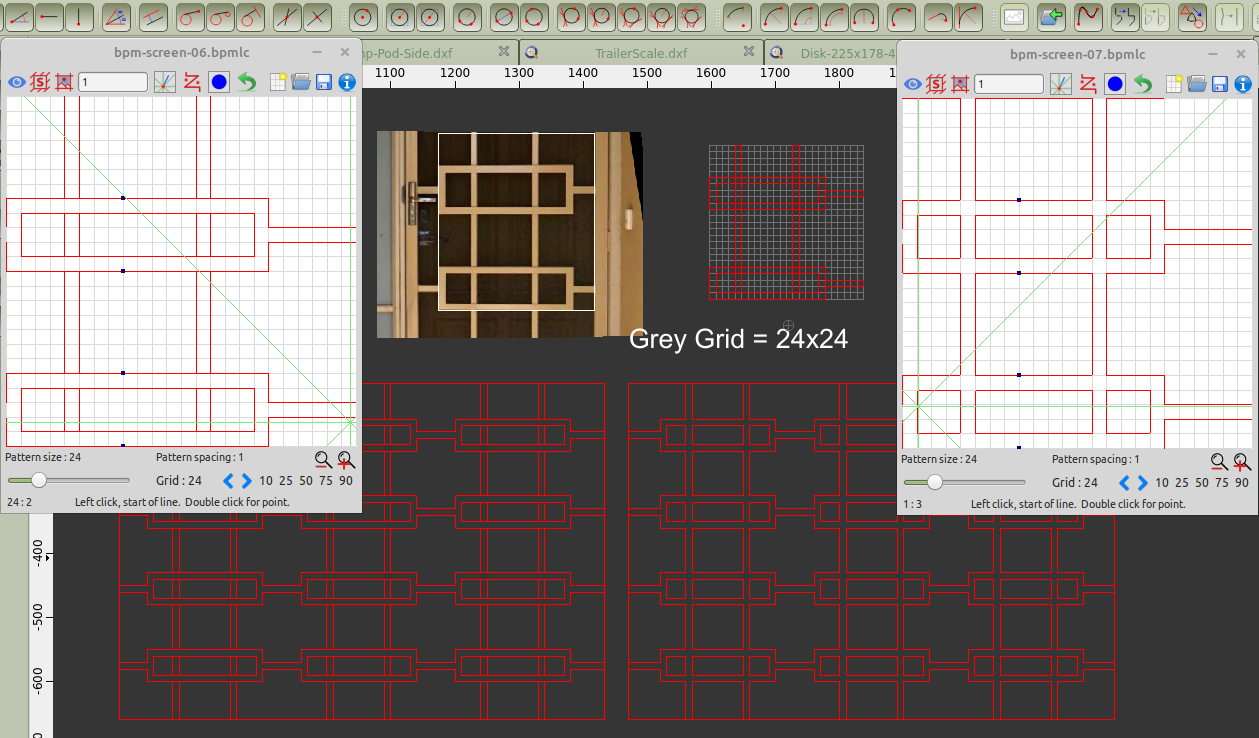
Here’s one I did today… this is how I sometimes go about making patterns, you find the repeat that would make it seamless then draw it in Qcad on the grid that best fits..
As you can see I used the blue markers on this pattern to help me line it up vertically..
The perspective tool didn’t work too well on the door image so the rectangles are a bit out of whack but it gave me some info to start creating this pattern.. BPM sketch files attached.. bpm-screens-06-07.zip (1.24 KB)
Here’s another example of how you could use the blue markers to help you draw a pattern.
In this example I’m using “bpm-herringbone3-1.bpmlc” which you can find in the downloaded zip file folder called BPM-Sketches.
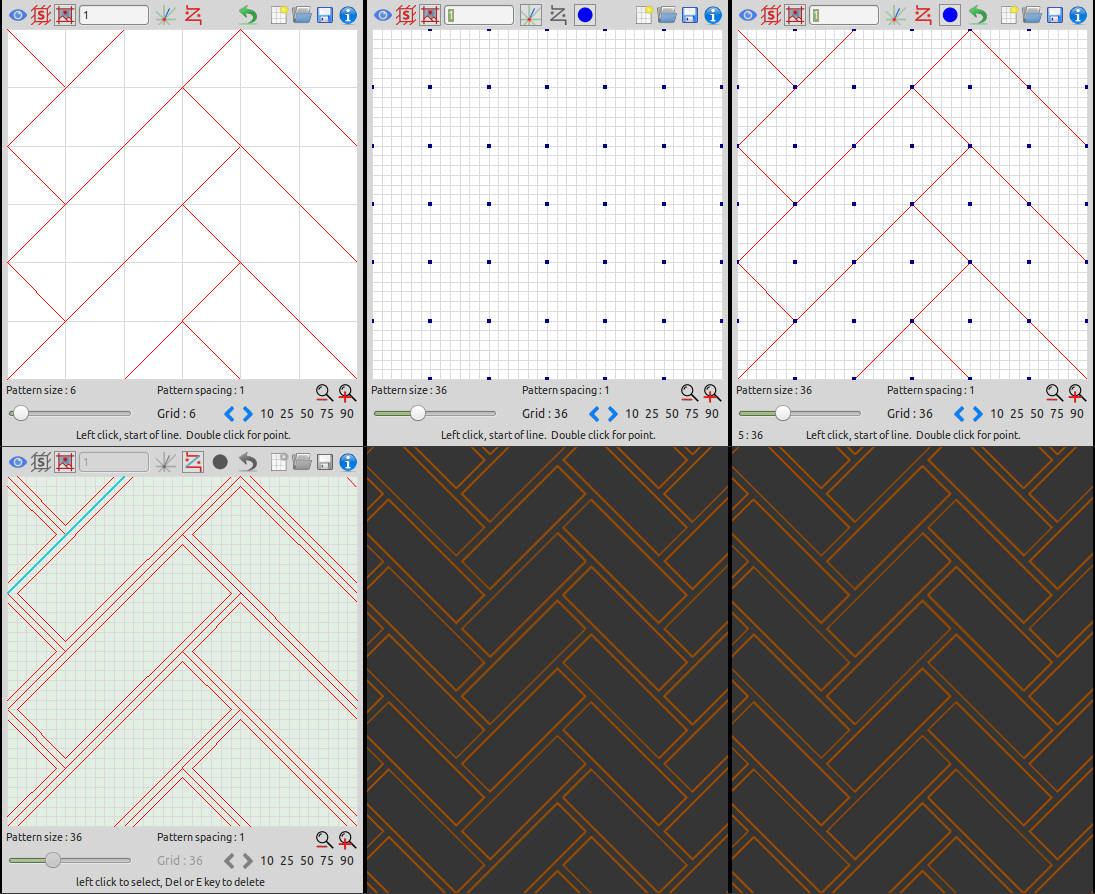
This pattern has been drawn on a 6x6 grid, to enable us to place gaps between the boards we’ll use a 36x36 grid “which is dividable by 6”, mark positions with the “Blue Markers” and redraw the original which will give us a our guides, these are later removed by using the “Edit Mode” feature in the App.. The gif below shows the steps.
This link explains how to create ratio herringbone patterns with BPM.
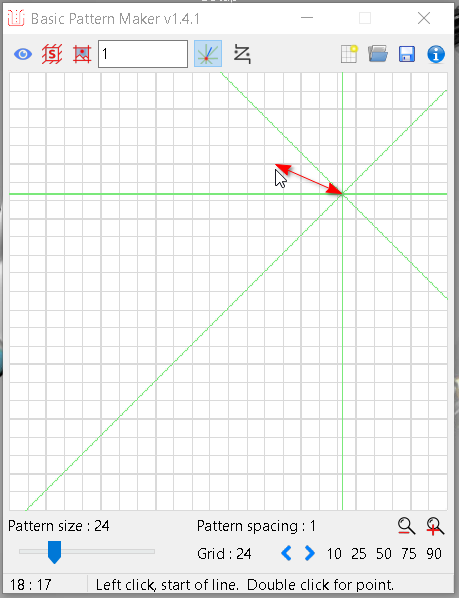
FYI BPM uses it’s own built in magnifier using the mouse scroll wheel or + & - keys, if you have a screen magnifier set this may cause guide & mouse pointer misalignment as shown below..
.
.
**Please Note:-**This only applies to people using “Ease of Access settings” with their display magnification set higher than 100% and the crosshairs/guides are not directly under the mouse cursor.
.
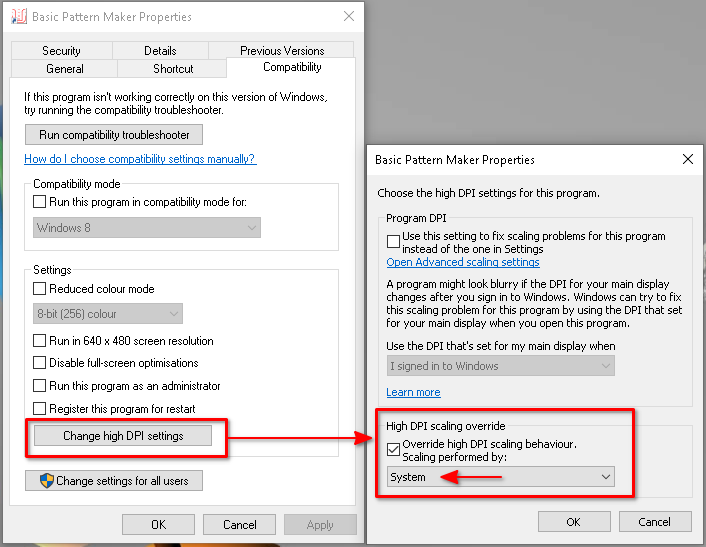
These settings are for Windows 10, Windows 7 will be slightly different but similar regarding DPI.
. If this needs corrected do this:-
Apply these settings to your desktop shortcut or the exe file.
64bit location C:\Program Files (x86)\Basic Pattern Maker\BPM.exe
32bit location C:\Program Files \Basic Pattern Maker\BPM.exe
.
.
.
.
I hope this helps anyone that might have had these minor problems…
.
FYI Pete & I have been working on the next release which is currently in testing, it has quite a few enhancements..
.
Hey Everyone..
.. Basic Hatch Pattern Maker [Coming Soon]
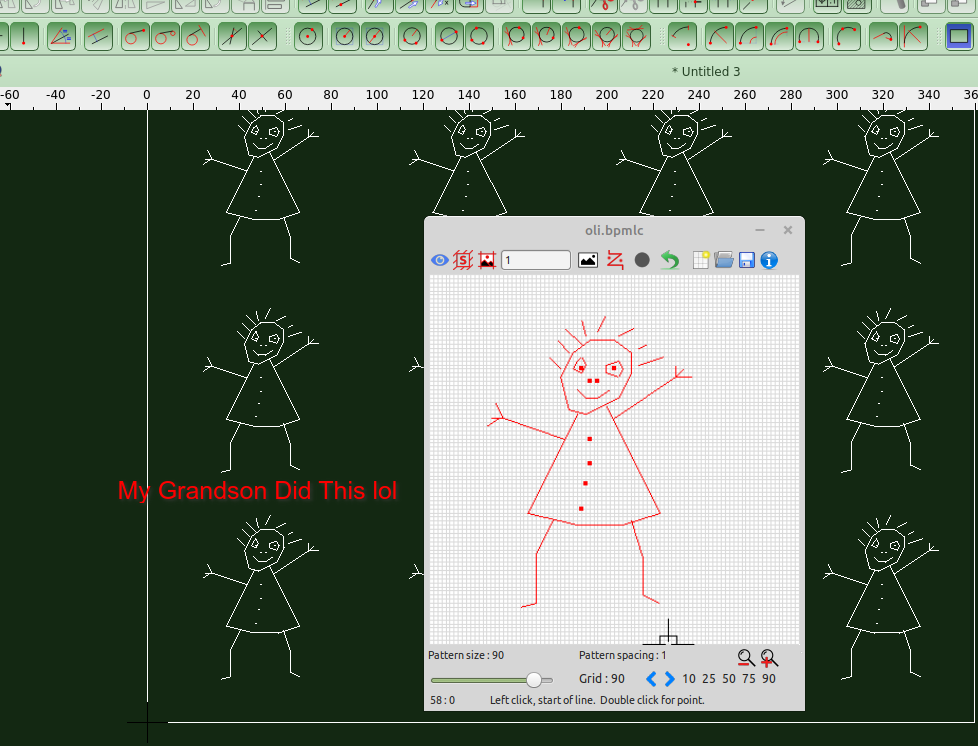
.. Easy to use: No complicated menus—designed with simplicity in mind (KISS principle). No CAD software needed: You can create patterns without the need for complex CAD tools. So simple, even a 5-year-old can use it: My grandson tried it out and loved it!
..
Pete has exceeded all my expectations with his programming skills. This little app wouldn’t be where it is today without his expertise.
..
As we move forward, I’m excited to see where this journey takes us!
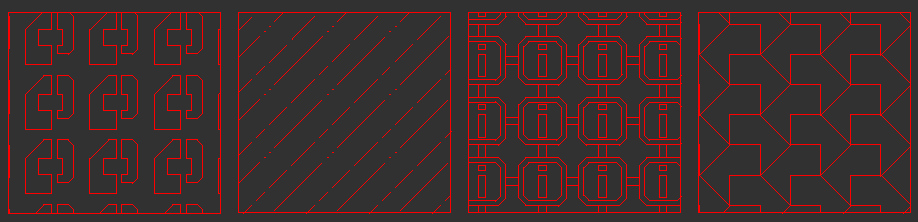
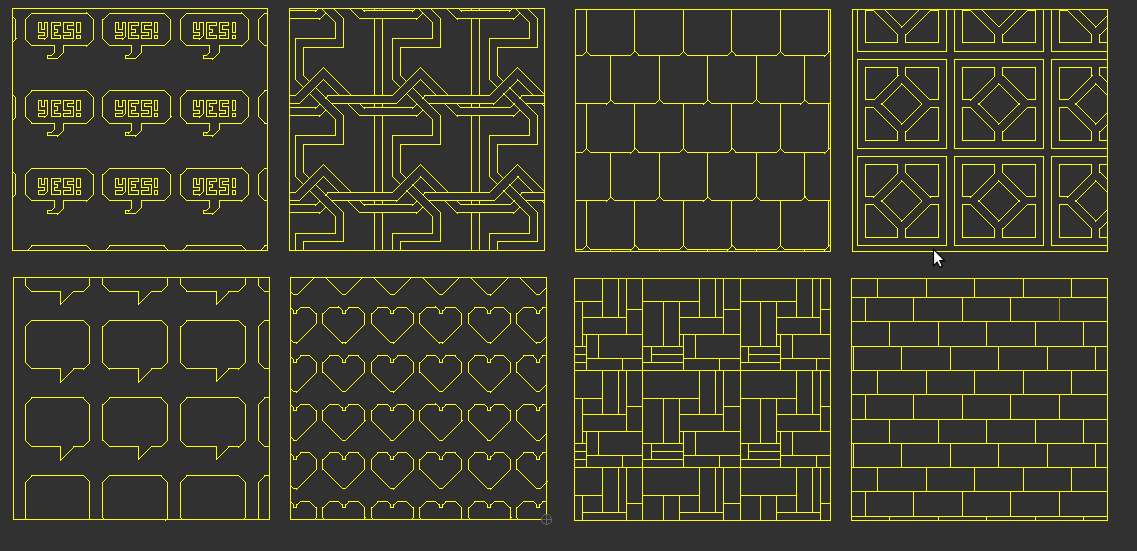
.. Here’s a sneak peek at a couple of screenshots from the upcoming release!
..

 “plus we’ve enjoyed a bit of banter in the process…”