I’m trying to start working with the provided templates and their block attributes and getting nowhere.
I’ve watched this (very old) video https://www.youtube.com/watch?v=X-1Wtq0Mpbw on block attributes from V3.3 which explains it clearly enough, but I don’t see the same results. This is what’s happening:
I open one of the default templates
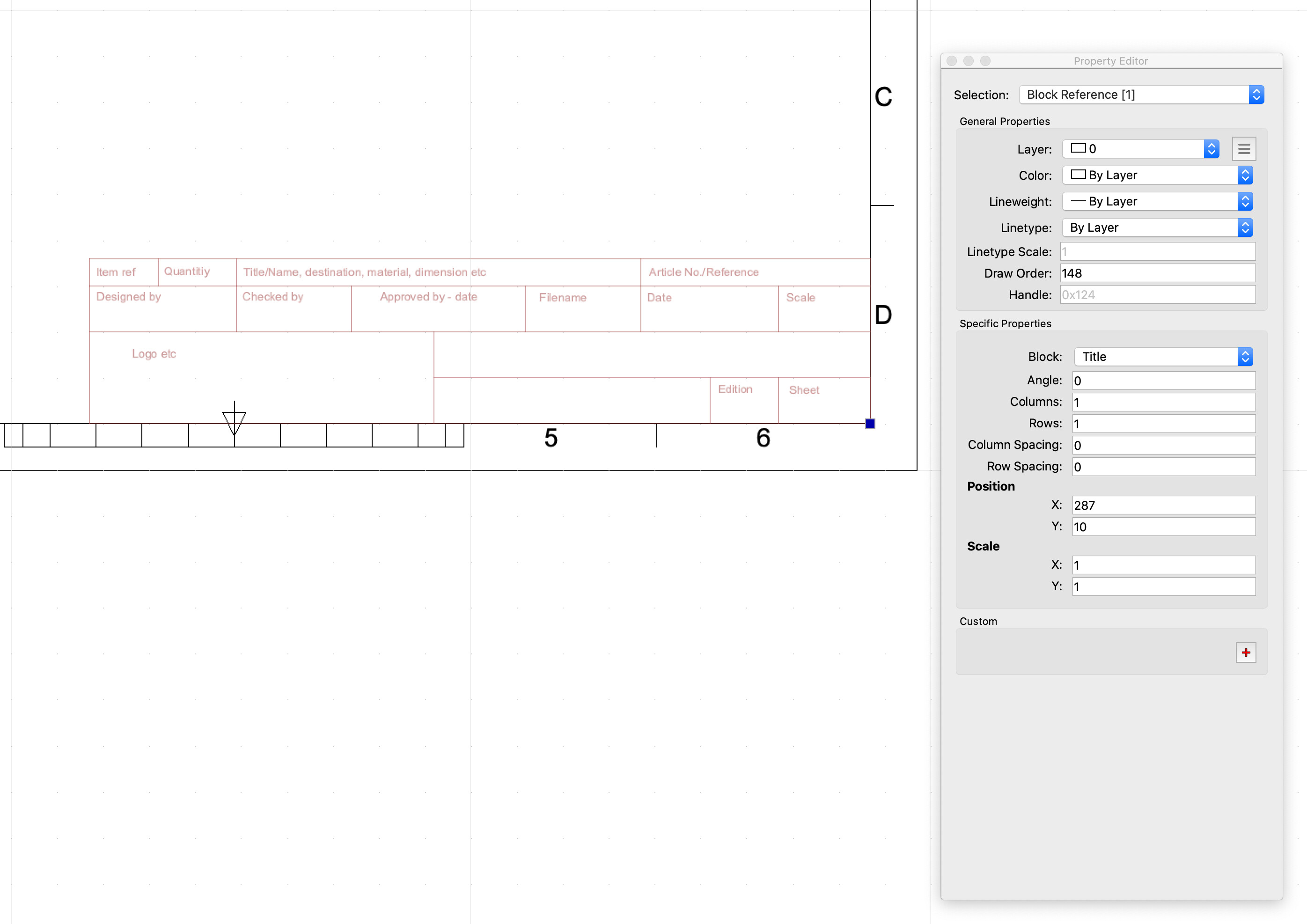
I single-click the “Title” block (the one holding the drawing name other references at the bottom RH corner)
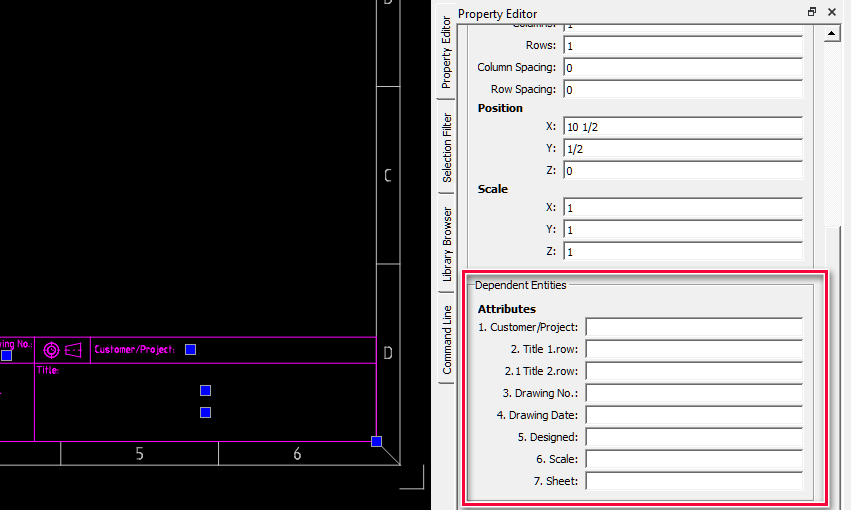
I would expect to see a “Dependent Attributes” section in the property editor but I only see “General Properties” and “Specific Properties”.
I’ve attached a screenshot of the issue.
Where am I going wrong here?
What you are missing in the view is the Block List widget.
Options are:
Menu .. View .. Toolbars & Widgets .. activate the Block List.
Or similar
R-click on an empty place in any toolbar on the top .. activate the Block List.
Sorry, but I do have the Block list widget on, it’s just not in the screen shot. I’d just done a screen shot of the floating property editor in the hope of showing just the block and its properties together.
There are two different things:
Select a block and you see that block reference its props (They are shown)
or
Select the block in question in the Block List.
Then you should see the general props of the block itself in the Property Editor.
In Edit mode you get the same for the entities that make up the block.
To my knowledge that are all the attributes / properties there are.
To provide efficient help we need more precised information.
Which one? Default template from the QCAD installation packet? Does that template has Block attributes?
Or do you are using QCAD templates downloaded from the QCAD forum? If yes - which one?
Thank for the replies - I think this is now resolved.
I think the problem is my misunderstanding of the block definitions in the default templates. I have been using iso_en_a4_metric_landscape_aec.dxf and assumed that the title block used dependent attributes, but it appears that these are just normal block text. I’ve set up a new block myself and defined a couple of Block Attributes, and that all works as expected.