mahdi
July 7, 2015, 10:08am
1
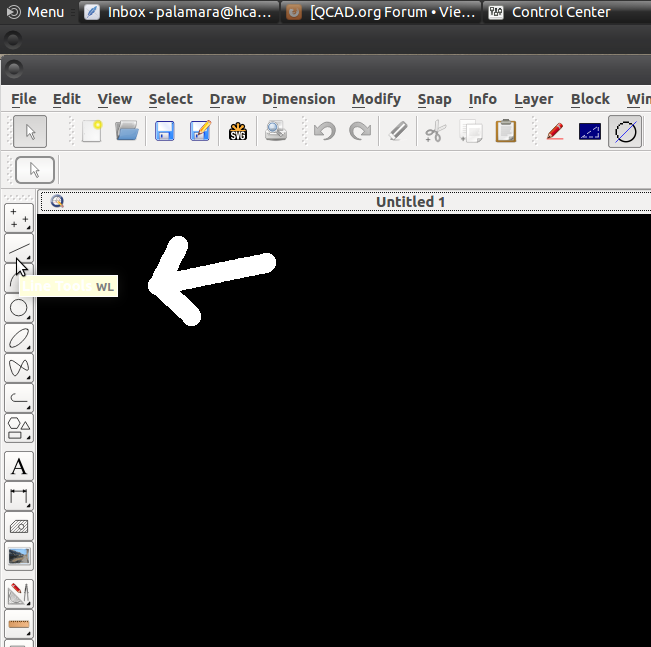
sto ricominciando ad usare qcad, ma sto riscontrando questo problema:
ciao
g
mahdi
July 10, 2015, 11:43am
2
come sospettavo è un problema di MATE con Ubuntu non derivata non ci sono problemi
g
Clive
July 10, 2015, 12:49pm
3
Ciao, hai questo funziona correttamente ora?
Hi, have you got this working correctly now?
mahdi
July 11, 2015, 6:25am
4
not in ubuntumate bat it working correctly in ubuntu with unity. So I think depend from Marco (mate window manager)
I have the same issue described in this post
I am using
QCAD Version: 3.14.3.0 (3.14.3)
MATE Desktop Environment 1.12.1
Ubuntu Release 16.04 LTS (Xenial Xerus) 32-bit
I have been able to fix the issue using Andrews suggested solution
“- Configure the appearance of all Qt applications using qt-config (see https://www.youtube.com/watch?v=M2W_7YsUiGE )”
Thank you Andrew
To access Qt under Mate desktop go System/Preferences/Look and Feel/Qt 4 Settings
Default settings found
GUI Style = GTK+