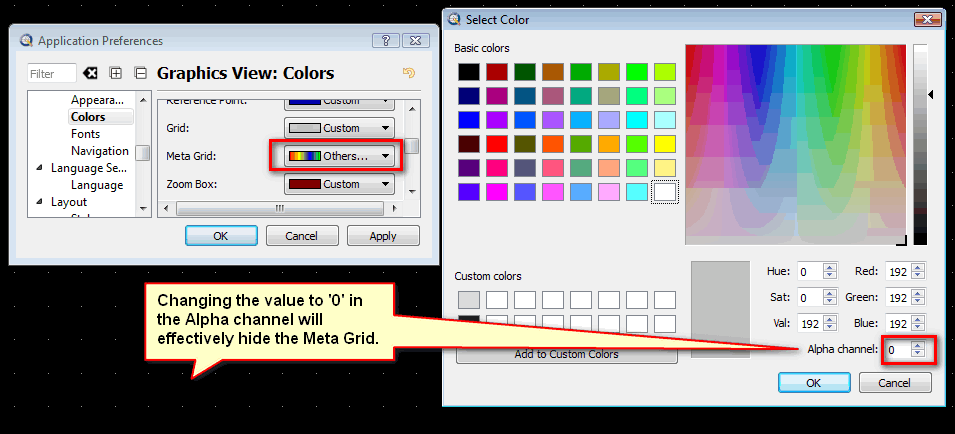
Here’s a little tip for hiding the Meta Grid if you so wish, you cannot remove it but you can hide it!
Go to Main menu - Edit > Application Preferences > Graphics View > Colors > Meta Grid, and in the drop down menu choose ’ others’ and then in the Select Color dialog window change the value in the Alpha channel to ‘0’.
This will effectively hide the Meta Grid.