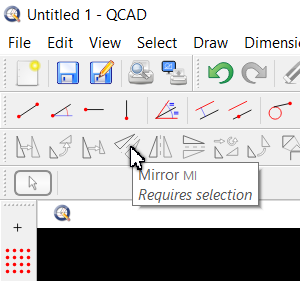
When moving the mouse over a menu or toolbar button (without choosing anything), a brief description of each item is shown in place of the status bar at the bottom left of the screen.
Well, almost… Only enabled options are shown - Those that are greyed-out don’t have any description.
It’s not that a reminder is needed for each and every option, but there’s been more than once I’ve looked for a reminder only to discover the item wasn’t active and therefore had no help prompt. Not a huge deal, but it would be nice.
Also, this is probably specific to the dark theme, but the prompt text is black on a dark grey background and difficult to read (on both Windows and Linux). I’ve not looked into the CSS to see exactly what it is, though.
Hmmmm, can’t confirm that here with Win10. Available / not available shows me always the Info Label. BUT QCAD has to be the active window on your system. If not - you’ll not see it. Just click the QCAD Title Bar (or what ever) to tell your OS that this application is now the active one and …
Yes, the tool tip pops up for me, too, and they look like your examples. I was referring to the (sometimes a little more verbose) description that shows up in place of the status bar at the bottom left when some of the buttons or menu items are hovered over.
Maybe it’s a default color instead… If so I guess (?) we would need to know the proper selector name to specifically assign a color. But I’m no CSS expert.
 Only enabled options are shown - Those that are greyed-out don’t have any description.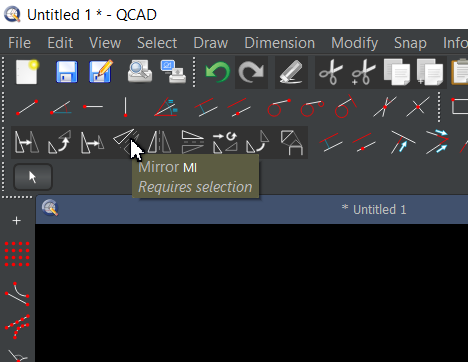
 ) background. That isn’t the same on your Win OS?