Huawei Mate Book Pro 2020 / Windows 10 v.20H2 (OS Build 19042.1237) QCAD v.3.27.1.0 (3.27.1)
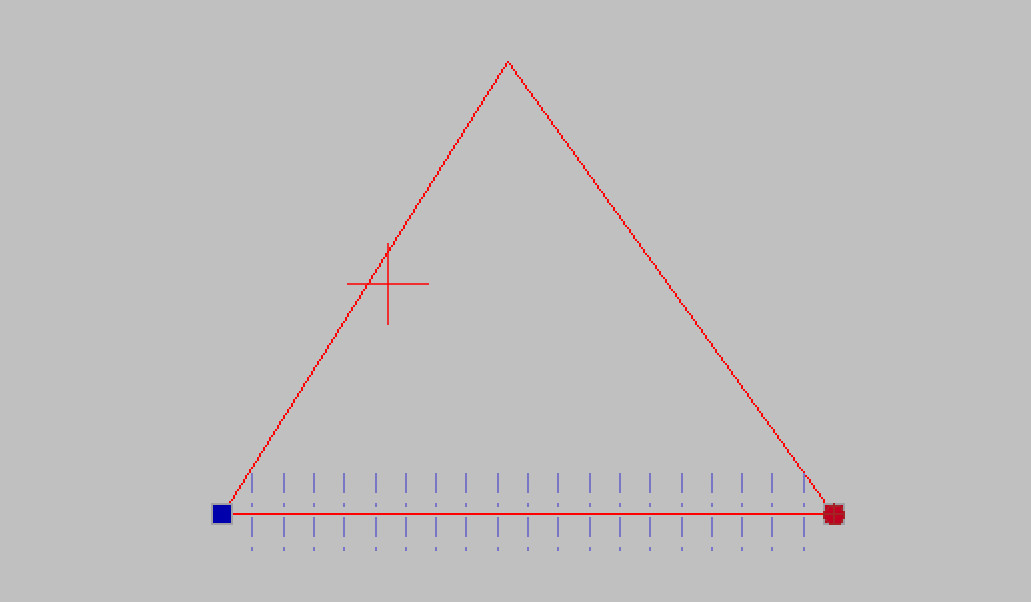
When I select a line, then >Modify >Entities and choose a value at top (say 20), the line is neatly divided into 20 equal segments. However I am unable to snap to any of the segments and attempts to do so cause them all to vanish! They also vanish when a drawing is saved so I attach a screen-shot by way of illustration.
In this simple exercise I was attempting to draw a series of lines from the apex of a triangle to the 20 base line segments, but without success.
What you can see on the screenshot is a preview where the cuts would happen - it hasn’t happen yet! To finalize those cuts you have to hit the green arrow in the option bar. After that your line is divided 20 times …