Hi All.
I’m VERY new to QCAD and while I have succeeded once, I’m unable to recreate it.
I was advised to use QCAD as it takes both .DXF and .DWG formats as inputs and outputs - most of my drawings are .DXF and I’m needing some in .DWG format.
I’m using Ubuntu 20.04.2 LTS and I’ve installed the Community Edition of QCAD version 3.26.1.0
After installing I removed the “pro” modules as instructed in the right hand panel.
Could my initial success be related to not closing down and restarting QCAD?
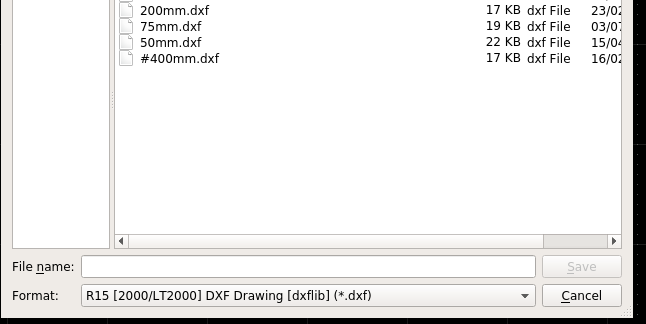
Anyway, now when I try to save a new drawing I’m only offered
“R15 [2000/LT2000] DXF Drawing [dxflib”] (*.dxf)"
In the format drop down box of the save window (image attached)
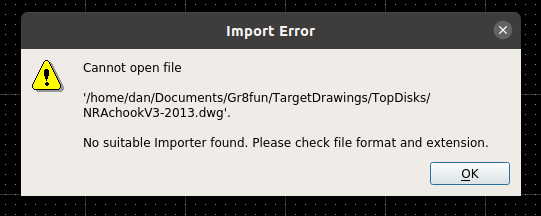
And when I try to open the .DWG QCAD created for me from the recents list I get the message in the second attachment “No suitable Importer found. Please check file format and extension”
Am I doing something wrong or have I misunderstood what QCAD has to offer?
Many thanks in advance for your help