Hello,
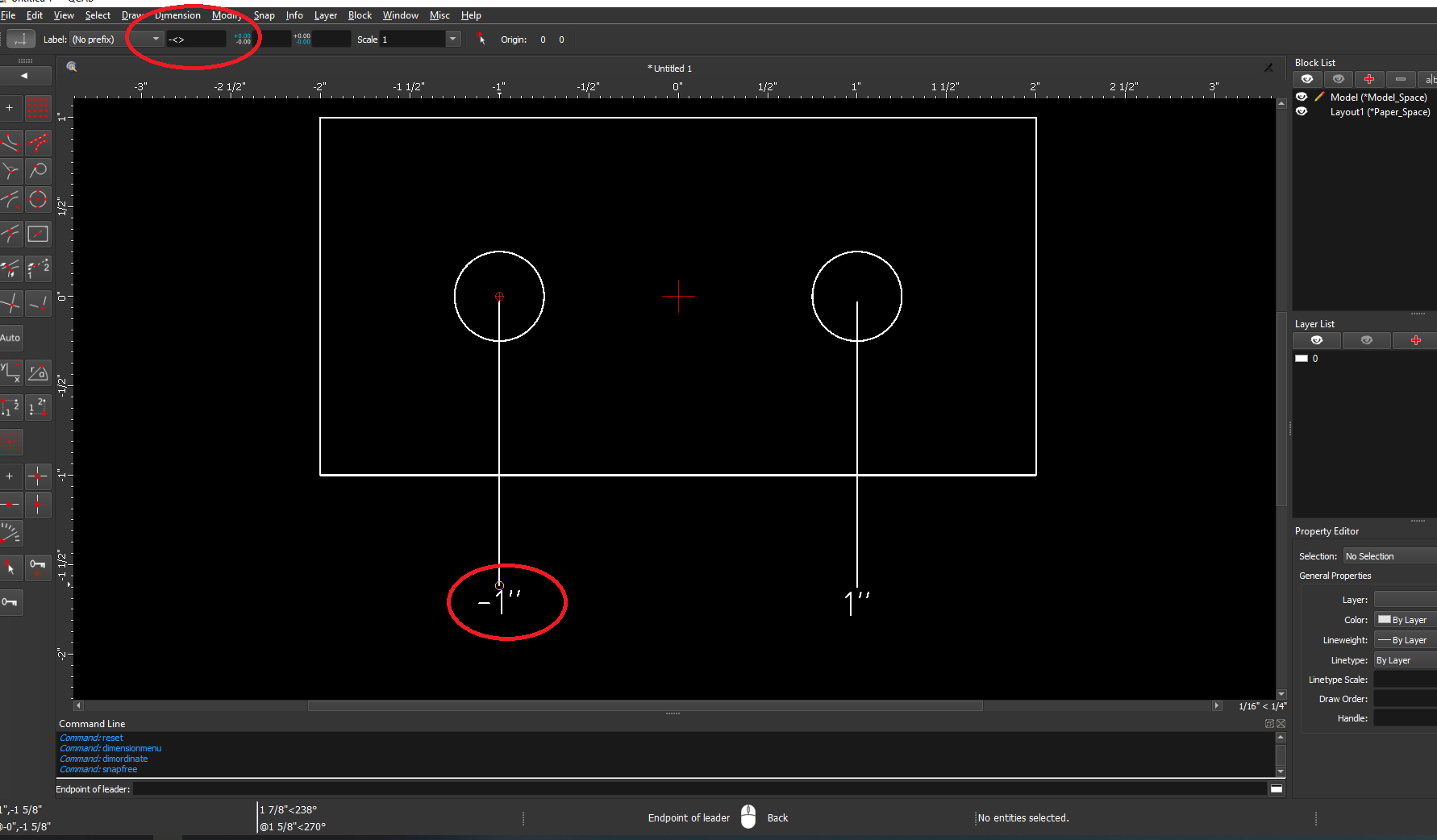
When placing ordinate dimensions, is it possible to have a negative value shown?
Please see PDF for reference.
Thank you.
Windows 10, 64 bit
CQad/Cam 3.26.2
1.pdf (108 KB)
Hello,
When placing ordinate dimensions, is it possible to have a negative value shown?
Please see PDF for reference.
Thank you.
Windows 10, 64 bit
CQad/Cam 3.26.2
1.pdf (108 KB)
You can add a negative sign followed by <>. The <> is a placeholder for the dimension value. So you can append that value with other characters as needed. This works for any kind of dimensioning in QCAD. I don’t know of an automatic way to achieve this, but I’m forever a noob, so maybe there is a way.
I can work with that, thank you!
That’s cool, now I can type in custom prefixes.
Hi,
A length value has by default no sign.
That is a general measurement standard. e_geek
It tells you how far from here to there. 
Same with radius, diameter … and all that rely on a distance e.g. speed.
… and postfixes.
Click right on the value field and one can insert even more symbols. 
This is also availible on editing the value in the Property Editor.
Regards,
CVH