No, sorry, the information was incomplete because every preference UI file has the same name.
 A single occurrence of a statusTip can be found in:
…\scripts\Edit\AppPreferences\GraphicsViewPreferences\PreferencesPage.ui
For the QCheckBox called ‘SystemCursors’.
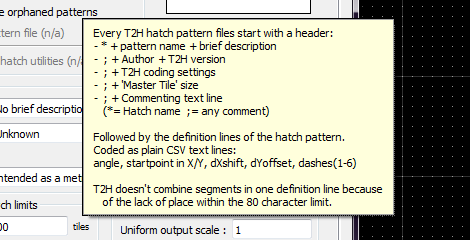
See example below.
But it doesn’t show when hovering over that preference …
I suspect that this doesn’t work on a Win system because a Dialog is always modal and it can not address the QCAD GUI Status Bar.
A dialog itself usually has no Status Bar under QCAD.
Although it is a standard QWidget, I don’t see a way of including it in a QDialog using my copy of Qt Designer (5.11.1).
… # Found it # Programmatically, not feasible with Qt Designer.
There is no code to be shared except for the entries in the UI xml.
It is just a property holding a string value.
       <item>
        <widget class="QCheckBox" name="SystemCursors">
         <property name="statusTip">
          <string>This can be used if cursors are not visible on external monitors</string>
         </property>
         <property name="text">
          <string>Use system cursors</string>
         </property>
         <property name="RequiresRestart" stdset="0">
          <bool>true</bool>
         </property>
        </widget>
       </item>
In Qt Designer you could fill in some strings for: toolTip, statusTip or whatsThis.
Or you could set/update/clear them programmatically for every QWidget:
qwidget::toolTip ; qwidget::statusTip ; qwidget::whatsThis
If any, displaying the toolTip is a default behaviour under QCAD, but again, this can be configured.
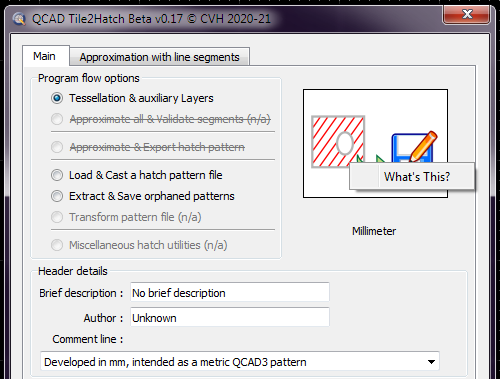
If any, the whatsThis text pops up after a right click and opting for What’s This in the context menu.
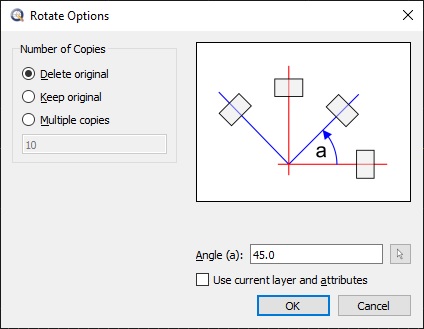
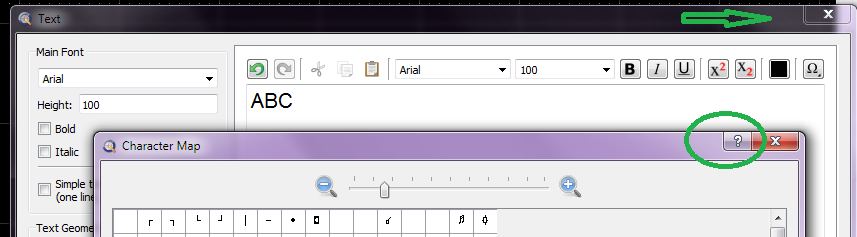
Also notice that we don’t have the [Arrow+?] or [?] button by default as in your case.
And not only for me, have a look at the screen capture by users
TrevorW or
artisanicview as example.
That has probably to do with your custom compilation of the QCAD source code or the Qt version (5.13.2).
You could test it by defining a whatsThis string for a QWidget, hit the button and then indicate your QWidget.
No there isn’t anything about that button.
All this is probably a standard Qt implementation on a higher level.
Do all the QCAD dialogs have this button?
Could you attach a capture of for example the Rotate Option dialog?
Some online search results:
how-to-work-with
how-can-i-hide-delete
How do I add a statusbar
Side Note:
Tile2Hatch is a tool that can convert anything we can draw in a defined right quadrilateral area (A tile) to a hatch pattern file.
Tessellating the tile in all directions to infinity.
Works perfectly achieving the highest art there is but it is kinda dead in the water.
As long as the QCAD hatch rendering engine is not enhanced in a major way it serves no use.
At the moment a pattern is handled as:
- Drawing an amount of parallel endless lines with each a custom line pattern, almost endless parallels depending the angle (Cloning load).
Converting the patterned lines to individual line segments and/or dots.
All data is then clipped to the hatch boundary, removing or trimming many/most of those segments and/or dots.
Defining Inside/outside/crossing for each segment/dot against all boundary edges as lines or approximated by lines.
And that for every entry in a hatch pattern file.
This is a very time-consuming approach with large to very large data sets and not really mathematically stable in the long run.
At some point the rendering engine times out (125-10000 ms by preference) or it fails completely.
Fine for something as “ANSI31” but it already starts to fail for some basic standard patterns like: “AR-CONC” or “GRAVEL”.
The only thing we learned from this is to keep our hatch pattern origin near the hatched area in QCAD.
Two other tools have emerged from the gathered knowledge: BHT & BMP both by John Hyslop but both limited/restricted in some way.
Regards,
CVH

 How does the so said ‘default implementation’ looks like in xml for your QDialog’s


 e_surprised e_confused