I tried to use QCAD for engraving.
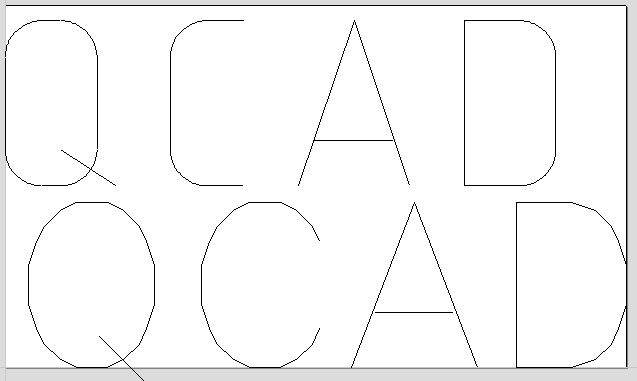
When I export the engraving text to my CAM application I get a different length for the text and it seems an offset in X-direction.
Although some characters change their appearance “here the Q”.
By modifying the text with modify–> break (shown on the first line) I get the right result but I can’t modify the text anymore.
version is 3.12.1.0
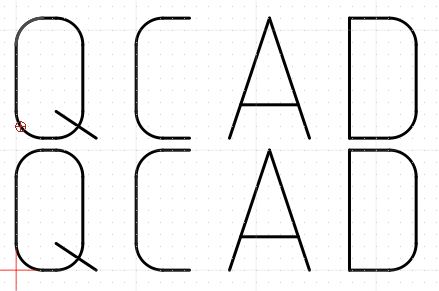
I can confirm this.
Text definitions vary from CAD/CAM to CAD/CAM system.
To engrave text in the exact same appearance as in QCAD, you would indeed have to explode all texts, then save the drawing under a new name (e.g. mydrawing_exploded.dxf), to make sure that you only continue working with the original.
Is there any solution in work for this or a way around let’s say something like “set all font to Arial” in this case something like “explode all text”
To change all text fonts to Arial:
- Edit > Substitute Fonts
To explode all text:
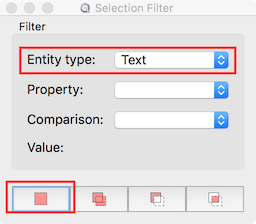
- View > Selection Filter
- Entity Type: Text
- Replace current selection
- Modify > Explode
You might want to consider using QCAD/CAM instead to create G-Code if your machine supports this. QCAD/CAM automatically explodes everything and exports only linear and circular movements (G01, G02, G03).
TKS for ultra fast reply.
Will try both and see what works better out for me.