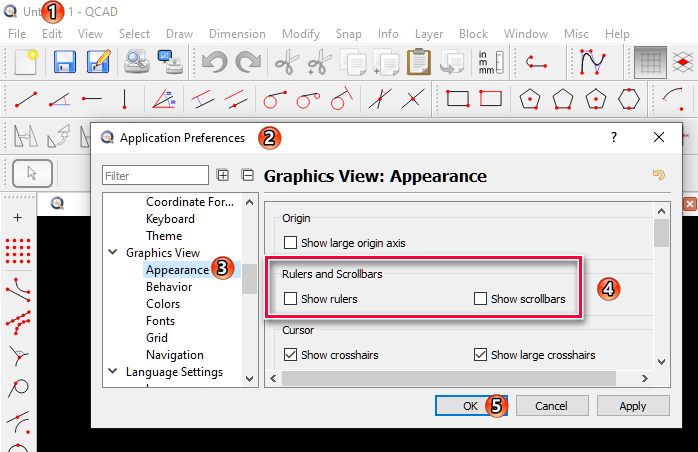
Hello, another potential new user coming from Draftsight. I’m liking what I see so far, with the exception of being able to disable both the scroll bars and the scales around the drawing screen. Just personal preference, but I don’t like or want either of these on my display. I poked around in the Application Preferences, but didn’t see where I could accomplish this. Am I stuck with them, or is there a way to disable these?
Thanks in advance!
- Bill