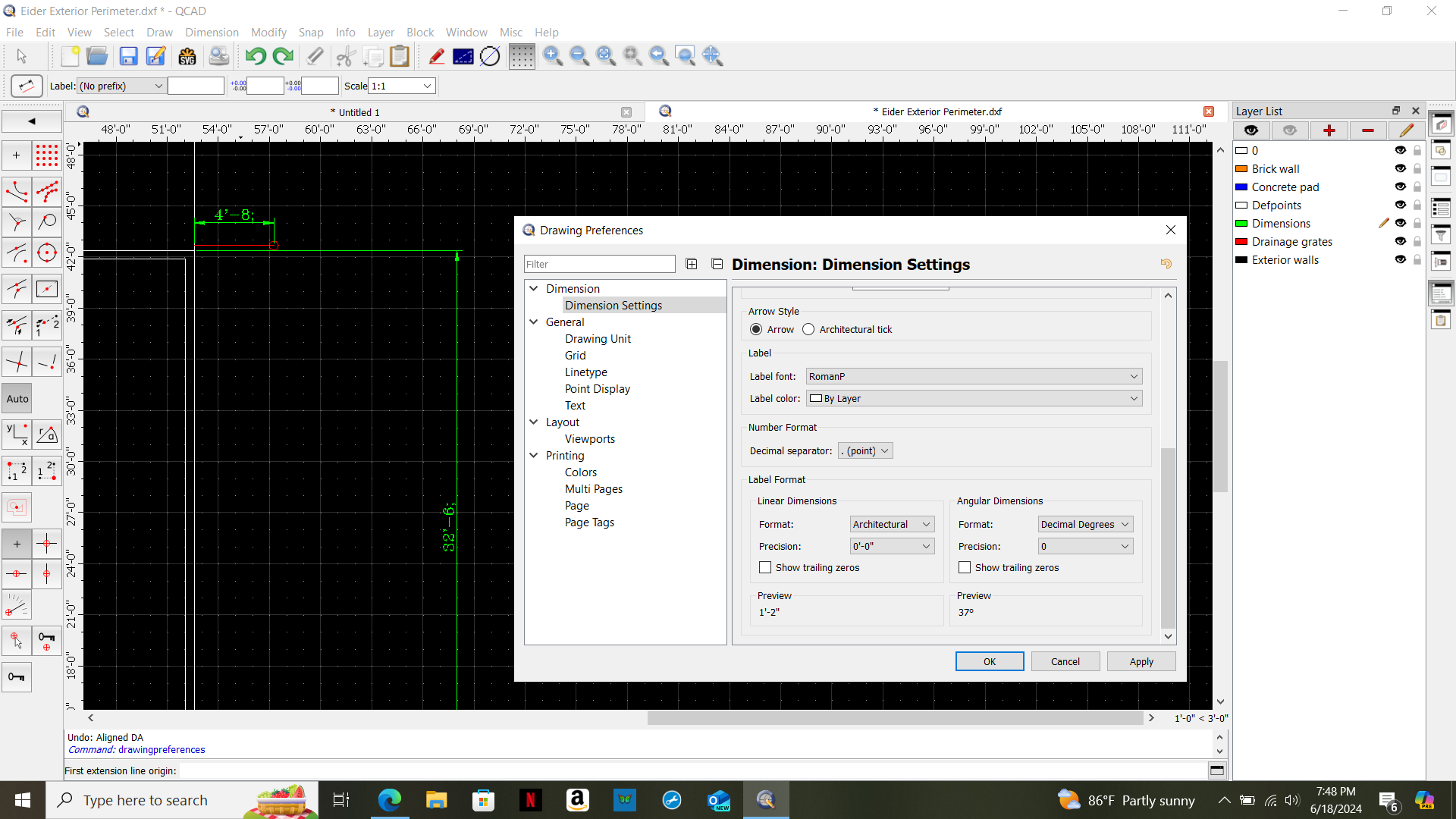
Hi, new to QCAD software. Just started using QCAD version 3.30.1 on windows 10 pc. I have set drawing dimensions settings to Architectural units on both Application and Drawing Preferences with 0’ 0" units. However, all of my dimensions appear as 0’ 0; units. I have change settings and reapply them, but they continue to show the incorrect inch symbol. The inch symbol always appears as ; instead of ". A screenshot is attached below. Any suggestions how to correct this issue? Thank you.
Hi,
your Label font is “RomanP” which most likely has a Simicolon [;] instead of a Quote ["] symbol.
Change the Label font to Standard, Arial or what ever provides the correct set of symbols and test it again.
The glyph’s for 0x0022 and 0x003b are indeed identical.
Nice catch. 
Regards,
CVH
I changed the font to Standard and the dimensions work correctly.
Thank you for your help!