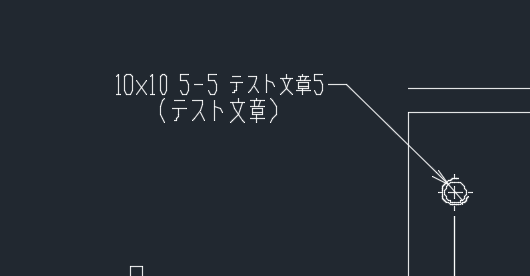
[solved]Dimension text garbled, and text can't edited

Software:QCAD Pro 3.22.0.0
OS:Mac Mojave

Hello.
I have some questions about the dimension text.

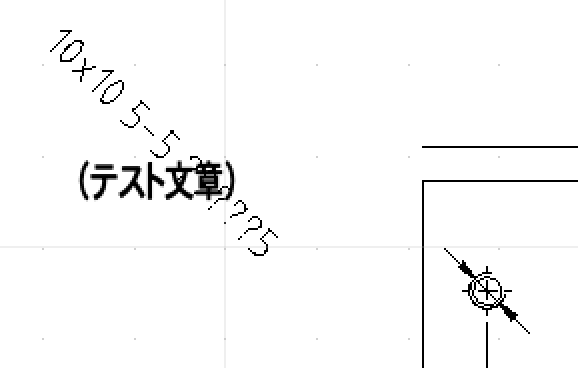
When i open a dxf file in QCAD and select japanese fonts, only the dimension text remains garbled.
But the multitext part is not garbled.

And it is garbled even when I export PDF from QCAD screen.
However, there is no garbled character when exporting PDF from command line tool.

use command:

dwg2pdf -l -a -k -fs standard Arial -paper=A3

I can not edit the text by double-clicking this Dimension text.

Dimension text has been rotated.
Is this a QCAD specification?
(Im expecting an “autocad_ss.png”)


Thank you.

You can change the dimension font under:
Edit > Drawing Preferences > Dimension > Dimension Settings > Dimension Label Font

That’s correct. You can edit dimension labels using the property editor.

QCAD does not support the dimension style used by Autocad.

Hi andrew.

Thank you for reply.

You can change the dimension font under:
That’s correct. You can edit dimension labels using the property editor.

It is solved. Thank you very much! :smiley:

QCAD does not support the dimension style used by Autocad.
I see, I understand.It is a little disappointing…

Thank you.