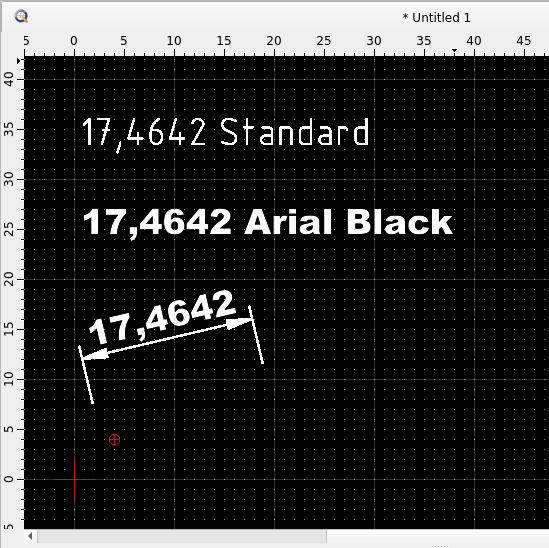
I created a test dimension (see the bottom of the screenshot). To figure out which font was used I created simple texts as at the top of the screenshot.
Looks like QCAD CE uses something like “Arial Black” as font in this case. Unfortunately it’s not possible to change it.
Shouldn’t it be “Standard” to be the default font of dimensions?
I am not aware that this can’t be set in CE.
The Dimension font is set in Drawing Preferences (Ctrl+I) .. Dimensions .. Dimensions Settings .. Label .. Label Font
That is for the drawing at hand.
This can also be set for all new drawings under the Applications Preferences (Ctrl+,) .. Defaults for New Drawings ..
A QCAD configuration reset would reset all preferences back to default.
It is known that if you scroll in the Preferences with the mouse wheel, you might scroll inside drop-down boxes too.
Best is to point at the vertical scroll-bar.
Ah – “Standard” sorts above “Arial” rather than below, since ‘Standard” is a pixel font, and the pixel fonts are separated from the TrueType fonts like “Arial Bold” or “Symbol.”
‘Standard’ is a QCAD specific CXF font, a counterpart of SHX fonts.
Typically single stroke line-art, the icon in the list is a bit ambiguous.
Single stroke is (almost) impossible with TTF or OTF what are filled outline fonts.
These fonts from the QCAD fonts folder sort above the system fonts.
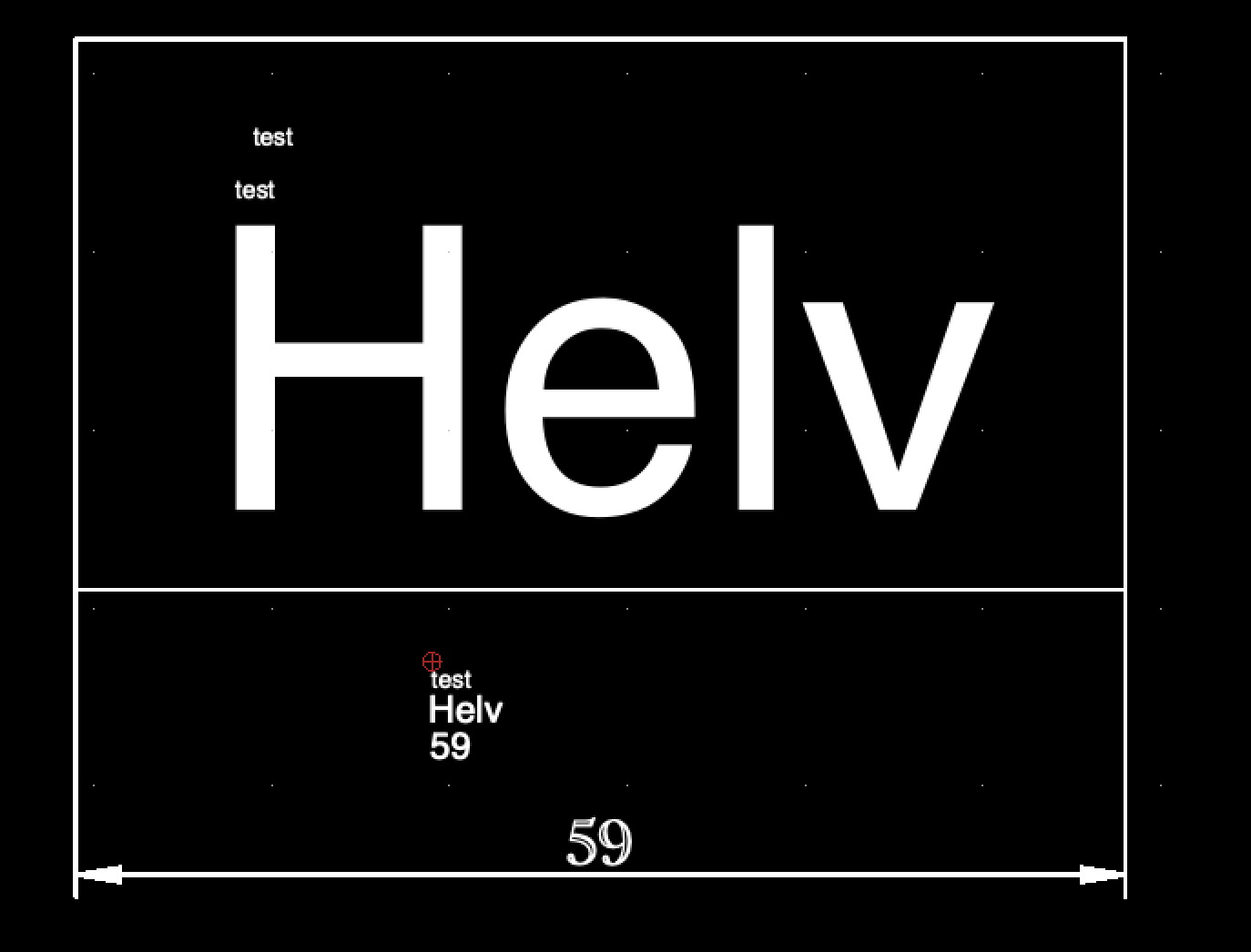
Yesterday I installed the Prof edition on my Mac, removed several files so that it is CE now. After this, I discovered my dimension font looks strange. See below picture. I added some texts to see if I could find the used font, but didn’t succeed. I did the configuration reset, no success. There is no option to configure the font in the Dimensions Settings. Who has a solution ?
Hi, @jvdstoel
Perhaps something is still trailing.
Close QCAD.
In the QCAD configuration file: QCAD3.ini/config …
… Could you look up with a plain text editor …
… Under the header [DimensionSettings] an entry like DimensionFont=???
If it occurs then you could perhaps remove that text line.
Save the config file and restart QCAD.
Unsure to what QCAD reverts to when a dimension font is not specified under CE.
It is expected to be limited to ‘Standard’.
The dimension font is stored in a DXF.
Start a new document for a clean slate.
@CVH In the Gebruikers/jvdstoel/.config/WCAD map only 2 files are available: QCAD3_old.ini and QCAD3.ini. Am I looking at the wrong location? Remember, I am on a Mac.
See the QCAD3.ini file.
.conf is the extension on Linux, the reason I included both extensions.
Shouldn’t that read: ‘Gebruikers/jvdstoel/.config/QCAD’