Is there any way to make the diameter symbol show on dimension lines? I have some drawings made with another CAD program. In them, when a dimension is shown for the diameter, I can see the symbol. But when text is attached to a leader, the symbol shows as a question mark. So, aside from making a block of this diameter symbol to use in my drawings, is there a setting in QCAD that I can set so it shows in the dim lines?
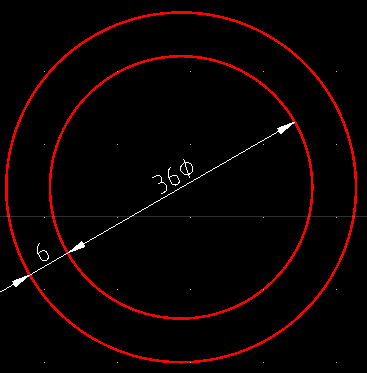
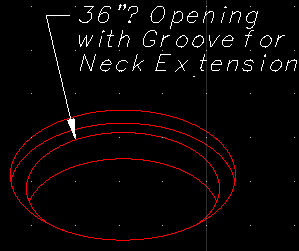
Most likely the font you are using does not have that symbol.
For the best help, always attach your DXF file.
Sorry about that.
test.dxf (174 KB)
I cannot find the leader in that file.
For the diameter / radius dimension, you can add a diameter (or other) symbol using the property editor. In the field label, enter “ø<>”. To insert symbols, right-click and choose Insert Symbol.
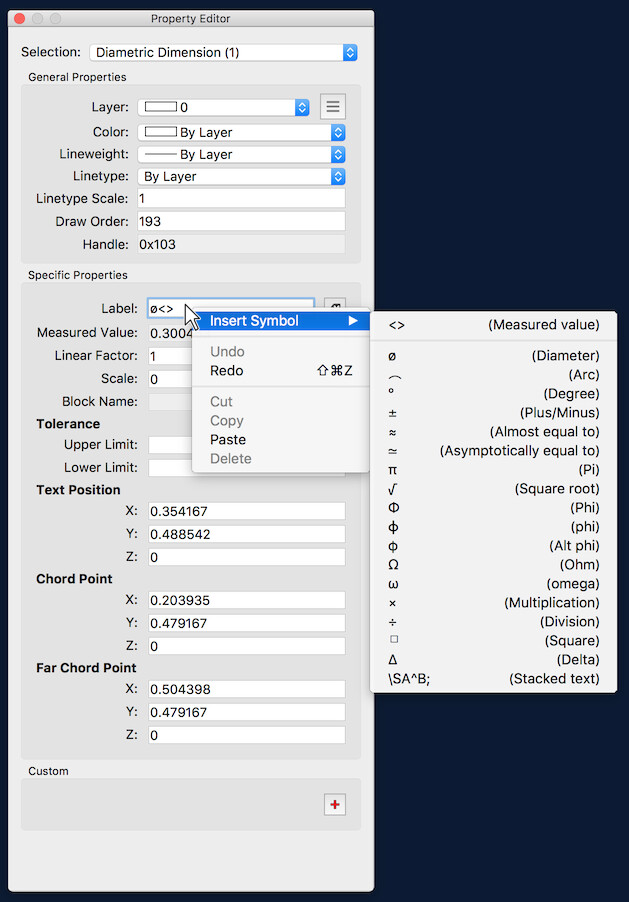
When I read through the help file, I must’ve missed that. Thanks for pointing it out. Very nice feature.
Is there a way to make that default so I don’t have top type it in each time?