Hi,
I’m using dwg2pdf command to convert a drawing file.
But all the Chinese words couldn’t be converted correctly.
-font-substitution not working either.
chinese-issue.pdf (738 KB)
chinese-issue.dwg (329 KB)
Hi,
I assume that the in the dwg used font isn’t installed on your machine.
As you can see it’ll work if you have a font installed which can properly interpret the used characters. If not it will display an ? as a placeholder. BTW: I can’t read Chinese - please consider my screenshot just as proof of concept. 
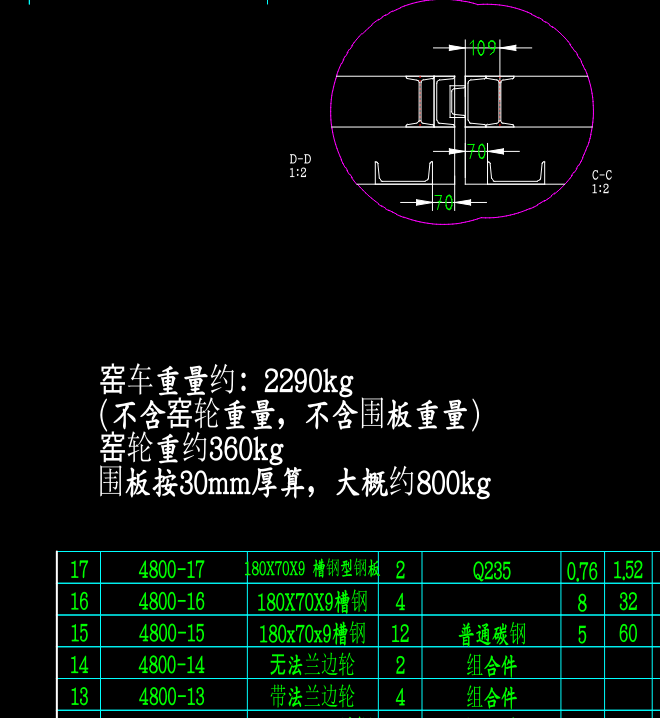
Thank you!
But I don’t know which font the users use, how can I determine the font (or font name) the file uses? Then I can find and install it, or replace it with an existing one.
Good question! In a perfect world you just load the drawing. If you then notice that something went wrong with the text you just select the text and check the Property Editor to figure out which font was used. Then get the font, install it on your system and everything works as expected.
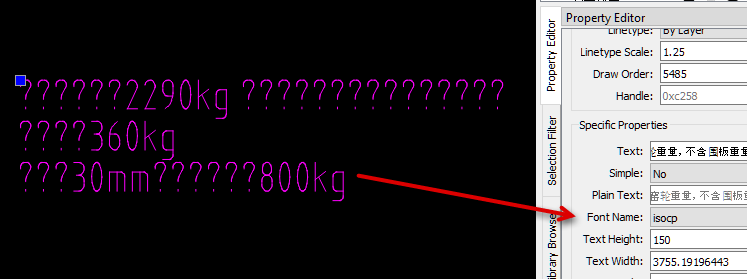
If I do that with your example drawing it will show that the “isocp” font was used. As we see that can’t be correct what means this font is already an automatically substituted font during load or somebody who work previously on that drawing substitute the font and saved the drawing before you got it.
What I did to come close to a fix was just a try and error attempt. I know it has to be a font with Chinese characters, so I tried a Chinese font which I had on my system (HanWang KaiBold-Gb 5) and hoped for the best …
Great explanation! Thanks!
Another problem is I’m just using the command line tool on Linux, no GUI, like ‘dwg2pdf -platform offscreen …’
Is there any way to determine the font name so that I can use the option ‘-font-substitution FONT1 FONT2’?
Hi,
What is the most intriging is that:
- Specific Property Text field
- Specific Property Plain Text field
- Text dialog
All show chinese characters but the text in model space renders as ‘???’.
The Block List and the Layer List show chinese characters too.
I have ISOCP.ttf installed but the font dropdown field shows ‘isocp’ as last at the bottom.
Meaning that ‘isocp’ is not the same as ISOCP.ttf as that sits higher in my font list.
Another test is to alter the font and verify if ‘isocp’ is still listed at the bottom.
In this case it disappears meaning that the font is not present on the system.
My ISOCP.ttf only includes some 200 characters: about 75% Basic Latin & Latin-1 Supplement
https://en.m.fontke.com/font/10067045/charset/
There are numerous different ISOCP.ttf files out there.
I suppose ‘isocp’ in the dwg is reffering to isocp.shx, an AutoCAD Compiled Shape File.
That ‘isocp’ is also associated with TTF by the icon in front is wrong here (known Qt issue).
QCAD doesn’t handle shx files.
If I copy a character from the Specific Property Text field and paste it in Notepad I get the same glyph.
The font that Notepad uses is Arial.ttf but I don’t get chinese characters using Arial in QCAD.
Same story when I paste it to Notepad++ that uses Courier New.
All rather weird. 
Regards,
CVH
Honestly - I don’t know.  Hopefully Andrew has an answer to your question.
Don’t know, dwg2csv can extract a list of used fonts in textbased entities …
Regards,
CVH
You can list the main fonts used in your file with:
dwg2csv -f -t Text -p "Font Name" myfile.dxf
Note that this will only list the main font of each text but not fonts that are used as part of the formatting.
For example if a text has its font name property set to “Arial” and the text contents is “ABC\fCourier|b0|i0|c0|p0;DEF”, this command will list “Arial” but not “Courier”. “Arial” is the font name property for the text whereas “Courier” is only used as part of its formatting.
I think one could extract formatting fonts from the plain text with a simple Regex …
All rather more complicated …
Regards,
CVH
Thank you!
I’ve tried this method, but it couldn’t extract the font name with my attached files, both ‘.dwg’ and ‘.dxf’…
dwg2csv -f -t Text -p "Font Name" chinese-issue.dwg
dwg2csv -f -t Text -p "Font Name" chinese-issue.dxf
chinese-issue.dxf (1.92 MB)
chinese-issue.dwg (329 KB)
Can you attach your CSV file that was generated?
Great! I found the font names in the csv file, thank you!
chinese-issue.csv (1.16 KB)