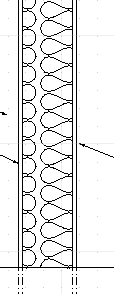
Being an architect, I now miss a “Batt insulation hatch” pattern and have searched this forum and the Internet for such and how to install it. I can find the looks of it (attachment), but files are so far dwg or PDF. As far as I understand file must be a PATfile and put in the QCAD Pattern folder. Please advise if possible
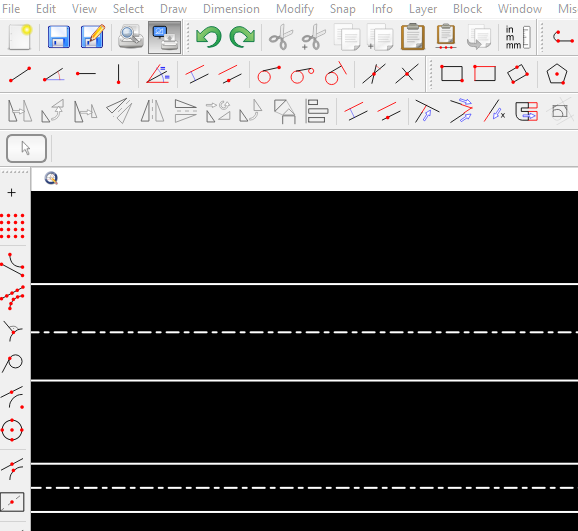
Not quite perfect, though. Quite some trimming to get the “Batting” line placed between borders, plus strange lines perpendicular to the end of the batting line.
Think it would be simpler and, at least, correct looking using ordinary hatch procedure - “just” need to get proper batt insulation pattern installed.
Admitting, when looking at some of my previous AutoCad and DraftSight files, this “strange lines perpendicular to the end of the batting line” were there, too. Only smaller. Can live with that now and maybe should have done better homework.
These files were opened in Draftsight, as the insulation batting line did not show when opening in QCAD, and when viewing QCAD batting line in Draftsight, it showed up as a straight line. Maybe scaling. However as retired I do not need cross platform availability that much any more. My cross plarform usually is OK established via PDF.
Well, not in print preview here either. Anyway time to the hit the hay over here in Europe. Thanks I’ll close the case, and maybe a genuine batt insulation hatch pattern appears some day, after all.
I’ve added a new pattern to my collection if you are interested, I left a small gap between the rows
so the pattern can easily be aligned with the cavity without showing the next row..
You can grab it here
You might want to search for FlexPainter by CVH this would be a perfect solution if added to his program
it would also allow you to pattern along any shape eg. arcs…
It’s part of Qcad install under Misc>Script Examples>Mathematics>FlexPainter if you ask him nicely he may consider adding this
Happy Hatching
John Hyslop PS Well … Update ---- I didn’t even know the linetype batting existed e_surprised
Learning something new every day lol
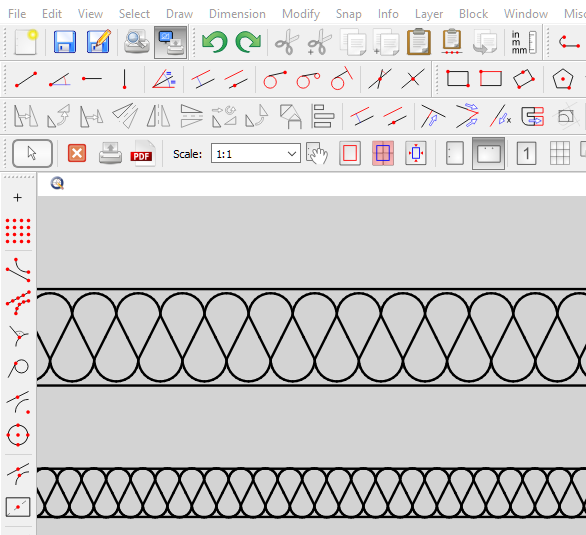
‘Batting’ is a standard Linetype.
Those ‘strange endings’ are quite standard too.
A Linetype is a repeated pattern centered over the length of the line.
At some specific scale to match a certain width there will be a part that falls out of the linear repetition.
To render those endings it falls back on a simple line piece.
Maybe Andrew can explain why these start at the middle of the pattern.
Having a Linetype and a Hatch pattern would cover all for now.
Flexpainter is specialized in using splines.
A spline as ‘Batting’ would decrease performance.
It also uses a seed pattern having somewhat the same restrictions as a Linetype.
This can be circumvented by using a custom scale in two directions or by dynamically fitting.
Using a polyline as seed would look better than ‘Batting’ on a curved path.
The ‘Batting’ would look denser on the inner side of the curve but I am not sure if I can fully avoid the self-intersections.
e.g. Revision Clouds.
It would also show in the drawing the same as a Hatch.
Definitely something to look into … Probably not in '22 .
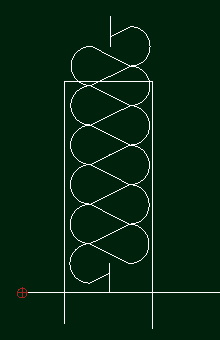
Wait… don’t mean to hijack the solved thread but I have an issue: (John Hyslop) mentioned leaving a gap between rows so it can be positioned right. I’m having issues with that. For example, I have a 2x6 “wall stud” and I try to hatch it so that it will look like it’s filled with batting. But what I get is half of one loop and half of the next row when I select the corners of the “stud” as my selection
So… the only thing I can think to do is play with an “invisible” rectangle until I get the size right so that the batting fits into the stud cavity, then put the hatch entity in the visible layer and turn off the layer showing the rectangle outline.
Is that what has to be done -or- there an easier way to make one row of batt hatch fit a rectangle area? (Tried to scale but can’t fit it right). It’s not crucial, as it’s clearly insulation, but… yah… I’m one of those types.





 .
.