I’m using QCAD community edition v3.31.1.0 on Windows 11.
I was wondering if there is a function, where I can like ‘stick’ the snap to two points, an then draw a line (starting from anywhere) to the two perpendicular meeting lines of these points.
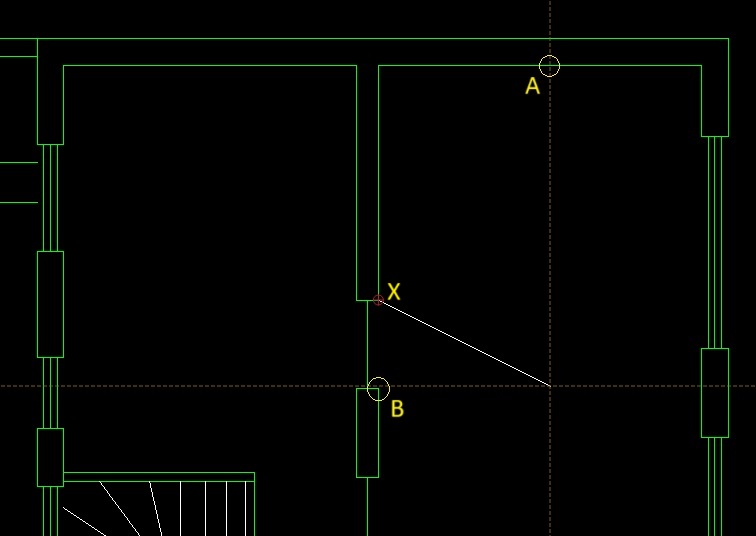
For example I’d like to start a line at point X, and then ‘stick’ or keep the snap at the center of the top line, at point A and then at the corner at point B, so that the end will be at the point where those two lines meet. I think it should be well shown in the picture, but the problem is, that the snap does not stick to points A and B.
Is there some setting I am missing, or is this simply not possible in QCAD?
I’m usually used to functions like that from previously using AutoCAD.
But there is no option, that makes this work continuously right? So that everytime that I move close to a certain point, it snaps to it and extends perpendicular from that point? Without having to select the ‘Snap from X/Y from points’ every time?
No, PX and PY are not snapping options that can be locked.
Always active … Always in the same order (XY or YX) … As a permanent addition to the standard snapping options …
I’m starting to wonder how counterproductive this could be.
Every snap point is then half a snap point.
Perhaps you have a specific usage or an odd way of doing things ?

 or an odd way of doing things
 ?