Selecting an object within a script

Hi,

I’m really new to QCAD and I am working on a script to discretize an arc.
I have the mathematical logic and it works on a non-interactive script, but I would like the user to be able to chose the arc they want when the interactive script is running.
And I don’t know how to keeps the selecting mouse when running the script and what functions to use to grab the user selection.

Currently, my script looks like that (don’t know if there are bugs inside, since I cannot test since I cannot select an arc):

include("scripts/EAction.js");

function DiscretizeArc(guiAction) {
    EAction.call(this, guiAction);

    this.nb_points = undefined;
    this.arc = undefined;

    this.setUiOptions("DiscretizeArc.ui");
}

DiscretizeArc.prototype = new EAction();

DiscretizeArc.prototype.beginEvent = function() {
    EAction.prototype.beginEvent.call(this);

    this.di = this.getDocumentInterface();
    this.di.setClickMode(RAction.PickArc);
};

DiscretizeArc.prototype.pickArc = function(event, entity, preview) {
    if (entity.getType() === 22) {
        this.arc = entity;

        if (preview) {
            this.updatePreview();
        }
        else {
            this.applyOperation();
        }
    }
    else {
        EAction.handleUserMessage("Select an arc");
    }
};

DiscretizeArc.prototype.getOperation = function(preview) {
    var doc = this.getDocument();

    var arcInfo = {
        centerX: this.arc.getCenter().x,
        centerY: this.arc.getCenter().y,
        startPointX: this.arc.getStartPoint().x,
        startPointY: this.arc.getStartPoint().y,
        startEndX: this.arc.getEndPoint().x,
        startEndY: this.arc.getEndPoint().y,
        radius: getRadius(),
        startAngle: getStartAngle(),
        angle: getAngleLenght()
    }
    var arc_angle_n = arcInfo.angle/(nb_points-1);
    var line_entity;
    var op = new RAddObjectOperation();
    var x_temp = arcInfo.startPointX; var y_temp = arcInfo.startPointY;
    for (i=1; i<this.nb_points-1; i++) {
        var Dx = arcInfo.radius*cos(arcInfo.startAngle+arc_angle_n*i)+arcInfo.centerX;
        var Dy = arcInfo.radius*sin(arcInfo.startAngle+arc_angle_n*i)+arcInfo.centerY;
        line_entity = new RLineEntity(doc, new RLineData(x_temp, y_temp, Dx, Dy));
        op.addObject(line_entity);
        this.di.applyOperation(op);
        x_temp = Dx; y_temp = Dy;
    }
    line_entity = new RLineEntity(doc, new RLineData(x_temp,y_temp, arcInfo.startEndX,arcInfo.startEndY));
    op.addObject(line_entity);
    this.di.applyOperation(op);
    
    var id = this.arc.getId();
    var entity = doc.queryEntity(id);
    op = new RDeleteObjectsOperation();
    op.deleteObject(entity);
    this.di.applyOperation(op);

    return op;
}

DiscretizeArc.prototype.slotNumberOfPointsChanged = function(v) {
    this.number = v;
    this.updatePreview();
};

DiscretizeArc.init = function(basePath) {
    var action = new RGuiAction(qsTr("&DiscretizeArc"), RMainWindowQt.getMainWindow());
    action.setRequiresDocument(true);
    action.setScriptFile(basePath + "/DiscretizeArc.js");
    action.setGroupSortOrder(100000);
    action.setSortOrder(0);
    action.setWidgetNames(["ExamplesMenu"]);
};

Every help will be appreciated!

Hi, And welcome to the forum.

This question is more likely something for the ‘QCAD Programming, Script Programming and Contributing’ forum. :wink:

It seems that you want to turn one or more selected arc entities into line-segments. :wink:
Have a closer look at RArc.approximateWithLines() or RArc.approximateWithLinesTan() as that is already included in the standard resources:
Inside > QCAD: RArc Class Reference
Outside > QCAD: RArc Class Reference

You did not provide in the UI file: DiscretizeArc.ui
And the tool icon is missing too: DiscretizeArc.js
:frowning:

To use RArc.approximate… you need to get an RArc shape based on the arc entity:

var entity = document.queryEntity(id);
var arcShape = entity.castToShape();

Where document is a reference to the current drawing and id that of the selected arc.

One must filter on RArcEntity and can use Library.js functions:
qcad/scripts/library.js at master · qcad/qcad · GitHub See line 448.

For example with an array of selected item id’s:

var idn = ids.length;
for (var i=0; i<idn; i++) {
    var id = selected[i];
    var entity = document.queryEntity(id);
    if (!isArcEntity) {
        continue;    // Ignore and skip to next
    }
    var arcShape = entity.castToShape();
    ...
    ..
    .
}

Where ids is an array of selected items and document is a reference to the current drawing.

Both RArc.approximate… return an RPolyline shape.
To return that to the drawing you need to construct an RPolylineEntity.

var newEntity = new RPolylineEntity(document, new RPolylineData(polylineShape));

Where document is a reference to the current drawing and polylineShape is the polyline shape you want to cast.

In the end we need to delete the arc and include the polyline, probably with the same attributes of the original:

.
..
...
var op = new RAddObjectsOperation();
...
... // Query selected, filter, modify .... 
...
newEntity.setSelected(true);
newEntity.copyAttributesFrom(entity.data());
// Add new entity:
op.addObject(newEntity, false, true);
// Delete original entity:
op.deleteObject(entity);
...
... // All done >>> 
...
// Apply all operations:
di.applyOperation(op);

This code will return an array with the selected entities or all entities if none are selected:

var document = this.getDocument();
var ids;
if (document.hasSelection()) {
    ids = document.querySelectedEntities();
}
else {
    ids = document.queryAllEntities();
}

But you probably rather want to indicate each arc while the tool is running …
The only thing missing then is an interactive script example with 1 state:
I think that Lengthen.js is a nice candidate:

Of course you need to change Lengthen in DiscretizeArc to start with. :wink:

Regards,
CVH

Shutterstock,
May I ask why you want to ‘degrade’ arcs to chains of line-segments … ?

Regards,
CVH

Sorry, I didn’t know it exists

I probably miss something but when I try to “addArc(0,0,50,25,150,false).approximateWithLines(2)” in shell, it just prints me: “TypeError: Result of expression ‘addArc(0,0,50,25,150,false).approximateWithLines’ [undefined] is not a function.”

The .ui file is basically the tuto file ExMyMinimal.ui, but I’ve replaced every “Radius” by “NumberOfPoints”.
I don’t know what is the tool icon sorry.

I’m stuck here, I don’t understand what polylineShape is.

We receive high quality .dxf files, but when exporting, arcs don’t simplify. The idea is to discretize the arc directly with QCAD.


Thanks for your help

Also, strange thing but when I try for example to do:

const Cx=1; const Cy=2; const R=200; const alpha=20; const beta=50;
var center = new RVector(Cx,Cy);
var di = this.getDocumentInterface();
var document = this.getDocument();
var op = new RAddObjectsOperation();
var entity = new RArcEntity(document,  new RArcData(center, R, alpha, beta, false));
op.addObject(entity);
di.applyOperation(op);

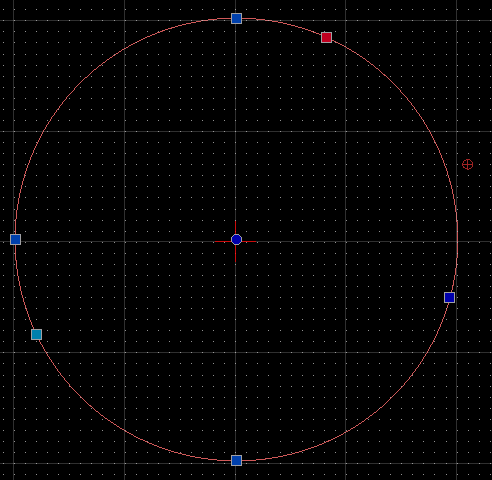
well, it prints me a circle:


but when I try to move a point:

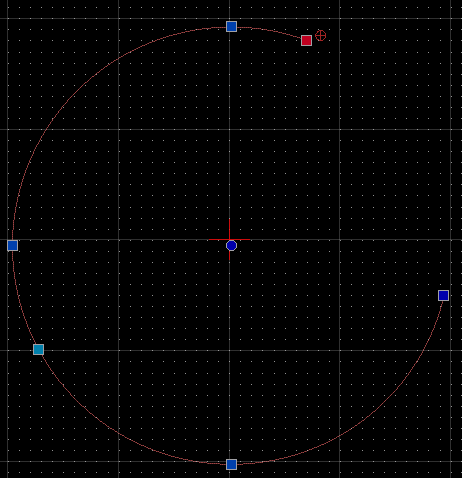
now it transform it into an arc:

Please attach your images to the forum post instead of linking to them on an external site, thanks.

See:

Thank you, I’ve edited

AddArc is part of the simple API:

It would add an arc entity in direct to the current document at (0,0), radius 50, starting at 25°, ending at 150° being CCW.


One can use .approximateWithLines() with an RArc shape.

This should run in the Script Shell:

var arcEntity = addArc(0,0,50,25,150,false);  // Simple API
var arcShape = arcEntity.castToShape();
var arcPoly = arcShape.approximateWithLines(2);
var vertices = arcPoly.getVertices();
addPolyline(vertices);  // Simple API
deleteObject(arcEntity)  // Simple API

But that adds an arc entity, then modifies it to a polyline shape with line segments and then replaces the arc entity with an polyline entity.
It is not common to use the simple API in an interactive script.

Still to test your script we need a copy of the UI file as you are using it.
About the icon that is my bad … A tool icon is initiated in the init section a would be called DiscretizeArc.svg


Both RArc.approximate… methods return an RPolyline what is a low level mathematical representation of a polyline.
This is not yet a drawing entity.

Sorry but an arc is the highest quality and the simplest form an arc can be.
One doesn’t have to ‘simplify’ arcs … Circles … Ellipses …
Replacing it with line segments decrease quality and makes it more complex.
Please elaborate ‘exporting’. Exporting to or as what?

The simple API is in degrees for convenience.
Less simple … The normal way … Angles are in radians.

Regards,
CVH

OK I see

Here is everything:
In scripts>Mofidy>DiscretizeArc:
DiscretizeArcInit.js:

function init(basePath) {
    var action = new RGuiAction(qsTranslate("DiscretizeArc", "&DiscretizeArc"), 
        RMainWindowQt.getMainWindow());
    action.setRequiresDocument(true);
    action.setScriptFile(basePath + "/DiscretizeArc.js");
    action.setIcon(basePath + "/DiscretizeArc.svg");
    action.setDefaultShortcut(new QKeySequence("l,e"));
    action.setDefaultCommands(["DiscretizeArc", "discretizearc", "discretize", "dis"]);
    action.setGroupSortOrder(13200);
    action.setSortOrder(300);
    action.setWidgetNames(["ModifyMenu", "ModifyToolBar", "ModifyToolsPanel", "ModifyMatrixPanel"]);
}

current DiscretizeArc.js:

include("scripts/Modify/Modify.js");

/**
 * \class DiscretizeArc
 * \brief Discretizes an arc by a number of points.
 * \ingroup ecma_modify
 */
function DiscretizeArc(guiAction) {
    Modify.call(this, guiAction);

    this.points = undefined;
    this.entity = undefined;
    this.pos = undefined;

    this.setUiOptions("DiscretizeArc.ui");
}

DiscretizeArc.prototype = new Modify();

DiscretizeArc.State = {
    ChoosingEntity : 0
};

DiscretizeArc.prototype.beginEvent = function() {
    Modify.prototype.beginEvent.call(this);

    this.setState(DiscretizeArc.State.ChoosingEntity);
};

DiscretizeArc.prototype.setState = function(state) {
    Modify.prototype.setState.call(this, state);

    this.getDocumentInterface().setClickMode(RAction.PickEntity);
    this.setCrosshairCursor();

    var appWin = RMainWindowQt.getMainWindow();
    switch (this.state) {
    case DiscretizeArc.State.ChoosingEntity:
        var tr = qsTr("Choose an arc");
        this.setLeftMouseTip(tr);
        this.setCommandPrompt(tr);
        break;
    }

    this.setRightMouseTip(EAction.trCancel);
};

DiscretizeArc.prototype.escapeEvent = function() {
    switch (this.state) {
    case DiscretizeArc.State.ChoosingEntity:
        EAction.prototype.escapeEvent.call(this);
        break;
    }
};

DiscretizeArc.prototype.pickEntity = function(event, preview) {
    this.error = "";
    this.di = this.getDocumentInterface();
    this.doc = this.getDocument();
    var entityId = this.getEntityId(event, preview);
    var entity = this.doc.queryEntity(entityId);
    var pos = event.getModelPosition();

    if (isNull(entity)) {
        this.entity = undefined;
        return;
    }

    switch (this.state) {
    case DiscretizeArc.State.ChoosingEntity:
        if (!this.isSupportedEntity(entity)) {
            if (!preview) {
                this.warnUnsupportedEntity();
            }
            break;
        }

        if (!EAction.assertEditable(entity, preview)) {
            break;
        }

        this.entity = entity;
        this.pos = pos;

        if (preview) {
            this.updatePreview();
        }
        else {
            var op = this.getOperation(false);
            if (!isNull(op)) {
                this.di.applyOperation(op);
                if (this.error.length!==0) {
                    EAction.handleUserWarning(this.error);
                }
            }
        }
        break;
    }
};

DiscretizeArc.prototype.isSupportedEntity = function(entity) {
    return isArcEntity(entity) ||
           (RPolyline.hasProxy() && isPolylineEntity(entity));
};

DiscretizeArc.prototype.warnUnsupportedEntity = function() {
    //if (RPolyline.hasProxy()) {
    /*    */EAction.warnNotArc();
    // }
    // else {
    //     EAction.warnNotLineArc();
    // }
};

DiscretizeArc.prototype.getOperation = function(preview) {
    if (isNull(this.pos) || isNull(this.entity) || !isNumber(this.points)) {
        return undefined;
    }

    this.newEntity = DiscretizeArc.discretizeArc(this.entity, this.pos, this.points);
    if (!this.newEntity) {
        return undefined;
    }

    return new RAddObjectOperation(this.newEntity, this.getToolTitle(), false);
    
};

DiscretizeArc.prototype.getHighlightedEntities = function() {
    var ret = [];
    if (isEntity(this.newEntity)) {
        ret.push(this.newEntity.getId());
    }
    return ret;
};

DiscretizeArc.prototype.slotPointsChanged = function(points) {
    this.points = points;
};

/**
 * Discretizes the given entity by the given number of points.
 *
 * \param entity Entity to discretize
 * \param position Position clicked by the user
 * \param points Number of points used to discretize the arc
 */
DiscretizeArc.discretizeArc = function(entity, position, points) {
    //var di = this.getDocumentInterface(); -> stop because of this, trying to work with this.di
    //var document = this.getDocument(); -> stop because of this, trying to work with this.doc
    var op = new RAddObjectsOperation();

    arcShape = entity.castToShape();

    polylineShape = arcShape.approximateWithLines(10);

    EAction.handleUserMessage("working 1");

    var newEntity = new RPolylineEntity(this.doc, new RPolylineData(polylineShape));

    EAction.handleUserMessage("working 2");

    newEntity.setSelected(true);

    EAction.handleUserMessage("working 3");

    newEntity.copyAttributesFrom(entity.data());
    EAction.handleUserMessage("working 4");

    // Add new entity: (in getOperation)
    
    // Delete original entity:
    op.deleteObject(entity);
    EAction.handleUserMessage("working 5");
    
    this.di.applyOperation(op);
    EAction.handleUserMessage("working 6");

    return newEntity;
}

DiscretizeArc.ui:

<?xml version="1.0" encoding="UTF-8"?>
<ui version="4.0">
 <class>DiscretizeArc</class>
 <widget class="QWidget" name="DiscretizeArc">
  <property name="geometry">
   <rect>
    <x>0</x>
    <y>0</y>
    <width>177</width>
    <height>46</height>
   </rect>
  </property>
  <layout class="QHBoxLayout">
   <item>
    <widget class="QLabel" name="PointsLabel">
     <property name="text">
      <string>Points:</string>
     </property>
     <property name="buddy">
      <cstring>Points</cstring>
     </property>
    </widget>
   </item>
   <item>
    <widget class="RMathLineEdit" name="Points">
     <property name="toolTip">
      <string>Number of points to use for discretization</string>
     </property>
     <property name="text">
      <string notr="true">10</string>
     </property>
    </widget>
   </item>
  </layout>
 </widget>
 <customwidgets>
  <customwidget>
   <class>RMathLineEdit</class>
   <extends>QLineEdit</extends>
   <header>RMathLineEdit.h</header>
  </customwidget>
 </customwidgets>
 <resources/>
 <connections/>
</ui>

DiscretizeArc.svg:

<svg xmlns="http://www.w3.org/2000/svg" viewBox="0 0 512 512"><g transform="translate(0 492)"><g style="fill:none;stroke-linecap:square;stroke-width:16"><path d="m184-196l160-240" style="stroke:#000"/><path d="m184-196-96,144" style="stroke:#f00"/></g><path d="m355.79-288.46l26.709 17.625-70.5 106.84 26.709 17.625-92.94 53.689 12.812-106.56 26.709 17.625z" style="fill:#fff;stroke:#00f;color:#000;stroke-width:10"/><path d="m456.14-195.86l-28.877 38.859 30.375 40.998h-15.472l-23.24-31.373-23.24 31.373h-15.472l31.02-41.783-28.378-38.08h15.472l21.18 28.449 21.18-28.449h15.472"/></g></svg>

DiscretizeArc.pro:

NAME = $${TARGET} 
SOURCES = $${TARGET}.js $${TARGET}Init.js
FORMS = $${TARGET}.ui

DiscretizeArc-inverse.svg:

<svg xmlns="http://www.w3.org/2000/svg" viewBox="0 0 512 512"><g transform="translate(0 492)"><g fill="none" stroke-linecap="square" stroke-width="16"><path d="m184-196l160-240" stroke="#fff"/><path d="m184-196-96,144" stroke="#f00"/></g><g fill="#fff"><path d="m355.79-288.46l26.709 17.625-70.5 106.84 26.709 17.625-92.94 53.689 12.812-106.56 26.709 17.625z" stroke="#0cf" color="#000" stroke-width="10"/><path d="m456.14-195.86l-28.877 38.859 30.375 40.998h-15.472l-23.24-31.373-23.24 31.373h-15.472l31.02-41.783-28.378-38.08h15.472l21.18 28.449 21.18-28.449h15.472"/></g></g></svg>


We then store the .dxf and reuse it later into Blender. And Blender likes points.


As you can see, the Lengthen.js file really helped me, but I’m stuck at “EAction.handleUserMessage(“working 1”);” while running the script.
I cannot also run:

//var di = this.getDocumentInterface(); -> stop because of this, trying to work with this.di
//var document = this.getDocument(); -> stop because of this, trying to work with this.doc

but I don’t know why.
I have also touched some things in advance like with “this.newEntity” in getOperation or getHighlightedEntities and I still don’t know if it’s correct or if it will make this not working lol

Meaning Blender can’t handle arcs? :open_mouth: Is that for sure? :unamused: :exclamation: :question: OK, noted :laughing:

It is DiscretizeArc.discretizeArc and not DiscretizeArc.prototype.discretizeArc so this has another meaning there.
Lengthen.prototype.getOperation sends this.Entity (by reference) and Lengthen.lengthen alters that entity in direct.
Lengthen.lengthen returns true or false (success/failed).

DiscretizeArc.discretizeArc should be a function that changes an RArcEntity into an RArc shape …
… and further in an RPolyline shape given the parameters it receives.
getOperation should handle the entity conversion and return an operation.

There is a fundamental difference between:
RArc shape: QCAD: RArc Class Reference
RArc data: QCAD: RArcData Class Reference
and an RArcEntity: QCAD: RArcEntity Class Reference

Question: do you need the clicked point for something? … I think this.pos is obsolete for you. :wink:
Please declare your variables with var, they should all start in lower case.

Remind that with this script you have to indicate each and every arc entity in the drawing … Is that the goal?

Ifso I would rewrite getOperation:

DiscretizeArc.prototype.getOperation = function(preview) {
    // Fail without an arc entity:
    if (isNull(this.entity) || !isArcEntity(this.entity)) {
        return undefined;
    }

    // Approximate arc and validate return:
    var poly = DiscretizeArc.discretizeArc(this.entity, this.points);
    if (!isPolylineShape(poly)) {
        return undefined;
    }
    
    // Create document entity:
    var newEntity = new RPolylineEntity(this.getDocument(), new RPolylineData(poly));
    // Return operation:
    return new RAddObjectOperation(newEntity, this.getToolTitle(), false);
};

And rewrite DiscretizeArc.discretizeArc:

/**
 * Discretizes the given entity by the given number of points.
 *
 * \param entity Entity to discretize
 * \param points Number of points used to discretize the arc
 *
 * \return The arc approximated at the inside with a polyline with line-segments
 */
DiscretizeArc.discretizeArc = function(entity, points) {
    // Avoid negative number of points: 
    points = Math.abs(points);
    // Avoid no number or division by zero:
    if (!isNumber(points) || points < 2) {
        return undefined;
    }

    // Cast entity to shape:
    var arcShape = entity.castToShape();
    // Determine segment length: 
    var length = arcShape.getlength();
    var segmentLength = length / (points - 1);

    // Return approximate shape by segment length if possible:
    if (isNumber(segmentLength) && segmentLength > RS.PointTolerance) {
        return arcShape.approximateWithLines(segmentLength);
    }
    else {
        return undefined;
    }
};

Some further tweaking may be required. :wink:

DiscretizeArc.prototype.slotPointsChanged = function(points) {
    this.points = parseInt(points, 10);
};

Regards,
CVH

You could eliminate DiscretizeArc.prototype.isSupportedEntity() and .warnUnsupportedEntity() all togheter.
You have but one entity type and no relative choices to make.

Then rewrite:

    switch (this.state) {
    case DiscretizeArc.State.ChoosingEntity:
        if (!this.isSupportedEntity(entity)) {
            if (!preview) {
                this.warnUnsupportedEntity();
            }
            break;
        }

To this:

    switch (this.state) {
    case DiscretizeArc.State.ChoosingEntity:
        if (!isArcEntity(entity)) {
            if (!preview) {
                EAction.warnNotArc();
            }
            break;
        }

DiscretizeArc.prototype.getHighlightedEntities() seems fine to me.

Regards,
CVH

Shutterstock,

First … The shortcut LE is in conflict with Lengthen / Shorten (LE).
The tool icon is also identical to that of Lengthen / Shorten.

The code needed some further tweaking … Fix typos :wink:
This is fully functional over here:

include("scripts/Modify/Modify.js");

/**
 * \class DiscretizeArc
 * \brief Discretizes an arc by a number of points.
 * \ingroup ecma_modify
 */
function DiscretizeArc(guiAction) {
    Modify.call(this, guiAction);

    this.points = undefined;
    this.entity = undefined;

    this.setUiOptions("DiscretizeArc.ui");
}

DiscretizeArc.prototype = new Modify();

DiscretizeArc.State = {
    ChoosingEntity : 0
};

DiscretizeArc.prototype.beginEvent = function() {
    Modify.prototype.beginEvent.call(this);

    this.setState(DiscretizeArc.State.ChoosingEntity);
};

DiscretizeArc.prototype.setState = function(state) {
    Modify.prototype.setState.call(this, state);

    this.getDocumentInterface().setClickMode(RAction.PickEntity);
    this.setCrosshairCursor();

    var appWin = RMainWindowQt.getMainWindow();
    switch (this.state) {
    case DiscretizeArc.State.ChoosingEntity:
        var tr = qsTr("Choose an arc");
        this.setLeftMouseTip(tr);
        this.setCommandPrompt(tr);
        this.setRightMouseTip(EAction.trCancel);
        break;
    }
};

DiscretizeArc.prototype.escapeEvent = function() {
    switch (this.state) {
    case DiscretizeArc.State.ChoosingEntity:
        EAction.prototype.escapeEvent.call(this);
        break;
    }
};

DiscretizeArc.prototype.pickEntity = function(event, preview) {
    var entityId = this.getEntityId(event, preview);
    var entity = this.getDocument().queryEntity(entityId);

    if (isNull(entity)) {
        this.entity = undefined;
        return;
    }

    switch (this.state) {
    case DiscretizeArc.State.ChoosingEntity:
        if (!isArcEntity(entity)) {
            if (!preview) {
                EAction.warnNotArc();
            }
            break;
        }

        if (!EAction.assertEditable(entity, preview)) {
            break;
        }

        this.entity = entity;

        if (preview) {
            this.updatePreview();
        }
        else {
            var op = this.getOperation(false);
            if (!isNull(op)) {
                op.deleteObject(entity);
                this.getDocumentInterface().applyOperation(op);
            }
        }
        break;
    }
};

DiscretizeArc.prototype.getOperation = function(preview) {
    // Fail without an arc entity:
    if (isNull(this.entity) || !isArcEntity(this.entity)) {
        return undefined;
    }

    // Approximate arc and validate return:
    var poly = DiscretizeArc.discretizeArc(this.entity, this.points);
    if (!isPolylineShape(poly)) {
        return undefined;
    }
    
    // Create document entity:
    var newEntity = new RPolylineEntity(this.getDocument(), new RPolylineData(poly));
    newEntity.copyAttributesFrom(this.entity.data());
    // Create operation:
    var op = new RAddObjectsOperation();
    op.setText(this.getToolTitle())
    // Add entity and return operation:
    op.addObject(newEntity, false, true);
    return op;
};

DiscretizeArc.prototype.getHighlightedEntities = function() {
    var ret = [];
    if (isEntity(this.newEntity)) {
        ret.push(this.newEntity.getId());
    }
    return ret;
};

DiscretizeArc.prototype.slotPointsChanged = function(points) {
    this.points = parseInt(points, 10);
};

/**
 * Discretizes the given entity by the given number of points.
 *
 * \param entity Entity to discretize
 * \param points Number of points used to discretize the arc
 *
 * \return The arc approximated at the inside with a polyline with line-segments
 */
DiscretizeArc.discretizeArc = function(entity, points) {
    // Avoid negative number of points: 
    points = Math.abs(points);
    // Avoid no number or division by zero:
    if (!isNumber(points) || points < 2) {
        return undefined;
    }

    // Cast entity to shape:
    var arcShape = entity.castToShape();
    // Determine segment length: 
    var length = arcShape.getLength();
    var segmentLength = length / (points - 1);

    // Return approximate shape by segment length if possible:
    if (isNumber(segmentLength) && segmentLength > RS.PointTolerance) {
        return arcShape.approximateWithLines(segmentLength);
    }
    else {
        return undefined;
    }
};

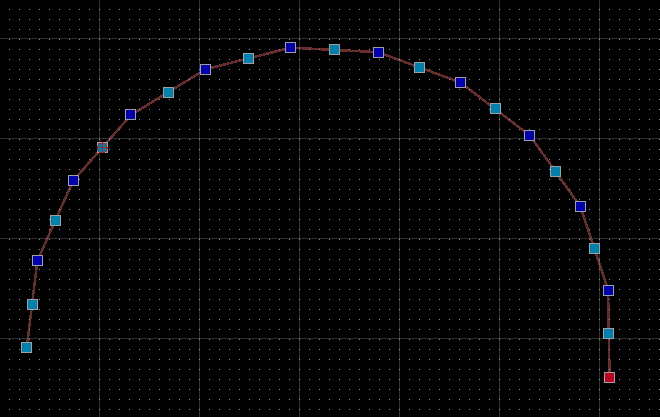
For some reason the polylines have 1 extra duplicated node at the end. :astonished: :frowning:
Probably the sum of things doesn’t exactly match with the arc endangle … = polar based.

Maybe this doesn’t occur when we approximate the arc angle based … Untested.
Refer to the resource signature:

The arc length in radians (isNot Sweep):

Still I think it is not a good idea to chop up an arc based on the number of segments … A segment length would be more appropriate.

Regards,
CVH

Tested and the results vary. :unamused:

Solved by checking and removing/replacing the last vertex:

/**
 * Discretizes the given entity by the given number of points.
 *
 * \param entity Entity to discretize
 * \param points Number of points used to discretize the arc
 *
 * \return The arc approximated at the inside with a polyline with line-segments
 */
DiscretizeArc.discretizeArc = function(entity, points) {
    // Avoid negative number of points:
    points = Math.abs(points);
    // Avoid no number or division by zero:
    if (!isNumber(points) || points < 2) {
        return undefined;
    }

    // Cast entity to shape:
    var arcShape = entity.castToShape();
    // Determine segment length:
    var length = arcShape.getLength();    // By arc length
//  var length = arcShape.getAngleLength();    // By arc angle
    var segmentLength = length / (points - 1);

    // Return approximate shape by segment length if possible:
    if (isNumber(segmentLength) && segmentLength > RS.PointTolerance) {
        var poly = arcShape.approximateWithLines(segmentLength);    // By arc length
//      var poly = arcShape.approximateWithLines(0.0, segmentLength);    // By arc angle

        // # Issue Fixed # Last vertex may be duplicate
        // Optionally we could remove the former last vertex if it is certain that the last vertex is equal to the arc endpoint
        // Fixed with:
        // - Removing last vertex when the last segment length is less than 1% of the required length
        // - Setting the new last vertex equal to the arc endpoint
        if (poly.getLastSegment().getLength() < segmentLength / 100) {
            poly.removeLastVertex();
            poly.setVertexAt(poly.countVertices() - 1, arcShape.getEndPoint())
        }
        return poly;
    }
    else {
        return undefined;
    }
};

Sorry, I was in weekend :wink:
Thanks for what you did

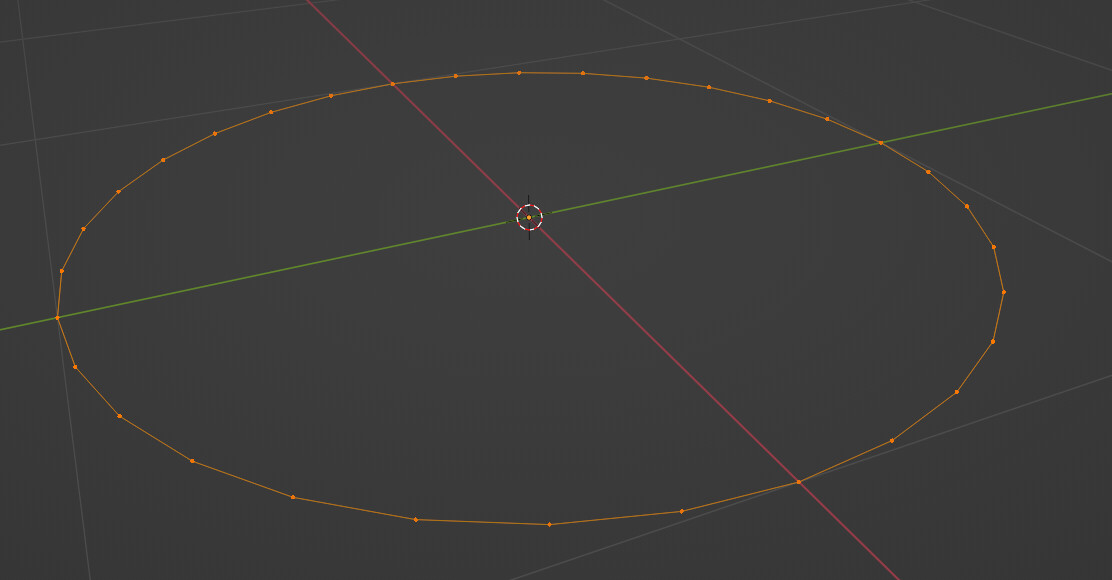
Yeah, for example, here is the very first basic circle mesh you can add on Blender.

Ok, I think I see what you mean

Yes, because each arc won’t have the same importance, so the user has to chose how they want to discretize for each arc


Where do you the a duplicated node? Can you give me what you are testing so I can reproduce?

Each arc don’t hold the same importance, so simply discretizing all arcs by the same length is not optimal. And chosing a length instead of a number of points is less intuitive for the user


Overall, thank you so much for your time and your help!

I think I can also try now to let the user select a list of arcs, and then click on a “Done” button with a chosen number of points. It will discretize the list of arcs simultaneously.
Something that can also be added is a highlight of present arcs (so the user doesn’t miss one)

I don’t think that the highlight will make a big change to the logic of the code, but the list of arc might, since we won’t work on hoovering.

Kinda investigate, I think the only way to highlight the present arcs is to add them to a new layer, with different properties than the current one.
Something like:

// Create layer to highlight arcs
var arcLayer = new RLayer(this.getDocument(), "Arcs", color = new RColor("red"), lineweight = RLineweight.Weight035);

// Store the arc layer
var op = new RModifyObjectsOperation();
op.addObject(arcLayer);
this.getDocumentInterface().applyOperation(op);

var arcLayerId = arcLayer.getId();

// Grab all entities
var entitiesIds = doc.queryAllEntities();
for (var i = 0; i < entitiesIds.length; i++) {
	var entityId = entitiesIds[i];
	var entity = doc.queryEntity(entityId);
	// Store arcs in the layer
	if (isArcEntity(entity)) {
        	entity.setLayerId(arcLayerId);
		op.addObject(entity);
	}
}
this.getDocumentInterface().applyOperation(op);

And I would need to put back the arcs in the current layer and delete the arc layer if the user stops the script:

var entitiesIds = doc.queryAllEntities();
for (var i = 0; i < entitiesIds.length; i++) {
	var entityId = entitiesIds[i];
	var entity = doc.queryEntity(entityId);
	// Put back arcs in the current layer
	if (isArcEntity(entity)) {
        	entity.setLayerId(currentLayerId);
		op.addObject(entity);
	}
}
op.deleteObject(arcLayer);
this.getDocumentInterface().applyOperation(op);

tho i don’t know how and where to properly call these two.

Still investigating for multiple selection examples


Without the latest fix: When we select 10 points >> 9 segments the resulting polyline may have 11 vertices.
Stepping through such a polyline with the vertex index, we discover that the last vertex is identical to the previous one.
Probably just nearly, taken that the rounded X/Y values match even with 8 decimal digits.

The fixed DiscretizeArc.discretizeArc verifies the last segment length.
The comparison is made relative so this should work for every size of arc and any number of points.
When that segment is less than 1% of the intended length it is removed but the polyline is forced to end at the arc end … :wink:

queryAllEntities() can be slow … Read:

Why not query all arcs: var entitiesIds = doc.queryAllEntities(false, false, RS.EntityArc);
The filtering is then done in C++?

Remind that if you put all arcs on a dedicated layer then:

  • You don’t have a reference to where they came from.
  • The approximation by polylines is casted on that layer too.

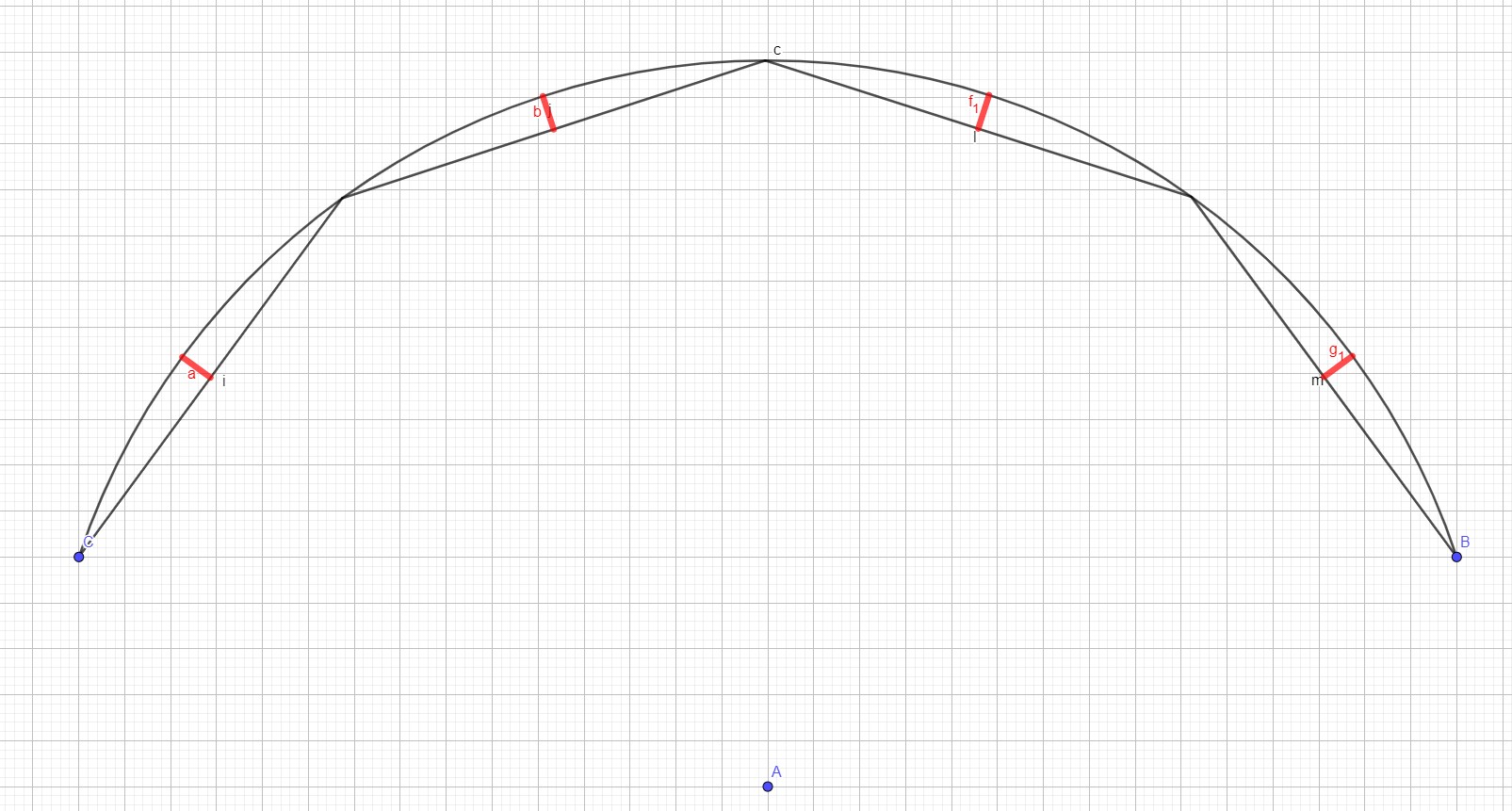
Then you might want to consider the maximum deviation between the arc and the segments.
The given tolerance would then dictate the largest length of the sagitta, and that relates to the largest arc-segment sweep.
Chopping the arc in segments with a adapted partial sweep that sums to the total sweep.

You now have a QCAD tool that acts on the selected arc … Implementing more/all arcs is yet another way, another script.

Regards,
CVH

I’m kinda stuck on moving arcs to the new layer.
Currently, I have this:

DiscretizeArc.prototype.beginEvent = function() {
    Modify.prototype.beginEvent.call(this);

    this.di = this.getDocumentInterface();
    this.doc = this.getDocument();

    this.currentLayer = this.doc.queryCurrentLayer();
    // Create layer to highlight arcs
    var linetypeId = this.doc.getLinetypeId("CONTINUOUS");
    this.arcLayer = new RLayer(this.doc, "Arcs", false, false, new RColor("red"), linetypeId, RLineweight.Weight035);
    // Store the arc layer
    var op = new RModifyObjectsOperation();
    op.addObject(this.arcLayer);
    this.di.applyOperation(op);
    // Grab all arc entities
    var arcEntitiesIds = this.doc.queryAllEntities(false, false, RS.EntityArc);
    for (var i = 0; i < arcEntitiesIds.length; i++) {
        var arcEntityId = arcEntitiesIds[i];
        var arcEntity = this.doc.queryEntity(arcEntityId);
        // Store arcs in the layer
        arcEntity.setLayerId(this.arcLayer.getId());
    //     op.addObject(arcEntity); <---- crash
	}
    // this.di.applyOperation(op); <---- crash
    this.setState(DiscretizeArc.State.ChoosingEntity);
};

It creates the layer as I want, but it doesn’t move any object. And when I try to uncomment “op.addObject(arcEntity);” or “this.di.applyOperation(op);”, it provokes the crash of QCAD.
I’ve used the syntax of CreateLayerFromSelection - #5 by pmakowski and I don’t find any other example of something like that to help me on that :confused:

edit:
I’ve found how not to make it crash, the op was applied a bit above, and then I retried to use that op. I guess it make it crash.
So now I have this:

DiscretizeArc.prototype.beginEvent = function() {
    Modify.prototype.beginEvent.call(this);

    this.di = this.getDocumentInterface();
    this.doc = this.getDocument();

    this.currentLayer = this.doc.queryCurrentLayer();
    // Create layer to highlight arcs
    var linetypeId = this.doc.getLinetypeId("CONTINUOUS");
    this.arcLayer = new RLayer(this.doc, "Arcs", false, false, new RColor("red"), linetypeId, RLineweight.Weight035);
    // Store the arc layer
    var op = new RModifyObjectsOperation();
    op.addObject(this.arcLayer);
    // Grab all arc entities
    var arcEntitiesIds = this.doc.queryAllEntities(false, false, RS.EntityArc);
    for (var i = 0; i < arcEntitiesIds.length; i++) {
        var arcEntityId = arcEntitiesIds[i];
        var arcEntity = this.doc.queryEntity(arcEntityId);
        // Store arcs in the layer
        arcEntity.setLayerId(this.arcLayer.getId());
        op.addObject(arcEntity);
	}
    this.di.applyOperation(op);

    this.setState(DiscretizeArc.State.ChoosingEntity);
};

So it doesn’t crash, but the arcs are not still note moved at all :confused:

Oh I’m dumb, I needed that apply. I instead had to create a new op after :unamused:

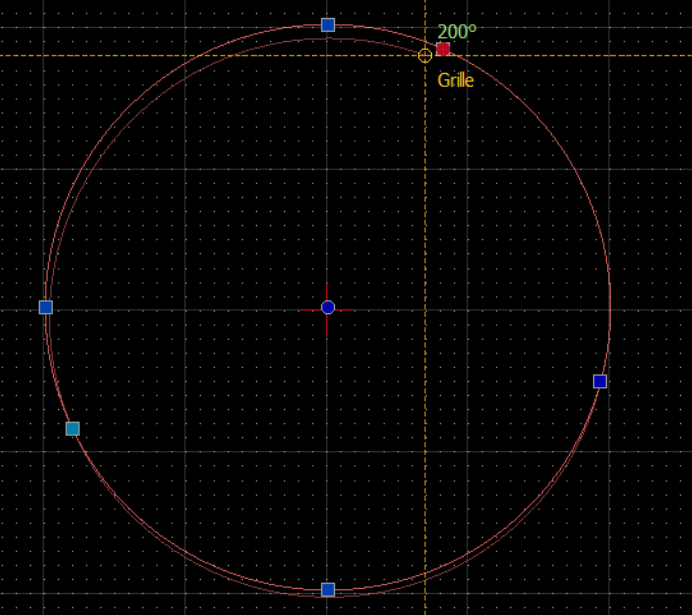
Are you talking about these red sagittas?