Hi,
I switched form Windows to MacOS, I’m using QCAD Community Edition ver. 3.29.6.0 (3.29.6)
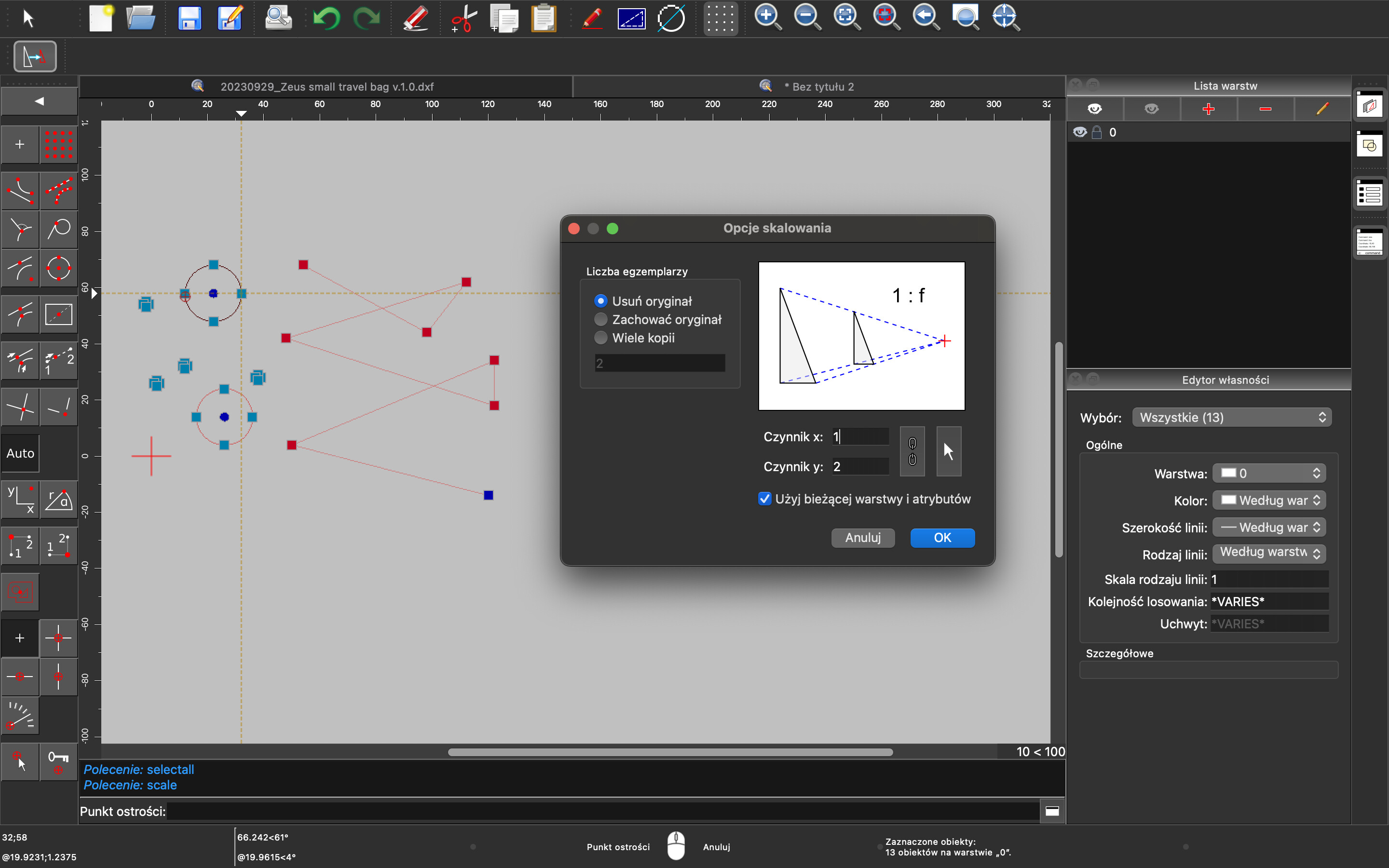
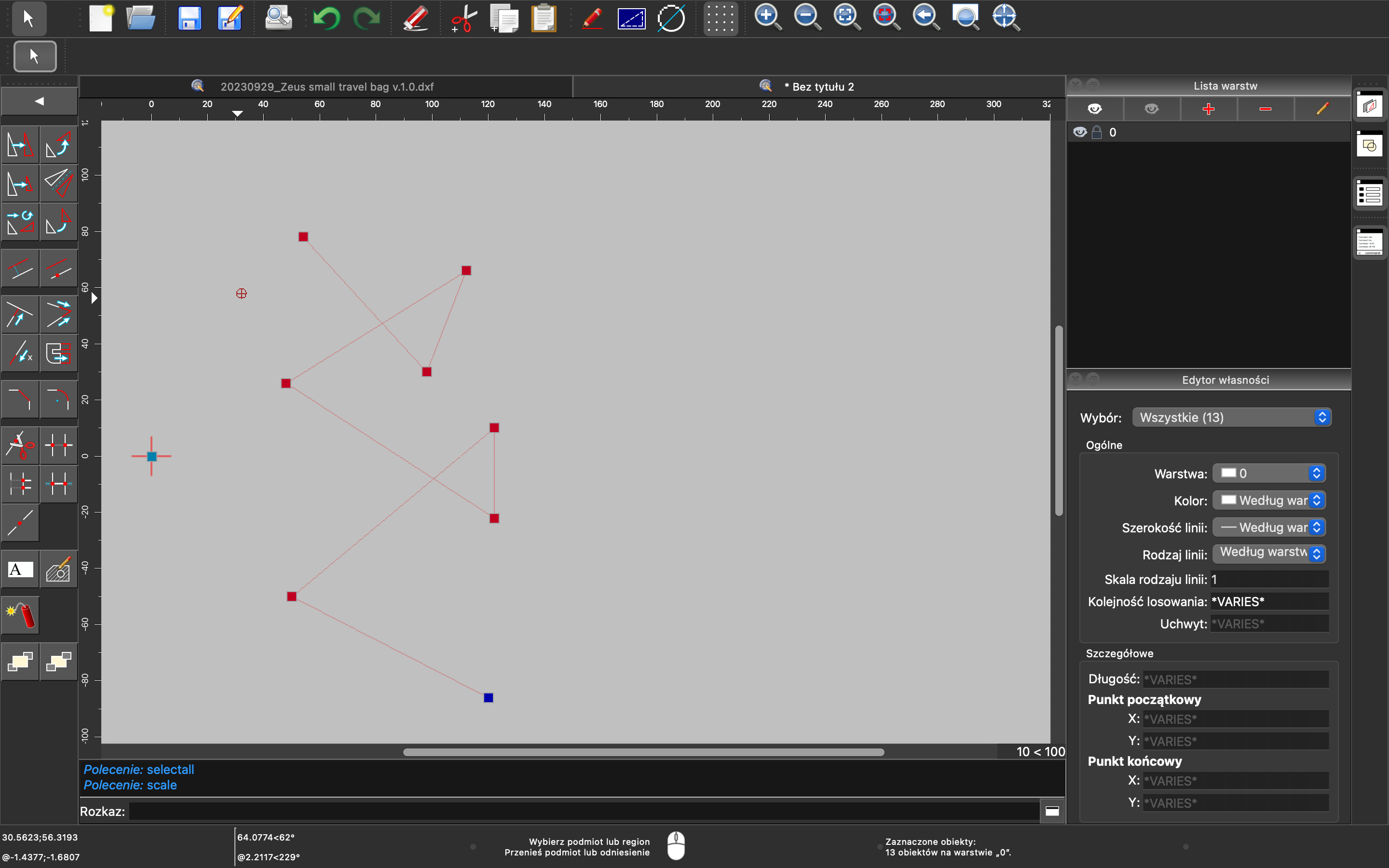
When I try to scale objects in my projects (MacOS QCAD), round ones disappears rest of them is scaled correctly. When I repeat this operation on Windows PC it works fine.
Problem appears when only when x does not equal y (as on screenshot).
Maybe I’m doing sth wrong? I use QCAD occasionally.
Is the Windows PC running the same QCAD CE version?
I then think there is an issue with ellipses for QCAD CE on MAC.
A circle scaled 200% in Y is an ellipse with ratio 0.5
For scaling Arcs, Circles and Ellipses it is especially related to an inscribed ellipse given 4 points.
About 6 months ago the support of that has changed.
QCAD 2.28.2 was released on 2023/09/04
The change to the Ellipse core was issued on 2023/12/04
As of then it returns an invalid RShape without the ellipse proxy (Without QCAD Pro resources)
Investigating the Scale code in detail:
Scale.getOperation >> Transform.getOperation >> this.transform = Scale.transform for each selected entity
Uniform scaling is supported by all entities.
Non-uniform scaling of arc, circle or ellipse >> Scale.transformArc
A circle is replaced by a full circular arc >> RShape.scaleArc >> RShape.transformArc
And that relies on REllipse.createInscribed(v1, v2, v3, v4)
Casting an Arc or a Circle instead of an Ellipse(-arc) if the resulting ratio is about 1.0 within 1e-3.
Basically meaning that non-uniform scaling of an arc, a circle or an ellipse is no longer supported for QCAD CE.
This is by designer choice.
If you have a copy of the installation file of QCAD 2.28.2 trial for MAC OS … Yes, but that is not advisable.
The real solution is to upgrade to the latest QCAD Pro version.