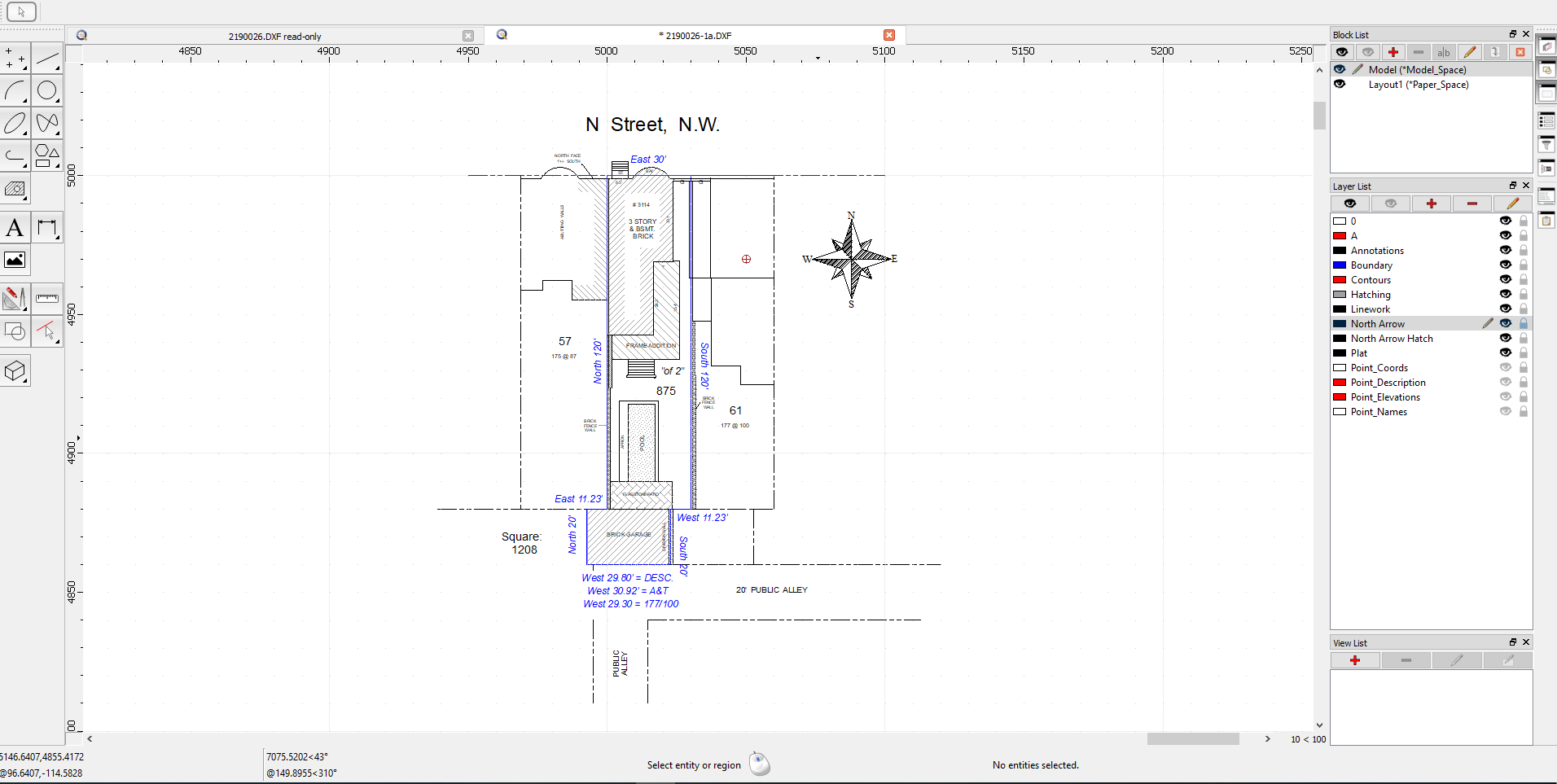
Have had some difficulties getting things to scale as desired.
I received a DXF file created from a very old Surveying tool (Stakeout for Windows.) It imports fine and I have modified it to requirements.
The last thing I have to do is get it into a Legal sized PDF.
So when I double-click Layout1 the drawing seems to disappear to who knows where. I’ve tried using the PDF centering tools etc., but I seem to have lost the thing altogether. I imagine it is not lost, but …
The drawing in the imported DXF file was very small and I had to zoom in quite a bit to see it. I noticed that the tool that created the DXF apparently likes to set the center at about 5000’x5000’ and use 1’ units. So I set the QCAD units to Foot/Foot to match. I have tried other combinations (Foot/Inch, etc.) and various PDF scalings, but I just can’t find it
to help you efficiently we need to see the drawing itself (dxf/dwg) or at least an example drawing which shows the same issue. Can you please attache a drawing? Thanks.
You have lost zero lengths entities in your drawing what kicks you from the road. That is the reason why the main drawing is placed x ~ 5000, y ~ 5000 and the printing auto center fails.
Ok, you need to clean up the drawing with the tool “Detect Zero Lengths Entities” below Menu/Modify/Detection. Launch the tool and delete the located entities. After that use the Auto Zoom what should make you already happy …
Next step: Adjust the Drawing unit to foot (there is no need to scale the drawing itself!).
Drawing Preferences:
Drawing Unit Foot
Paper Unit Inch
Next step would be to do the desired settings for Dimension and page. What paper size will you use?
Adjust the settings for page size below Drawing Preferences / Page / to Legal.
Launch the print preview, scale should be somewhat around 1" = 256", Auto Center the page and tell me how it looks to you …
First of all thanks so much for the help. The QCAD support is outstanding and makes the excellent product even more excellent!
Your recommendations worked like a charm and what a great result. Only thing is the Auto-Zoom did not work until I removed the four “Point_…” layers which are unnecessary artifacts of the originating tool.
With the print preview I had to click on"Auto Fit Drawing to Page". Worked like a charm.
Once again thanks so much to you and the QCAD team!
I assume your setting for the tolerances like distance and angle in the “Detect Zero Lengths Entities” tool are different to mine. However - you figured it out and that is what counts.