I’ve got a situation where I want to rotate several objects by an angle I don’t know, but I can locate the center and the start and end points of the rotation. Is there a command in QCAD that allows me to do this? I’ve poked around in the modification menu, but haven’t found one…and I’m not sure how to phrase a question in Google to get the right answer.
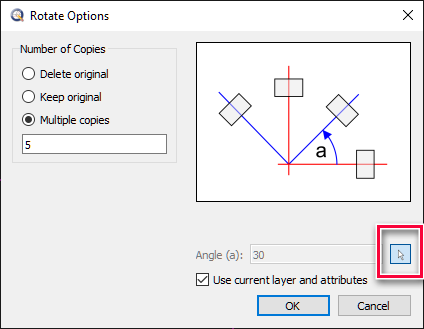
Well, I guess I should have read the instructions first. I see there is a button on the Rotate dialog that is supposed to let me do exactly what I want…
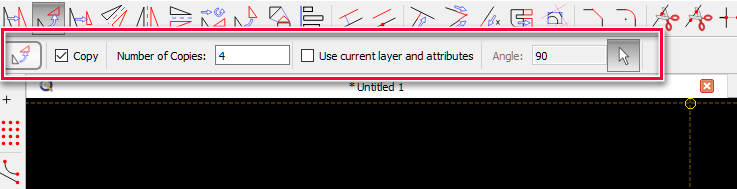
However, after selecting the center of rotation, the dialog pops up and “center point” remains displayed in the pane at the bottom of the window. When I click the button to define the angle with the cursor, it highlights, but “center point” remains displayed in the pane at the bottom and nothing else works.
Yes, I discovered that in the instructions after I originally posted my question, hence the update to my question. For some reason it isn’t working for me. After I click the button you highlight, I get nothing - I can’t select any points in the drawing. All I can do is select and deselect the button. Note that’ I’m using V3.23.0.0 Pro. Is it possible that this feature was broken in this version? Or am I doing something else wrong? It seems so simple even I shouldn’t be able to screw it up.
OK, I’ve got it now. I was expecting to specify the points as soon as I clicked the specify by points button. It didn’t occur to me that I should click the OK button to proceed to the next step. Thanks for helping me extract my head from my…oh, never mind.
Between yourself, Andrew, CVH, Mr H, Ryan and everybody else… the “QCAD” flexibility seems endless. I must admit (albeit slightly off topic)… every time I see updates I say to myself “finally the perfect application”… then Andrew introduces an even “more” perfect application.