Sorry if this is a dup. I tried to look this up on this forum and couldn’t find it.
How do I see the size of an rectangle that already been drawn, e.g. 5 x 3
Let’s say I want to move the right side in by 0.5 whatever-unit but leave the rest untouch… How do I do that? The scale tool resize it form the center.
How do I change the location of one of the nodes by x amount? I tried to click on it and type in something on the lines of move @0,-1 but it did nothing.
How do I select 2 nodes at once to move them?
Sorry for this noob question but I couldn’t figure it out as it is not intuitive in Qcad for some reason. I downloaded the free version of nanoCad which is the outdated version and it was straight forwards in that program for all of these things.
Math,
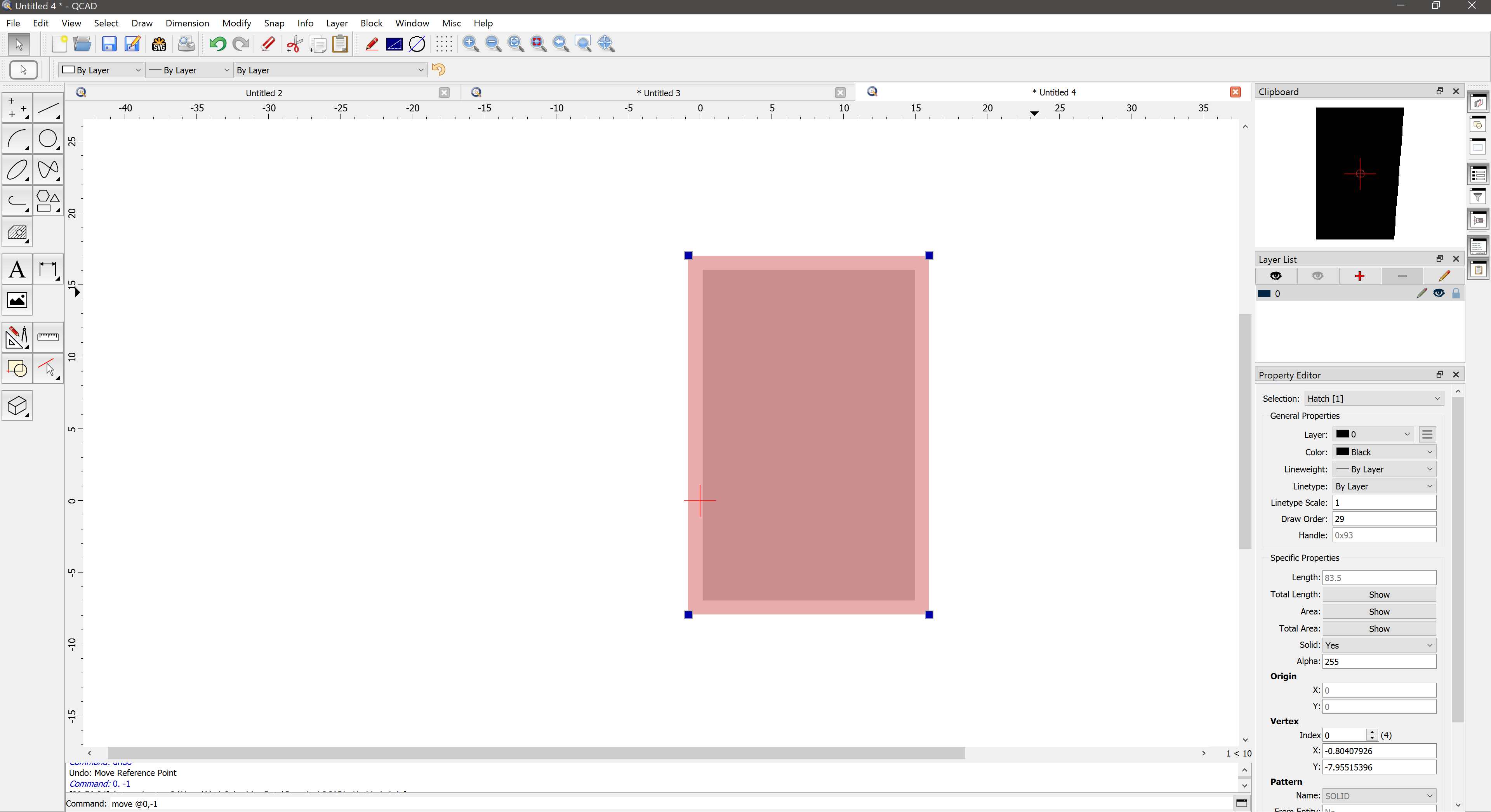
From the picture I presume that the rectangle is a hatch entity.
One can relocate the corner markers by left-click and hold on them and drag them to a new location.
Or once they stick to your mouse cursor you can type in a new position in absolute/relative and/or polar coordinates in the Command Line.
Hatches are usually added in a final stage.
A bounding rectangle as a polyline has more reference marks/options to reshape.
Please read the forum rules: Post one question per topic.
No, the scale tool (SZ) works with a focus point.
It all depends on where you set that before you perform the scale.
You can’t select 2 or more reference markers at once unless they are at the same position.
Okay but how do I get the dimensions of a rectangle?
Edit Ah I can not do it with a hatch.. Is there a way to auto update a hatch if I resize the polyline than or would I have to delete it and remake it? If not would the best way to put them on separate layers?
If the rectangle is a polyline - select the shape and check for the dimension the Property Editor.
If the rectangle is built out of lines - select the line to get the dimension also within the Property Editor.
Autoupdate - nope.
Delete and remake - that is one possibility. It depends on the shape which “dictate” the best approach to tackle that task. In many cases the Stretchtool is the best way to go …
Hatch on separate layer - yes, that would be common praxis and is recommended.