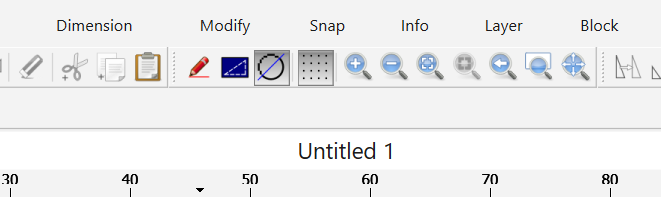
I’m using QCAD Professional 3.33.0.0 on Windows 11. The numbers on the horizontal ruler does not display correctly with bottom part of numbers truncated.
What are your settings under:
Edit > Application Preferences > General > User Interface?
Thanks.
Hi Andrew,
The problem disappear when I set the Scale factor to a value larger than 1.
Also I noticed that the problem only occur when I display QCAD on my Dell laptop screen. When I move to my external display the problem disappears, even on Scale factor 1.
Thank you
What are your exact settings under:
Edit > Application Preferences > General > User Interface
when the problem occurs?
Thanks.
Hi Andrew
Scale factor = 1
The problem occurs with the two check boxes checked or unchecked. It makes no difference.
Kind regards