Hi, and welcome to the QCAD forum.
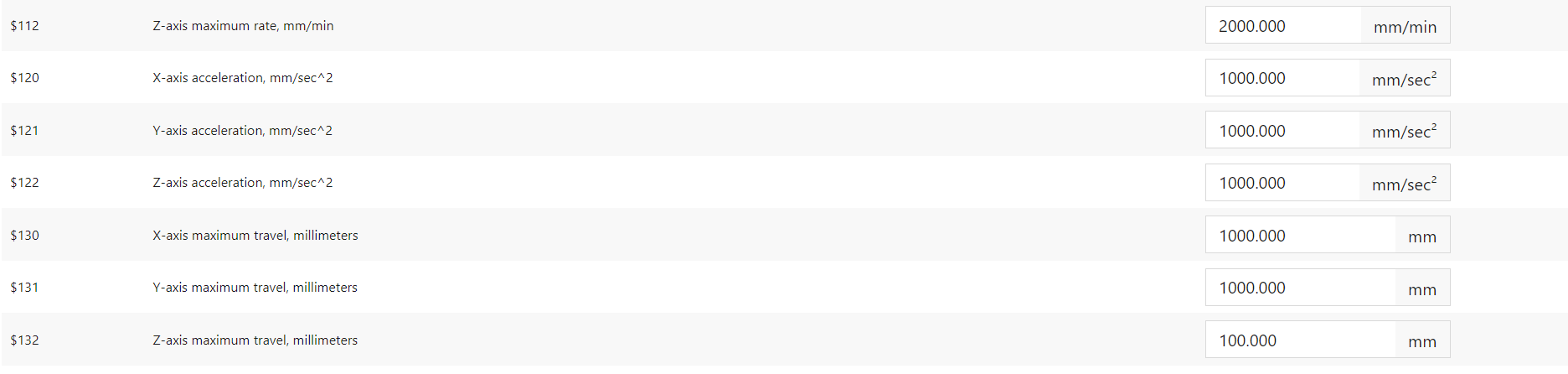
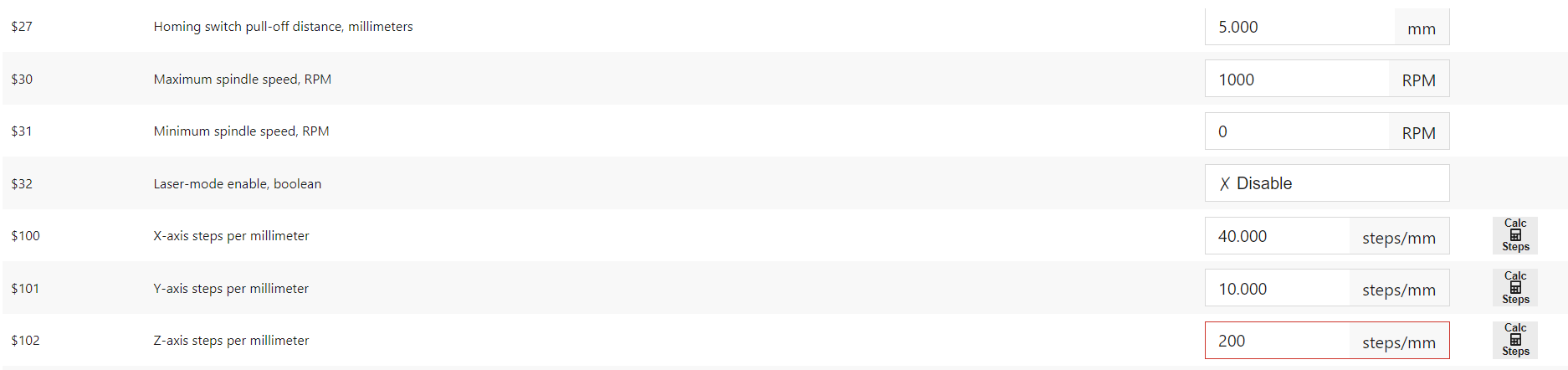
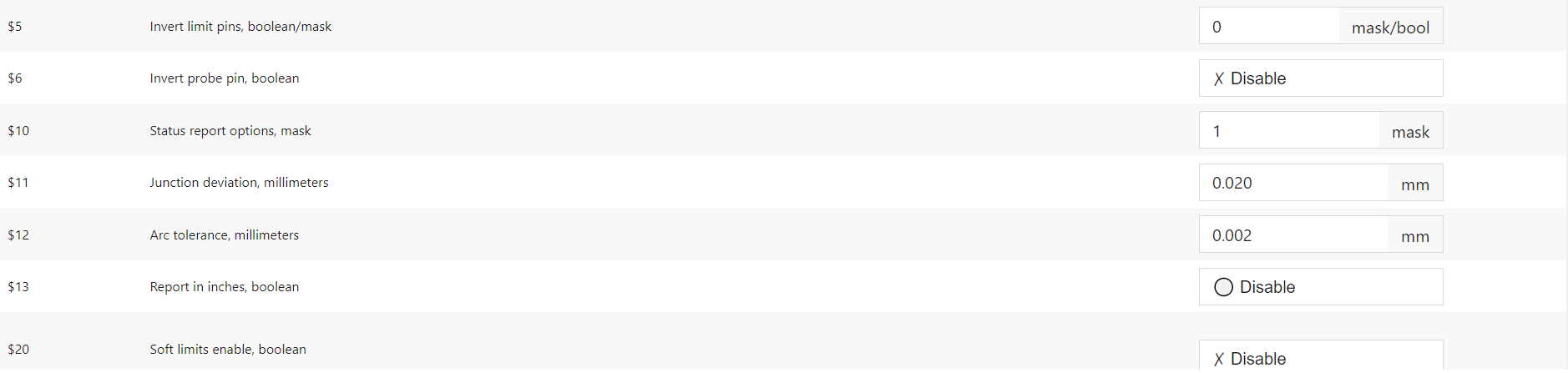
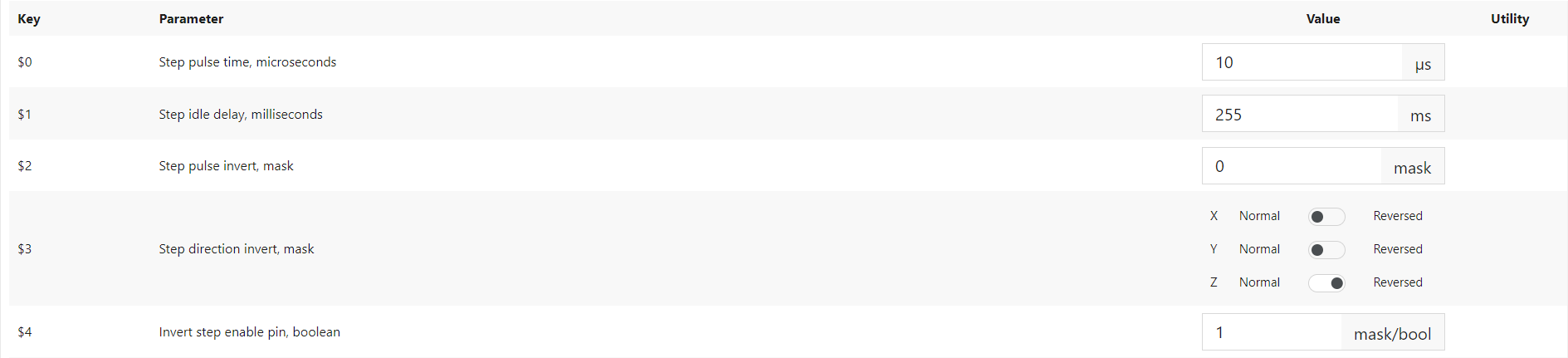
These are all physical parameters of a CNC driver (‘GRBL’ based)
In most cases they are unrelated or not needed for CAM and/or simply not influenced by CAM.
E.g. CAM FEED-rate is the intended velocity in any direction in the XY plane.
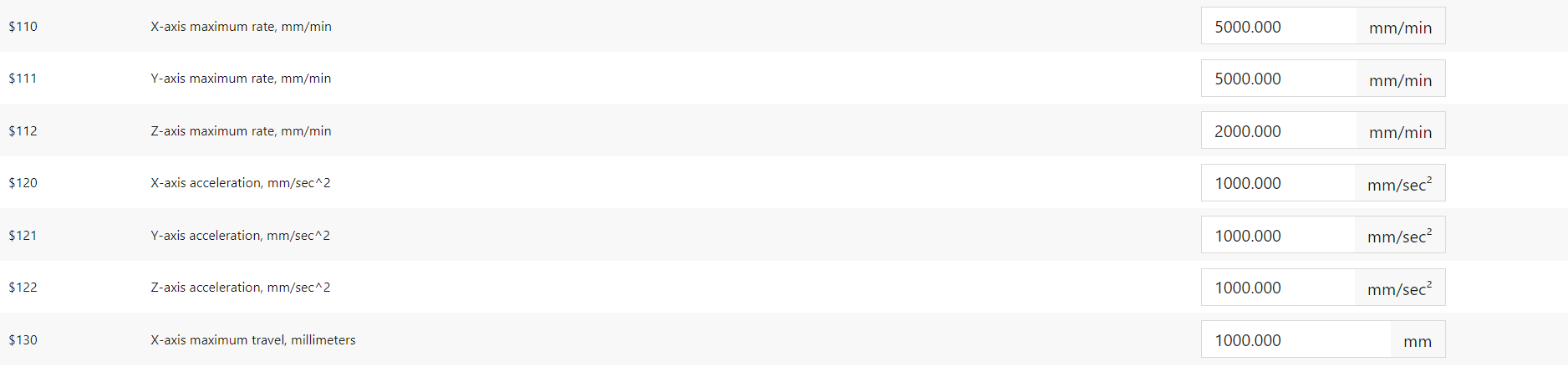
The decomposed velocities in X and in Y must comply or are limited to $110 and $111.
At the QCAD/CAM side it doesn’t matter if you enter FEED = 1.000.000 mm/min (60km/h) for a certain profile.
5 meters per minute is starting to sound pretty fast for a DIY setup.
Max step-rate would 40 x 5,000 / 60 = 3.33 Khz or 10 x 5,000 / 60 = 833.33 hz and really not that high.
X resolution = 0.025 , Y resolution = 0.1 and those are pretty limited.
It seems to be a fairly fast setup with low resolution.
This doesn’t say anything on accuracy and repeatability.
I have no explanation for the difference in resolution, it relates to the drive-trains, drivers and axis construction.
Maximum acceleration is a less well understood and neglected parameter set at about 1/10G.
The smallest circular motion at FEED 5000 would have a radius of 6.94mm …
… Otherwise FEED drops to comply with accelerations.
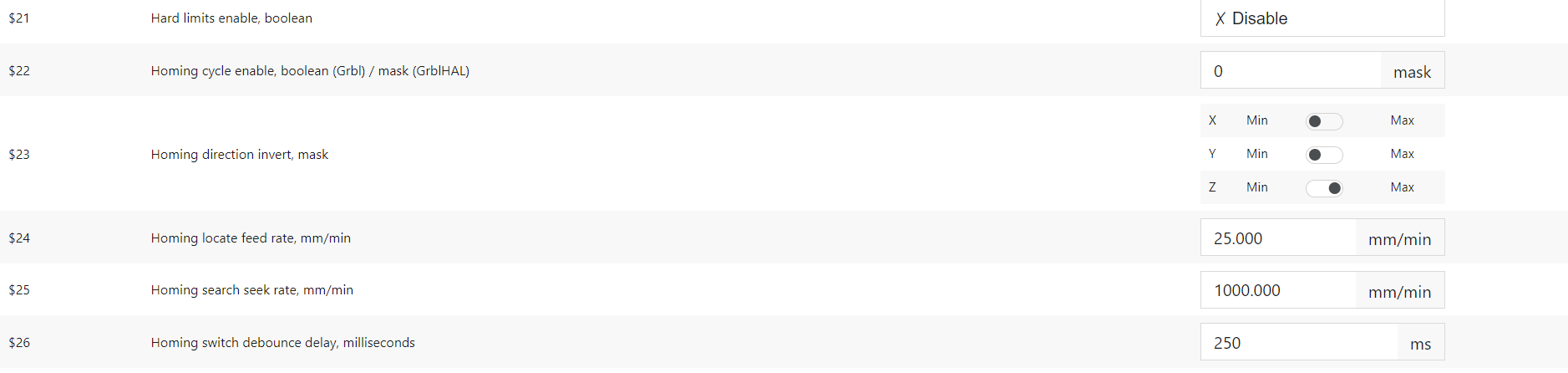
Homing is to ensure that the physical position of the setup matches with the logical parameters of the driver.
In the XLS is said that: ‘$23: Setting is not used so the setting doesn’t matter’ … It does matter 
Typically first UP in Z (to be safe) then in XY.
Homing an axis ends at a limit switch or you have some other sort of feed-back of the actual position.
You can place your work-piece anywhere in XY.
Next step is to Zero your work parameters on the work-piece.
Best practice is first in XY and then in Z.
Using QCAD/CAM it is mandatory that this correlates with the drawing origin.
Touch-off is the process of Zeroing Z at the top of your work-piece.
QCAD/CAM assumes that Zzero is the top of your material, actual cutting is in -Z.
A post processor for QCAD/CAM converts CAM-entities to motion instructions in the specific G-Code dialect.
Typically this doesn’t concerns: Homing on power up, Zeroing XY, Touch-off or Zeroing Z.
Nor does it concerns: An auto tool changer followed by an automatic tool length compensation.
Regards,
CVH