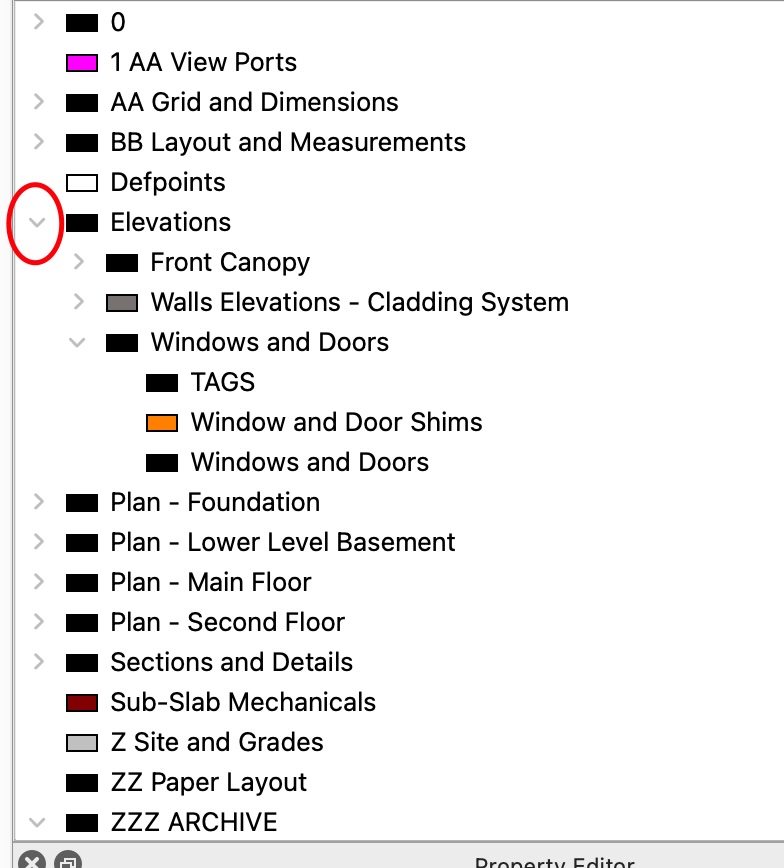
Drawing has 5225 Entities and 74 Layers ( 15 Parent Layers )
Attached a version that has no entities to show the layer list I have.
I proceed like this:
When I toggle a layer to expand/expose sublayers.
This is what I expect to happen:
Near instantaneous response. Attached file is a simple example that works fine.
This is what happens instead:
There is a substantial delay (3 to 4 seconds ) from click to expand.
If I delete all entities from the drawing the Layer toggle is near instantaneous response.
I have tried freezing and hiding Hatch and Text layers but it makes no difference.
Am I hitting a limit in the capabilities?
Any suggestion on how to improrve layer performance?
I was able to substantially increase the performance of the Layers Expand by deleting a series of very dense Hatch entities. They were Gravel and Sand at a scale of 1. Once deleted the performance was back to normal. Note I tried to lock and hide the hatch layers in question first but it did not help.
( In the drawing I sent by private message the layer deleted the hatch entities from was Plan - Foundation : Aggregates )