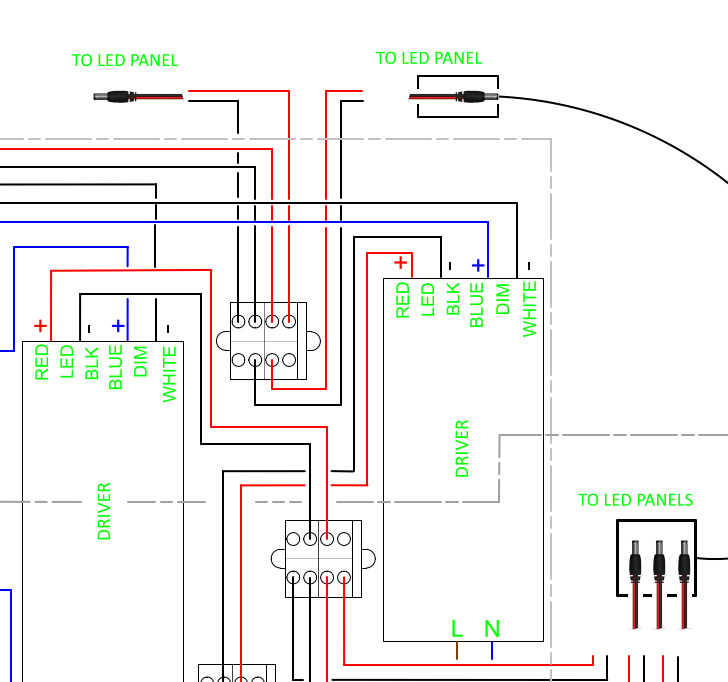
When I import a PDF into my drawing space. All looks fine after scaling is corrected and PDF is placed where it needs to be.
When printing, I start with a print preview. Print preview looks fine. I click the ‘print’ button, and the hard copy has the part relocated 180 degrees from where it was. Any thoughts on what is happening?
That behavior was never mentioned before from anybody in the forum (well, at least I can’t recall that question ). Right now I have no idea what is happening. Could you please attache the drawing (dxf/dwg) and the imported pdf to your post for further investigation? Thanks.
I can reproduce the issue on 3.27.6.0
Top left one was inserted at angle 0, top right one at angle 180.
Drawing looks fine.
Print Preview is OK.
Printing to paper both the top ones are printed at 0 degrees.
Export to pdf displays OK in a pdf application like Adobe Acrobat Reader. Printing from that application is OK.
It is the same when we insert the top right one and then mirror (MI) it horizontal or flip it horizontal (FH) or insert it flipped horizontal.
For some reason QCAD horizontal flip is scaling it in Y by factor -1 AND rotating it 180 degrees.
Similar as here: FS#2450 : Flip Block with Attributes horizontaly fails
Some side notes:
Are you aware that the terminal circles are polylines with up to 260 vertices?
Same goes for the semi circles.
The bell shape even has 285 vertices.
Why is a jumper 3 hatches?
I didn’t see rulers … I had to set the Meta grid factor to Auto.
The Sheet 8.5x11 is skewed somewhat, the horizontal lines aren’t horizontal.
That makes the viewport scale to 0.999 as it doesn’t fit on the paper.
Thank you for the reply. The version of QCAD used here is 3.27.9.0 (3.27.9)
I hadn’t tried printing to PDF yet. I’ll give that a try.
Understood on the side notes. I’m still learning this application.
 ). Right now I have no idea what is happening. Could you please attache the drawing (dxf/dwg) and the imported pdf to your post for further investigation? Thanks.