From a QCAD user:
I have a drawing with a block or blocks which have their origin not at 0/0 of the block data. How can I change this?
From a QCAD user:
I have a drawing with a block or blocks which have their origin not at 0/0 of the block data. How can I change this?
Blocks have their origin at 0,0 by default and this is also how they are used in almost all drawings you will come across.
However, occasionally, you might find that in a drawing some blocks are inserted with a different reference point, away from their origin point. You can see and change this (often undesired) offset as follows:
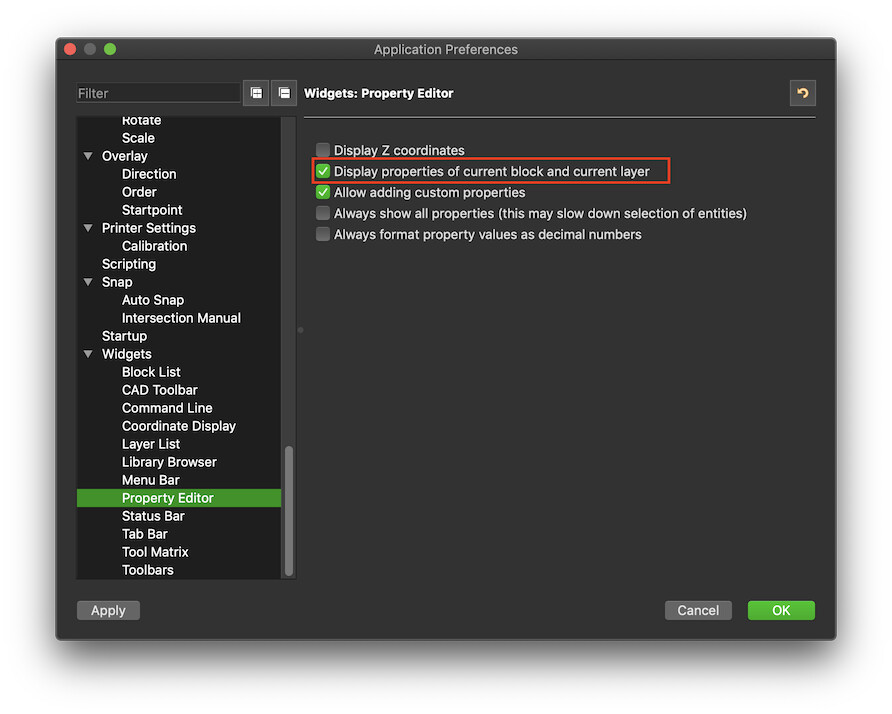
Go to Edit > Application Preferences > Widgets > Property Editor > Display properties of current block and current layer (make sure this is checked):
Make sure the block list is shown. If not, display it with View > Block List.
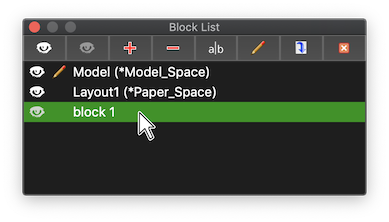
In the block list, click the block in question:
Choose menu Block > Edit Block
You can now see the block contents in the graphics view. Using the CAD tools to edit / move, make sure that the block is positioned in such a way that it’s origin (0,0) is a the desired reference point.
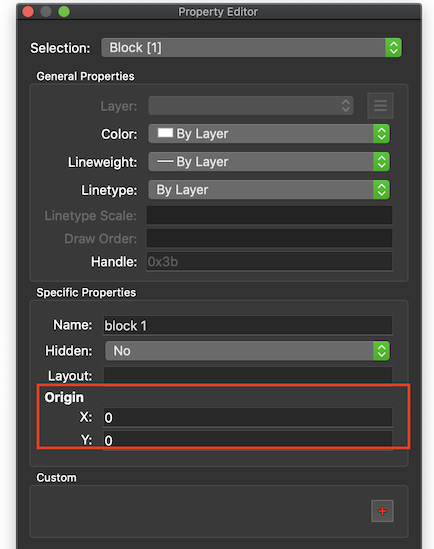
In the property editor (View > Property Editor), change the property Origin to X: 0 and Y: 0: