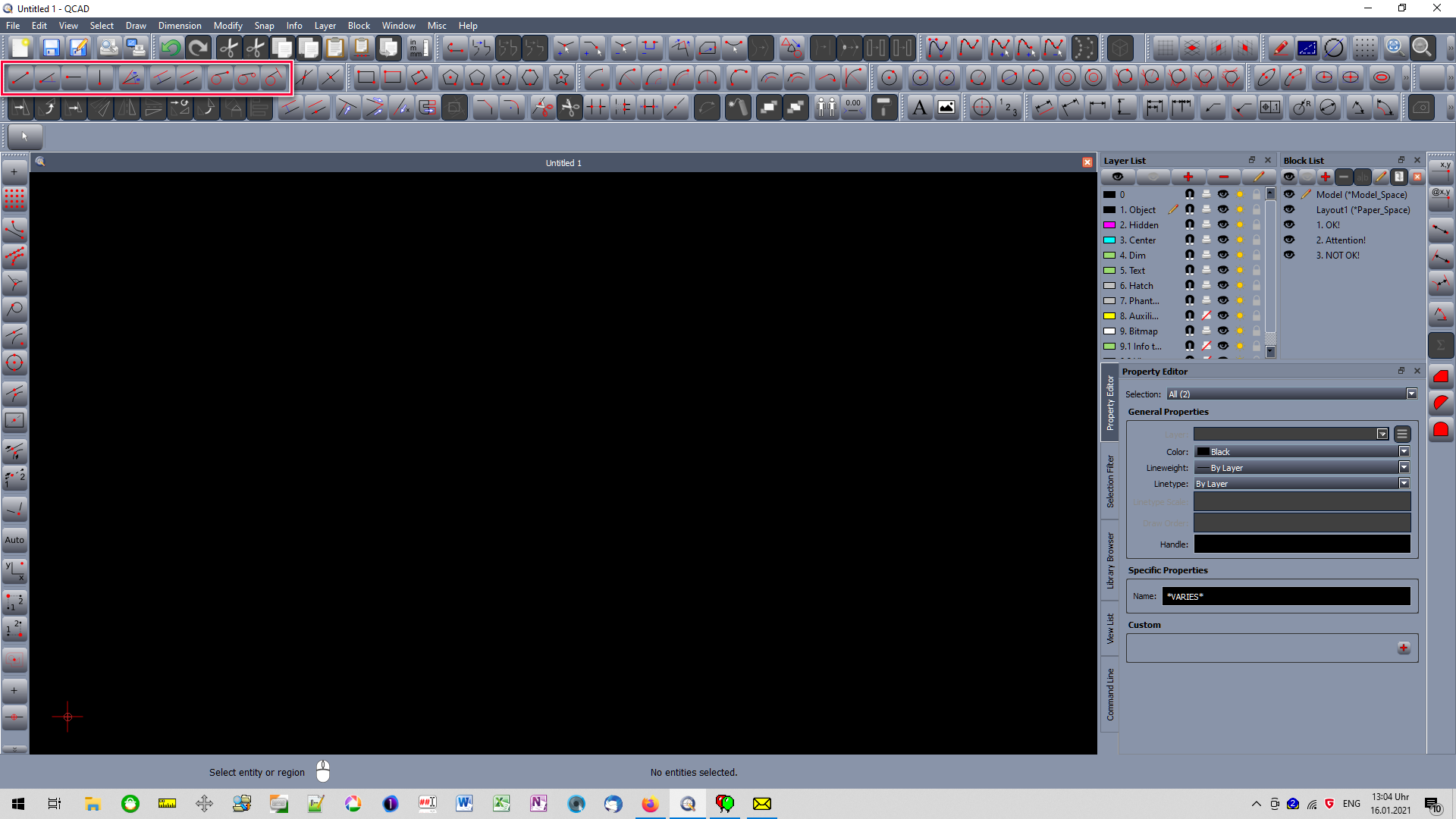
Hello, I am new and trying to figure out if I want to buy the single license professional version. I am having a bit of a hard time picking this up, I have the free version. I was a Cadvance user back in the 80-90’s, and AutoCad LT user in the 2000’s, but haven’t used any cad much in the last 10 years even though I did subscribe to a free version of DraftSight a couple of years ago. My memory isn’t great, but I seem to remember more AutoCad and get confused with this QCad commands.
First I some how lost the graphic tool bar on the left that shows the drawing and editing commands that I can’t figure out how to get back. What tab would it be under, and what do they call it?
I found QCad on the internet and they said it was simple and anyone could use it without experience. I was a regular user for probably 10 years, and I’m going crazy with this. I will use this on a limited basis for my part time job (I’m semi retired) drawing simple mechanical parts and possibly P&ID’s. I also would occasionally use it for my own use, doing simple house projects and mechanical parts as I’m a machinist hobbyist. Is this a good program to buy if you don’t use it a lot? I don’t want to spend tons of time trying to remember how to do things or find menu’s or commands. When I first started using Cadvance, computers used Dos, so you had to type in commands. But the typing 2 letter shortcuts, is probably out of the question for me to remember now. I need the pictorial graphics to actually get work done, not spending all my time trying to figure out program. I only need 2D, and I like that I can buy this program (instead of lease it) for a reasonable price, so hopefully I can learn it and without getting tons of updates to screw me up more.
View > Toolbars and Widgets > Toolbars > CAD Tools
I can only answer your technical questions. For the rest, you have to decide if it is worth for you to learn something new. I can confirm that QCAD is not an Autocad clone and you would have to learn to use its tools. Basic concepts are the same (layers, blocks, entities, etc.).
Fact is: The more you use a program the more you get familiar to an acceptable workflow. This applies to every program - not only QCAD! But you will find those rules in every aspect of your life. If you e.g. cut a thread in a piece of metal on daily base - piece of cake, right? If you have to do it only every fife years or so … huihui e_surprised
Ok, here a recommendation from me: The QCAD user interface is highly customizable. If you chose to show permanently all tool buttons then you can help yourself to remember things better. Let say you have to draw a vertical line: Look at all buttons, - you will see ALL line typs in the same area, now you have just to pick the vertical line and you are ready to rock.
by andrew » Sat Jan 16, 2021 2:56 pm
I can only answer your technical questions. For the rest, you have to decide if it is worth for you to learn something new. I can confirm that QCAD is not an Autocad clone and you would have to learn to use its tools. Basic concepts are the same (layers, blocks, entities, etc.).
Thanks for the help with the tool bar. I went ahead and purchased the professional version. Hopefully I’ll pick it up eventually. I’m sure I’ll probably have questions later.
I’m also an ‘old timer’ ex autocad user, been using QCAD for a reasonably short time on and off (I’m retired) but I’ve always kept up with the updates, and none have ever messed up the way I have QCAD set up, they are mainly bug fixes or additional tools anyway
MAC OS, QCAD Pro.
I’m having the same problem learning this program as I did with AutoCAD. I can’t find a getting started tutorial. The ones I have found assume that the user already knows how to use the basic features of the program.
What I need is a tutorial on how to set up a new drawing, setting the units, drawing a line, zoom all, etc. The commands are simple enough but I need to know how to get started.
I struggled with the decision to buy the pro version, because I thought the free version would have more than enough capability for my occasional needs. Although I’ve used QCAD every day since I bought it 3 weeks ago in general I have other things to do in my business, and months might go by without returning to it. But what I’ve discovered is that the free CE is so limited and crippled compared to the paid Pro that it is much easier to get a job done without knowing how the program works. There’s so many feature add-ons that are only available in the Pro version, and there’s many mysteries when using CE. So my two cents is “buy the Pro because you don’t use it a lot!”