I am new to QCAD.
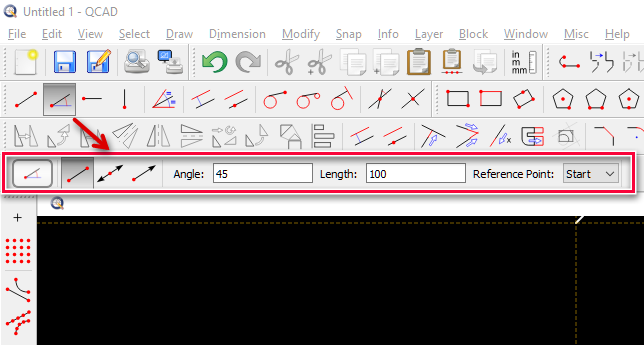
In some tutorials, I have seen a toolbar where one enters the precise length and angle of a desired line to be drawn into spaces on the bar.
I cannot find how to turn this toolbar on. I am trying to draw property lines in decimal feet measurement, thus must have snap off.
Must this info be entered on the command line?
Thanks for your help.
I use Windows 10, 64 bit