Hi
I wrote a little script. It creates a leader from the selected text. Maybe it will be useful to someone.
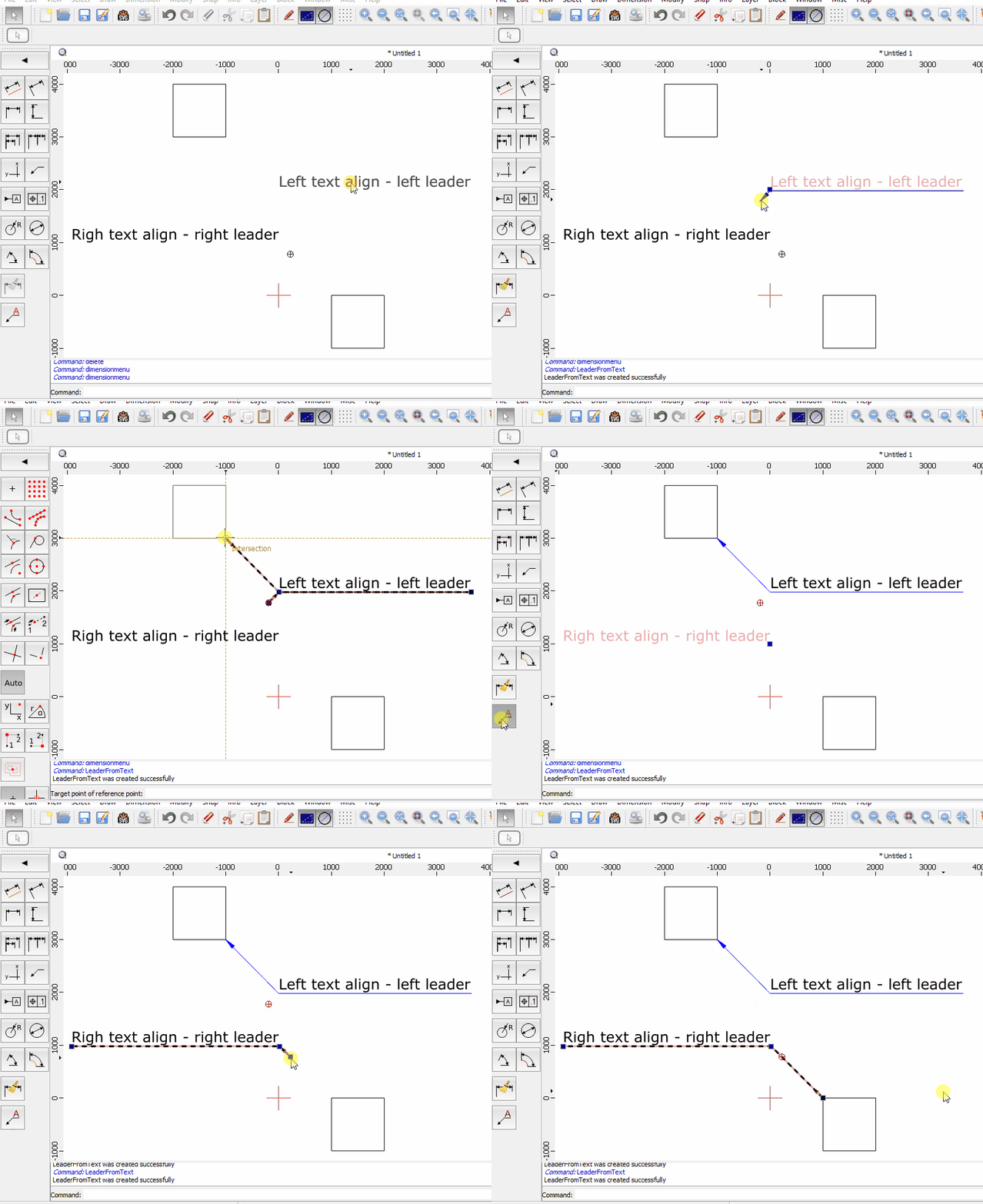
LeaderFromText.zip (3.87 KB)
Hi,
Nice contribution. Perfect tool for the job.
Kind regards,
CVH
Nice idea! I could imagine it as a very helpful tool in QCAD. You’re open for propositions? 
Yes, Husky, I’m open for propositions. But my English is so far from perfect. Make allowances for this.
Hi dmitpon
Thanks, this will come in very useful. 
Cheers
John
dmitpon,
Thank you for your contribution. This is very cool. I tried putting the LeaderFromText folder in scripts/misc/examples/DrawExamples but QCAD isn’t seeing it. I will have to keep playing around with that.
Hi ryancousins,
In my windows 10, the script is located in
“C:\Users\dmitpon\AppData\Local\QCAD\QCAD\scripts\Misc\LeaderFromText”
Since release 3.26.2 (2021/04/15)
Add local data location to search path for resources files (patterns, linetypes, fonts, postprocessors, etc.)
Windows: C:/Users/[Username]/AppData/Local/QCAD/QCAD
macOS: ~/Library/Application Support/QCAD/QCAD
Linux: ~/.local/share/QCAD/QCAD
and addend /scripts/Misc/LeaderFromText or /scripts/misc/LeaderFromText
Unfortunately, I can’t tell you exactly because I don’t use macOS. I can test in Linux Ubuntu within a week.
All,
With the basePath handled it doesn’t really matter in what subfolder of scripts that you store it.
That may even be a scripts folder under your local data location path.
See 3.26.2 (2021/04/15): QCAD - Changelog
Although, QCAD uses a fairly logical Script - Folder relationship to keep an overview.
The folder with the script file and related is always named the same way as the script.
Where it pops up in the QCAD GUI is handled by:
action.setWidgetNames(["DimensionMenu", "DimensionToolBar", "DimensionToolsPanel", "DimensionMatrixPanel"]);
The used path itself has no influence on that.
The group order and order in a menu/toolbar/… is governed by two other settings.
Here 160000/102 or after other 160000’s up to 101 would simply mean ‘way down’ … ‘as last’.
There 100000 is about the highest group order that I have encountered so far. (ExMinimal.js/ExMinimal2.js)
So far that I know of, the Misc folder is with capital ‘M’.
Regards,
CVH
I assume you’re looking for the tool in the wrong place.
BTW: Your path should work but less deep in the path hierarchy like …\qcad-xxx\scripts\Misc works too.
After installing the script check your Dimension tool collection for the new tool … 
Great! No worry about your english skills - that will work just fine. If not you can ask me any time via PM.
Right now the script uses the following user input.
Select text,
launch T2L script,
select the created leader,
manipulate the arrow position.
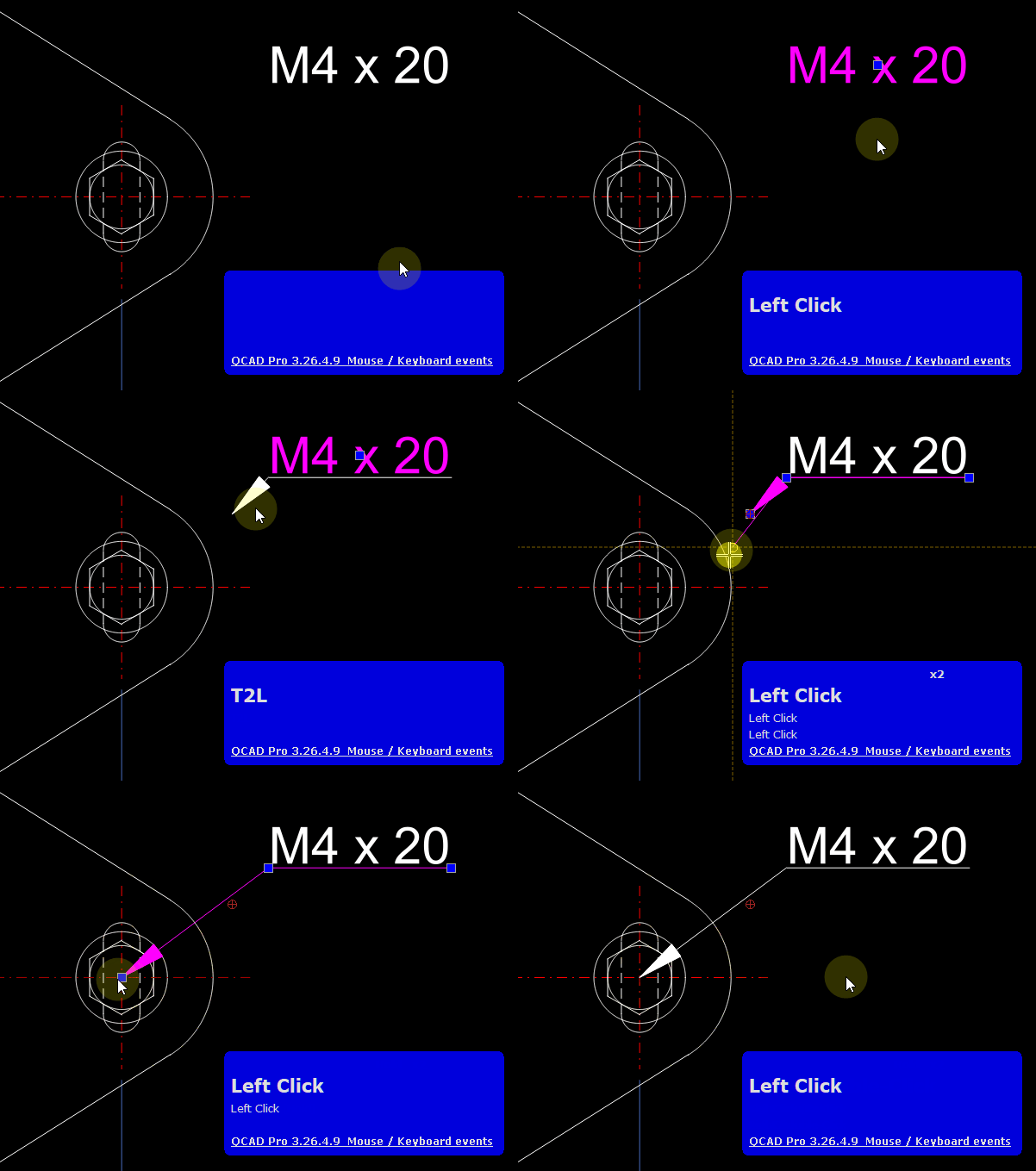
I thought if you could change the order for each step it would be more efficient for the workflow. I’m not a coder - no idea what is possible and what not but I assume most of what is needed is already in your script … 
Based on the already in QCAD existing leader I would appreciate this workflow:
Launch the T2L tool,
place the Arrow tip to the right position, leader line of the arrow is a Line from 2 point (rubber line),
select the text,
based on this information the tool will built the leader.
Something like this:
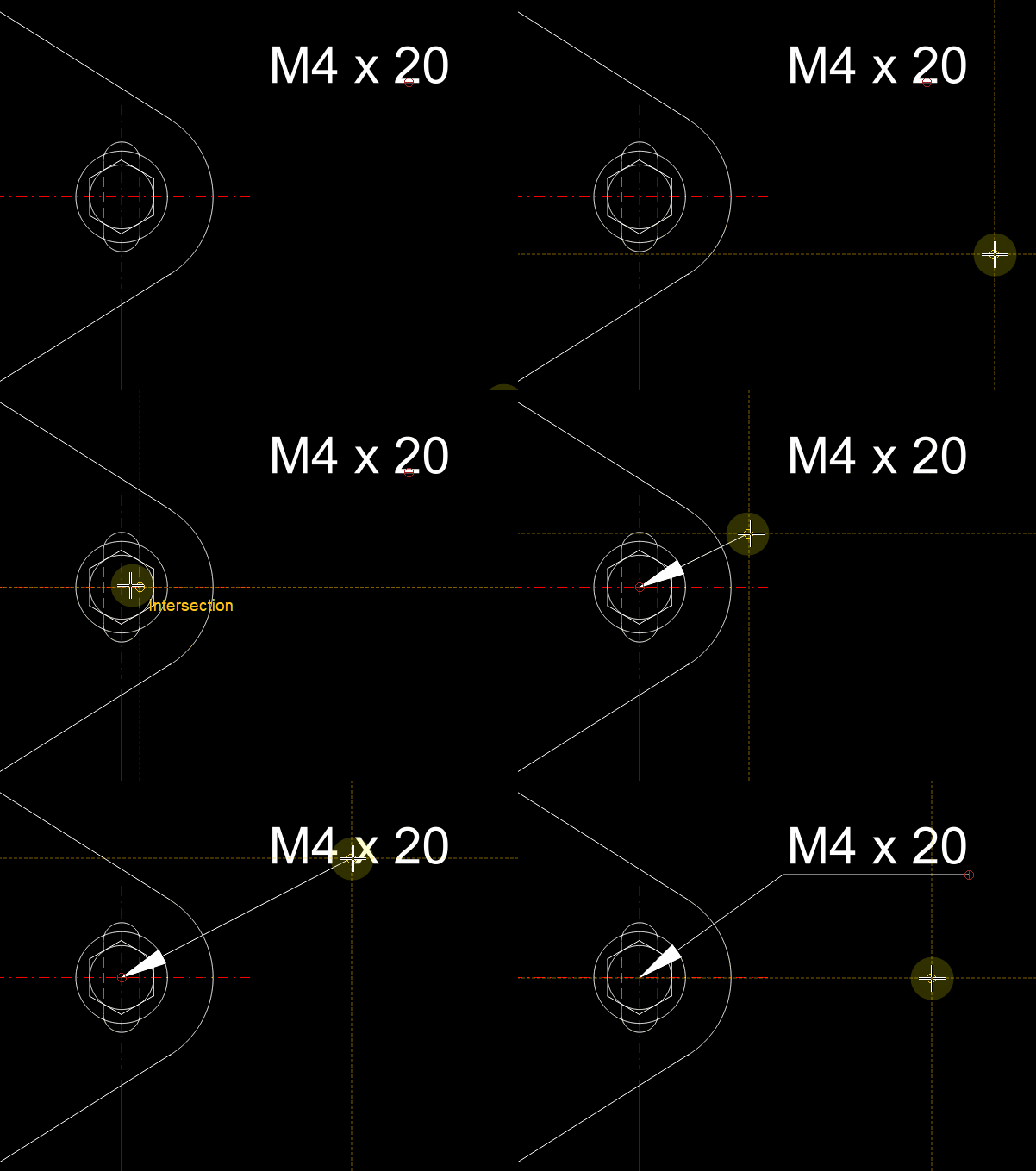
What do you think about this?
Sounds feasible, with states.
The script setup would look more like the original Leader script:
Choosing text entities in the second state.
Regards,
CVH
dmitpon: thank you for sharing this script. Can this be included in future QCAD packages under the GPLv3 license with exceptions as outlined at:
Hello, Andrew! I agree to include this script in the next QCAD release under the GPLv3 license with exceptions. My real name is Dmitry Ponomarev.
Excellent, thanks!
Hello, Husky
You’re right. This tool needs to improve usability. It should reduce the number of clicks and mouse movements I will think about how to implement this in the next version
I’ll think about your propositions.
It looks like it’s time for me to create an account on GitHub
Great - thanks.
Yeah, I was looking in the MISC menu bar. I’m good now. Thanks guys.
Andrew has adopted it under “MiscDrawMenu”.
Regards,
CVH