I’m currently evaluating QCAD, but got blocked early with the following problem:
When I try to open a simple AutoCAD drawing I get the error message “import error: import failed” (Importfehler: Import fehlgeschlagen), without any further details why it failed.
I also tried saving in different formats:
DXF ACAD R12
DXF ACAD 2013
DWG ACAD 2018
but same behaviour for all of them.
Did I do something wrong or why can’t the drawing be opened?
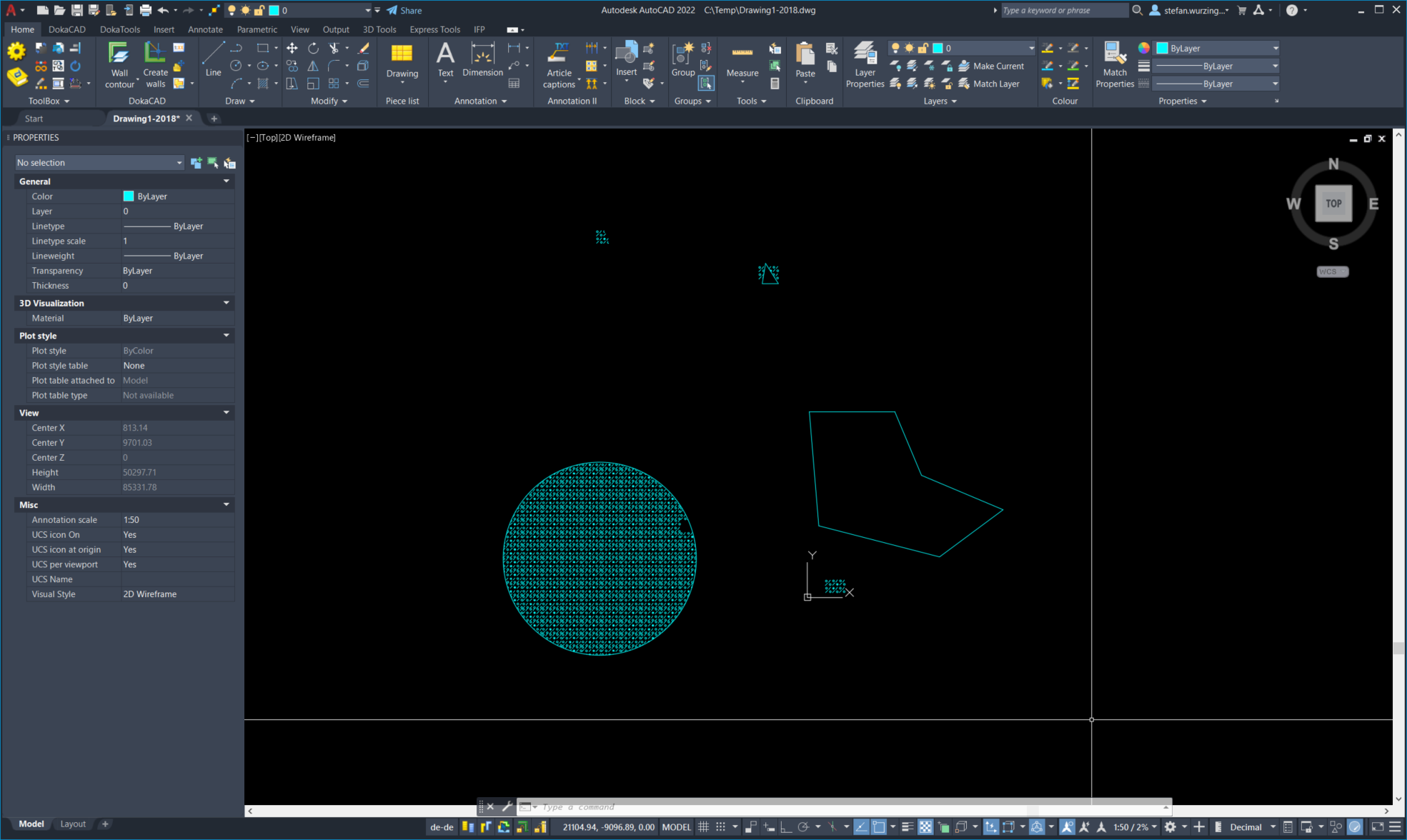
I can open all three drawing files without any problems.
Most likey, Autocad has locked the files which means you cannot open them with another application simultaneously. Please close the files in Autocad or close Autocad completely and try again.
Note that the drawing uses “SUPERHATCH” entities which are currently not supported by QCAD.
Thank You, indeed it was only AutoCAD blocking the files somehow. As a suggestion, maybe the error message could be changed to be more specific regarding the actual cause (file not accessible/locked).
I tried to use SUPERHATCH, WIPEOUT and XCLIP in AutoCAD, did I get that right that all these are not supported by QCAD?
Are there any alternative mechanisms supported for clipping or clipping-like behaviour?
Thank you, CVH, for the HATCH pattern approach. My simple drawing was just an example, dimensions will be smaller and short line segments can be avoided (i think).
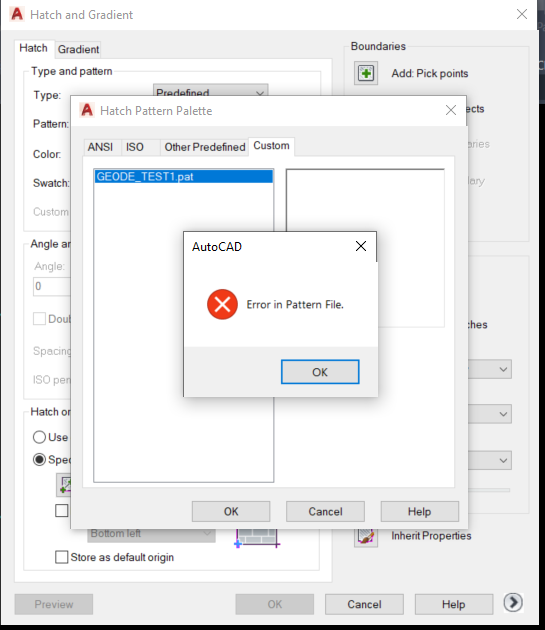
I tried to load the file in AutoCAD, but I complains that the file is not valid (see attached screenshot).
Is there any workaround to use filled areas or line widths in hatch patterns or hatch-pattern-like?
Unfortunately, these are all not currently supported. What are you planning to do with clipping?
One way around this could be to draw a solid fill in the background color with a similar effect like a wipeout.
Concerning Error in pattern file
Right, it should not read:
*GEODE_TEST1.pat, No brief description
Please edit the first line to read:
*GEODE_TEST1, No brief description
My fault, I renamed the pattern name to reflect the Hatch Block name and then copy/paste that to the first line
Hatching a circle R=6000 takes about 7 seconds in QCAD.
Attached file was updated
Probably, with a fine mesh of pattern segments, adding even more patterned lines to clone for each tile.
Fills are not handled but I could add the fine mesh before export.
Development of Tile2Hatch ceased because of QCAD lagging with complex patterns.
The plan is to generate a DXF containing a fill pattern including filled circles (black or white) and use QCAD (server license) to render that into a PDF.
Unfortunately the traditional HATCH doesn’t support custom line types, fills, different colors or line widths.
Thus the idea to use a clipping approach, like SUPERHATCH does.
Doing clipping calculations manually (and generate the whole pattern manually) is something I’d like to avoid as far as possible and isn’t really an option.
Any ideas welcome!
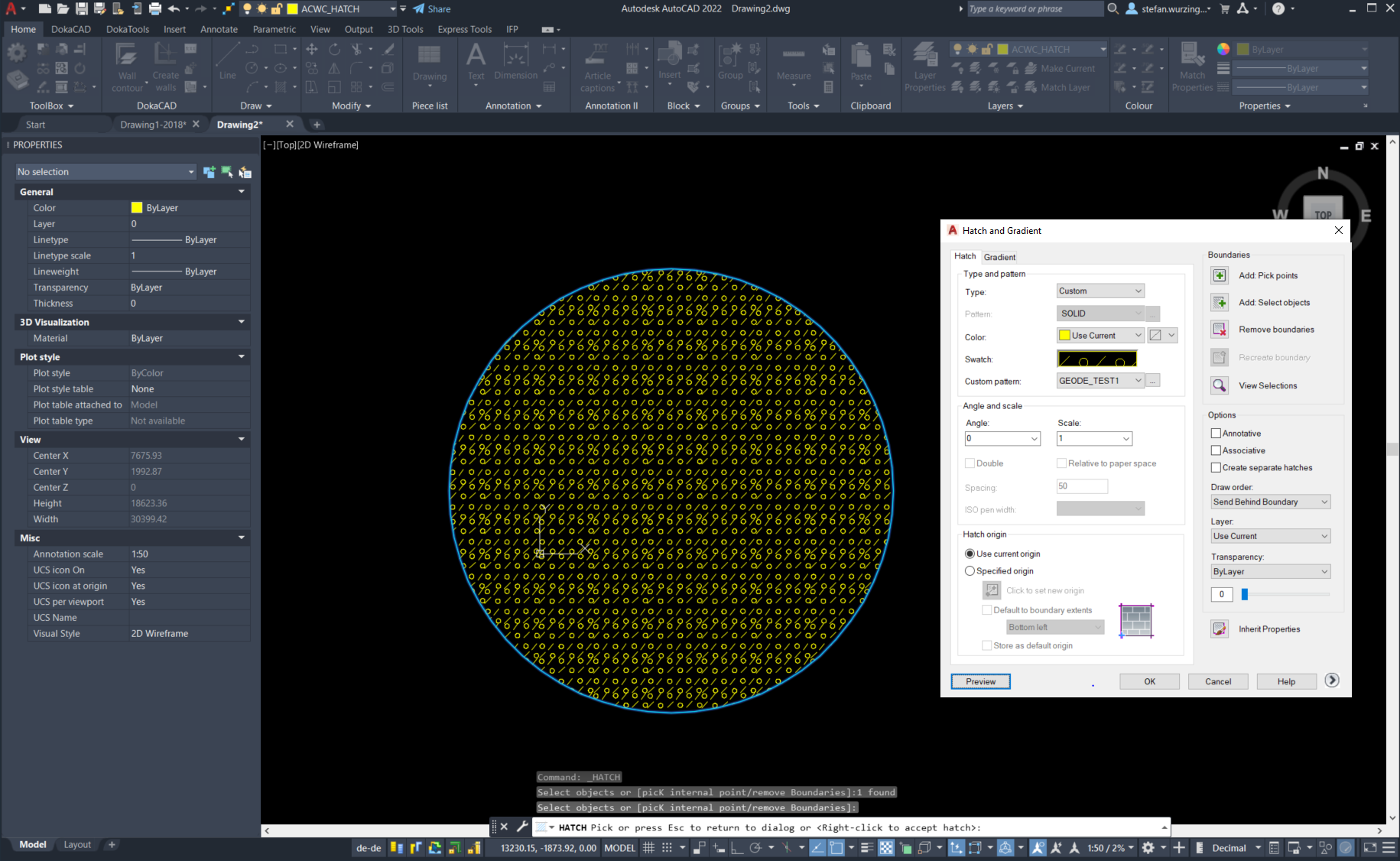
Thanks CVH for the updated pattern file - that one works. In ACAD hatching a circle of that size is finished nearly instantly. I’ve added a screenshot how it looks. Of course it’s lacking the circle fills due to limitations of HATCH, but otherwise looks like the SUPERHATCH pattern. May I ask how you created the pattern file from the block?
Correction, a hatch is nothing more than endless lines with a custom line type pattern and then cropped.
For colors and weights one could superimpose different hatches, fills can be handled as a fine mesh.
It is not impossible when automated but maybe it is impractical for a common user.
For pdf export the proposal of Andrew with blocks and a wipeout would be less of a problem.
Mentioned above.
With a custom build tool called Tile2Hatch … Unreleased, unfinished and you already need to know how to use it properly, what to avoid, …
Exported data is as robust as can be … That is until one starts editing the export of course.
Hatching areas far away from the hatch origin will always loose coherency, it can be stretched up to a point with special techniques.
Already far better when disregarding the 80 character count rule per definition line.
Yep, probably using a better equipped hatching engine, would know how but is there someone that want to listen?
Still, coherency in ACAD will tend to fail one magnitude further than in QCAD for odd angles … AKA ‘High cloning load’.
There is an end on how accurate floating point values can be with large integer parts for representing fine details.
Good practice is keeping your hatch origin close to the area in question.