hello dears,
I would like to know how to create in a veru easy and fast way the blu lines that are used to make evidence something.
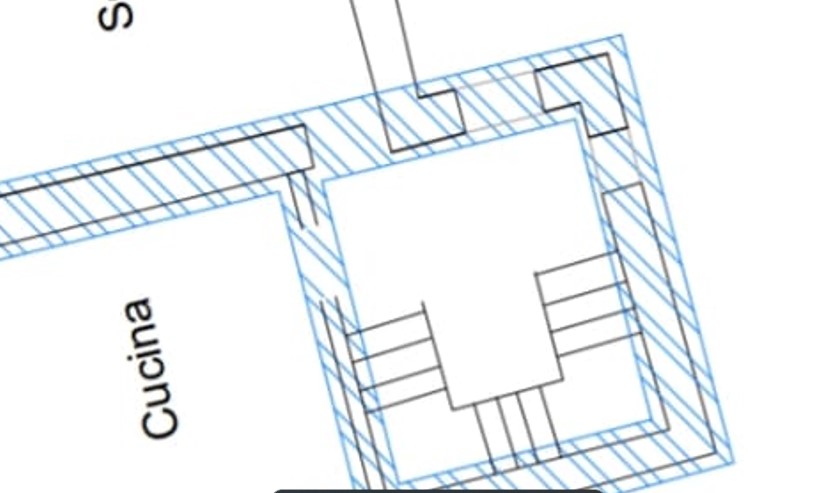
I would like to use something to put in evidenze an area (like the blu lines in the attachment), the idea showded o something similar I like.
thank you for your kind suppurt
Husky
September 30, 2023, 4:57pm
2
Hi,
that is called “Hatch”. Qcad offers two tools to create a hatch:
Hatch from selection:
Hatch from segments:
It dosent work … It is a year I am trying
Can you please show me a video on how to do it???
CVH
October 1, 2023, 4:39pm
4
You first draw the (blue) outlines as closed contours, preferable as closed polylines.
Regards,
As I said it doens’t work, I used closed lines
CVH
October 4, 2023, 2:38pm
6
If possible then please attach your drawing with the boundaries or a snippet of it.
Regards,