gear.dxf (36.8 KB)
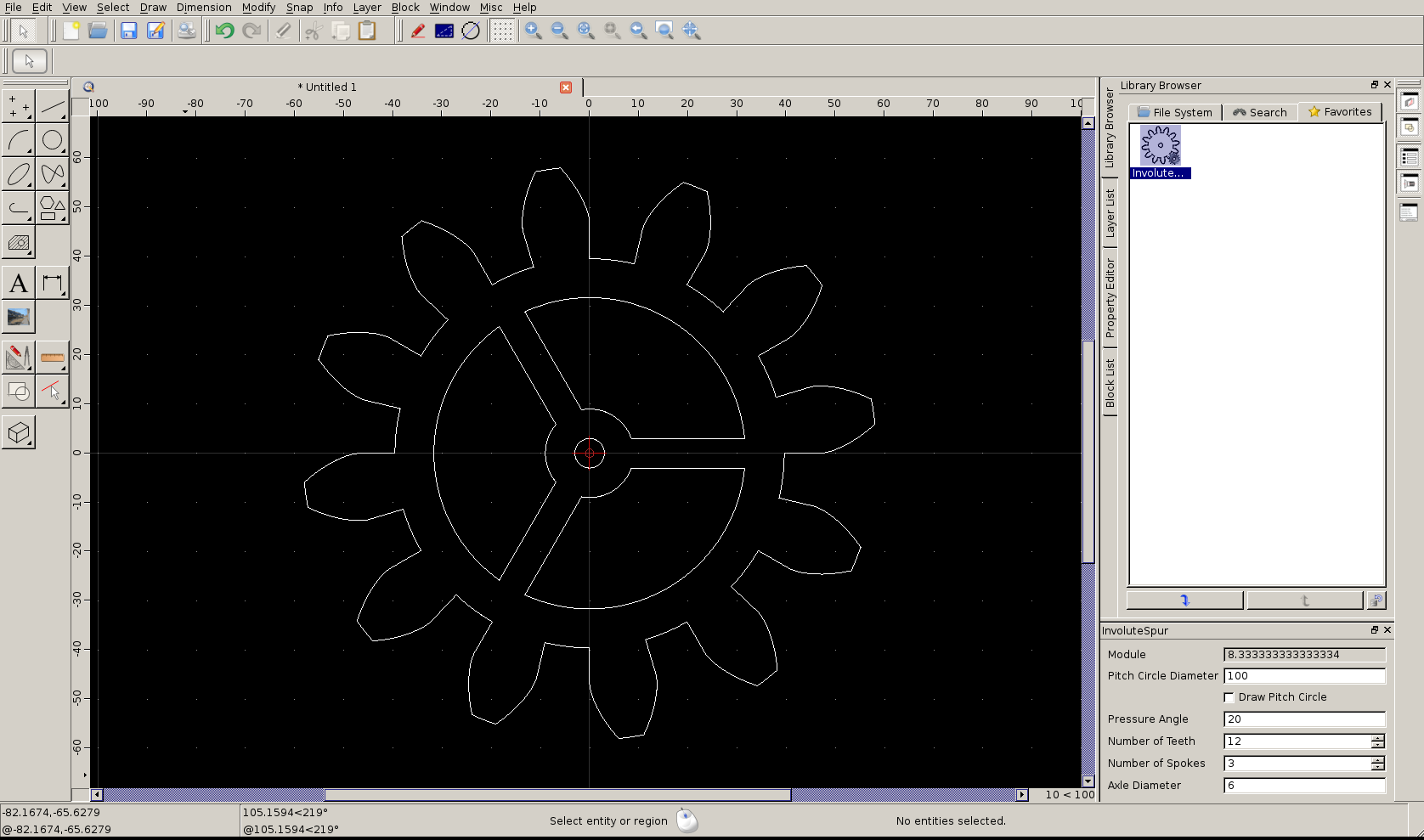
for dimensioning the gear, you can specify the Pitch Circle Diameter and the number of teeth (it displays the Module, but you can’t specify it that way as yet). You can change the pressure angle too.
Sure, and I will keep working on it for a while too
I want to generate an internal ring gear at least, and also this script does not handle undercutting at all - in fact I don’t know how to calculate that as in the real world the hobbing tool just does that automatically but it weakens the gear, and perhaps its better not to handle undercut but to do a profile shift instead to work around the need for it (with some manual calculation this can perhaps be generated already I’m not exactly sure!)
A question; if I want to make a different part using some of the same script, can I have a file of common routines in the directory without it appearing separately in the part list? ie I would have ‘Spur’ and ‘Ring’ gear in the parts list, and a common.js file included by both..
Right now I’m not sure how to run your script …
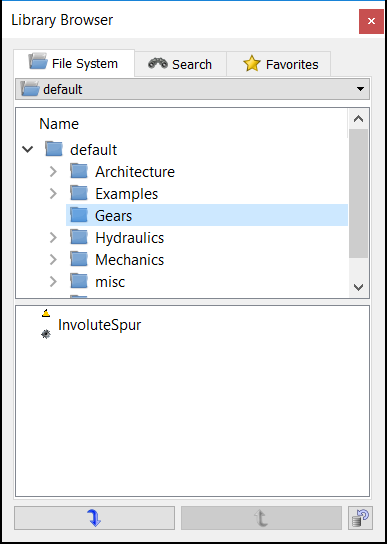
I created a Gears Folder which contains the InvoluteSpur.js and InvoluteSpur.ui files, restarted QCad and updated the Library. I can now see the InvoluteSpur entry but how to start the script?
I think you can double click on the ‘InvoluteSpur’ gear icon and it will open the options window (or single click to select it, and click the ‘insert object’ arrow at the bottom of the library browser window..) if you then move the mouse pointer to the drawing you will see a preview of what you are getting, hovering at the mouse pointer ready to be inserted. You can change the options in the options window and the preview will be redrawn with the new settings
That is what I thought … but obviously I’m doing something wrong …
If I insert it looks like I have nothing on my Mousepointer. The common insert option for Rotation scale etc will pop up but nothing more. If I insert this invisible gear in my drawing I can’t see / find it afterwards in the drawing.
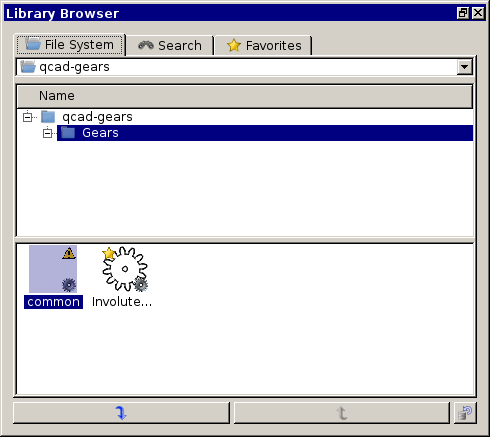
And the Symbol looks way different than that in your screenshot …
the little yellow triangle means that the script failed to produce an icon, and the lack of anything in the drawing means that the script failed to produce an object to insert
I find that when that happened, there would be an error message on the terminal that I ran qcad on; I don’t know how to make those error messages appear on the QCAD console, is that possible?
Yes, including a shared script should work just fine (i.e. include(“common.js”)). You can include any JS file on disk. To keep things simple, I would recommend to put the shared script into the same directory as the library items.
An alternative extension would be a way around that for now. An alternative might be to put it into a sub-directory called “_META”. The _META directories are currently used by the library browser to store meta information that applies to all items in a directory. It’s a slight abuse of that directory, but one I could live with. I’ll leave it up to you. This can be changed quite effortlessly if needed in the future.
Uuuuuuuuuuuuuuuuuuuuuuuups … my fault! Dirt on me a whole shovel!!!
I haven’t recognized that I’m trying to work with the not working Gear Library item which is (was!) still on my OS for testing.
Thanks for waking me up and a happy new year!
P.s.: I hope that was my last 2016 mistake … e_confused
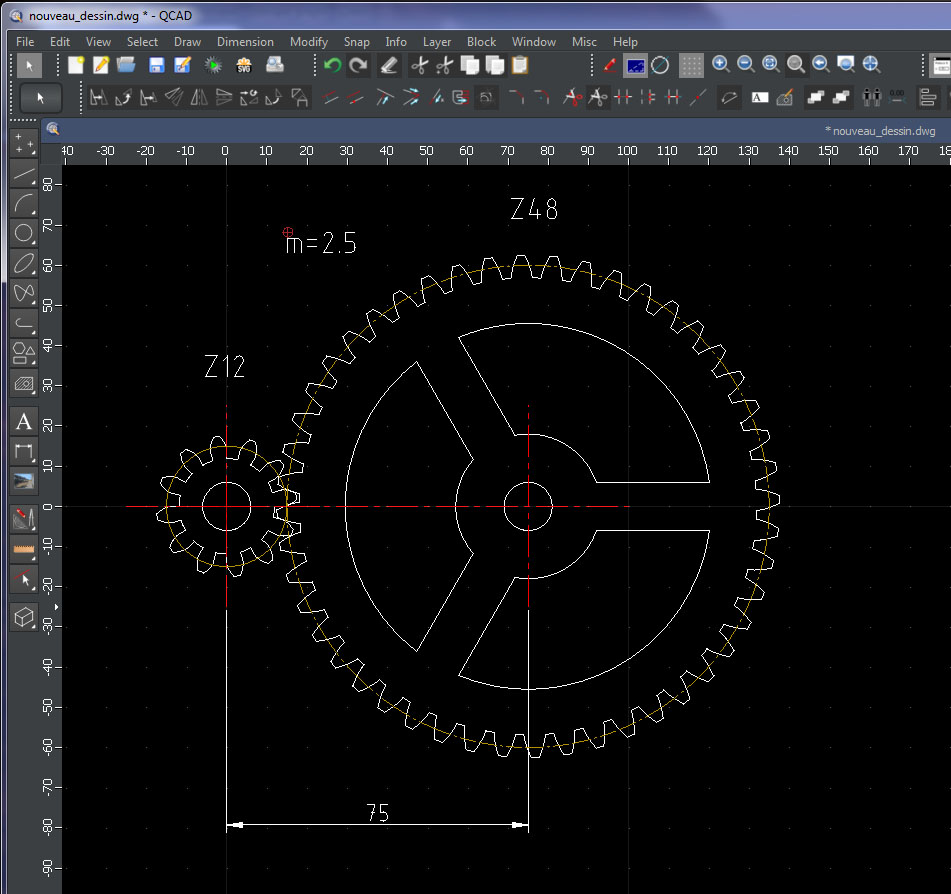
Agreed, when designing meshing gears one uses the same module …
Looking at the script and the used equations we will always get a circular condition.
Or we define the module and get a certain diameter of the pitch circle for a number of teeth …
… or we define the pitch diameter and may get an odd module …
… or a fractional number of teeth …
All apart from the fact that the involute curve is approximated by line segments …
Pity that Matfie (Iain Hibbert) didn’t finish this:
I was initially looking ‘If’ and ‘Why not’ ScriptItems store the last options that were used.
In general they do not, some retain their setting in the same QCAD session, some always return to their defaults.
It seems that we could enhance some existing ScriptItems … If time permits.