Hi,
That won’t be a problem.
I made an enhanced version of DumpPolyline a pretty while ago.
It documents almost any basic entities from a selection.
Not ready for the masses but functional.
Meanwhile I moved on to a more complex development task but I do use it ‘as is’ quite often.
With some copy and paste I’ll see what I can do.
Your serial setup is a bit uncommon.
the value of a custom field I’ve added myself
is another thing.
If it’s the list {ID,x1,y1,x2,y2,(x3,y3,(x4,y4,(x5,y5)))}, that I can handle.
‘Any’ > custom field
is too vage.
Or do you mean a custom property of the entity?
That comes as a pair, what to include?
And it should handle files by a dialog or one fixed file name?
I read in your first post ever it should handle drawing layers as well.
One major problem with scripting on this forum is that people ask a lot and share mostly nothing.
Well, that being said, lets us give it a name and a place: Document Polylines.
Place: Misc..Examples..IOExamples..Document Polylines
Goal: Export Polyline to CSV
Input: Selection or all entities on current layer.
Export: as CSV, one poly per line
Location of the script: ..\QCAD\scripts\Misc\Examples\IOExamples\DocPolylines
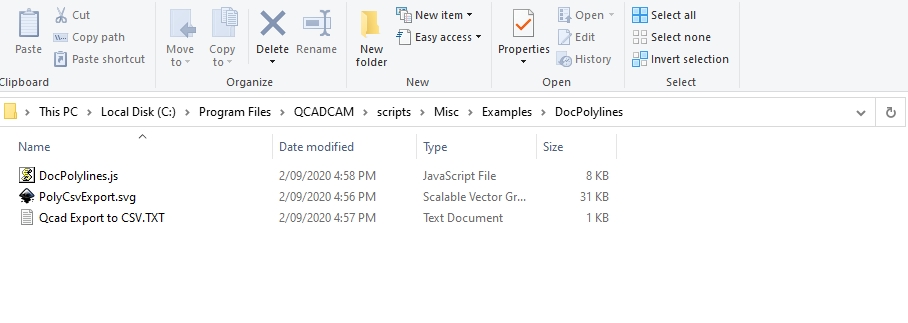
Script: ..\QCAD\scripts\Misc\Examples\IOExamples\DocPolylines\DocPolylines.js
Look into the init section for the specifics.
/**
 * Copyright (c) 2020 by CVH.  Totally free with credit is fine
 * Partially Based on ExDumpPolyline.js extended to CSV export
 * Also based on BlockListExport.js for CSV output
 * both are or earlier copies where part of the QCAD project.
 *
 * This file is donated to the QCAD project.
 * Copyright (c) 2011-2020 by Andrew Mustun. All rights reserved.
 *
 * QCAD is free software: you can redistribute it and/or modify
 * it under the terms of the GNU General Public License as published by
 * the Free Software Foundation, either version 3 of the License, or
 * (at your option) any later version.
 *
 * QCAD is distributed in the hope that it will be useful,
 * but WITHOUT ANY WARRANTY; without even the implied warranty of
 * MERCHANTABILITY or FITNESS FOR A PARTICULAR PURPOSE. See the
 * GNU General Public License for more details.
 *
 * You should have received a copy of the GNU General Public License
 * along with QCAD.
 */

include("../IOExamples.js");
// CVH added included File.js as in BlockListExport.js
include("scripts/File/File.js");

/**
 * \ingroup ecma_misc_examples_ioexamples
 * \class DocPolylines
 * This action documents all selected polyline entities as plain text into a CSV file.
 * Without a selection it will look for polylines in the active layer.
 */
function DocPolylines(guiAction) {
    IOExamples.call(this, guiAction);
}

DocPolylines.prototype = new IOExamples();
DocPolylines.includeBasePath = includeBasePath;

DocPolylines.prototype.beginEvent = function() {
    IOExamples.prototype.beginEvent.call(this);

    var di = this.getDocumentInterface();
    var document = this.getDocument();
    var ids = document.querySelectedEntities();    // Qset with selected
    var entity;                                    // entity in process
    var curLayer;                                  // Documents current layer
    var msg;                                       // Messages
    var listSeparator = ",";                       // Fixed list separator

    // Try current layer without selection:
    if (ids.length == 0) {
        curLayer = document.getCurrentLayerId();
        ids = document.queryLayerEntities(curLayer, false);
    } // -> Continue with selection or alternative

    // Terminate without entities selected:
    var idn = ids.length;
    if (idn == 0) {
        msg = qsTr("No entities selected!");    // translated message
        qDebug(msg);    // Push warning to stdout
        EAction.handleUserWarning(msg);    // Push warning to history (Win)
        this.terminate();
        return;
    } // -> Continue with selection

    var fileName = this.getFileName();    // .getFileName as in BlockListExport.js
    if (isNull(fileName)) {
        msg = qsTr("No file selected!");    // translated message
        qDebug(msg);    // Push warning to stdout
        EAction.handleUserWarning(msg);    // Push warning to history (Win)
        this.terminate();
        return;
    } // -> Continue with a fileName

    var file = new QFile(fileName);
    var flags = new QIODevice.OpenMode(QIODevice.WriteOnly | QIODevice.Text);
    if (!file.open(flags)) {
        msg = qsTr("No file opened!");    // translated message
        qDebug(msg);    // Push warning to stdout
        EAction.handleUserWarning(msg);    // Push warning to history (Win)
        this.terminate();
        return;
    } // -> Continue with an open file

    var ts = new QTextStream(file);
    ts.setCodec("UTF-8");

    // Write file header:
    msg = qsTr("CSV export of selected polylines")
    if (!isNull(curLayer)) {
        msg = qsTr("CSV export of polylines on active layer")
    }
    ts.writeString(msg + "\n");
    ts.writeString("polyID, Xn, Yn (n Vertices)" + "\n");


debugger;    // To pause and open the debugger window
//    Use "C:\Program Files\QCAD\qcad.exe" -rescan -enable-script-debugger -always-load-scripts
//    to launch QCAD. Debugger mode is not always a stable environment.

    //Type: Polyline entity types #Done# Reproducible
    for (i=0; i<idn; i++) {    // Cycle through selection
        id = ids[i];
        entity = document.queryEntity(id);
        if (isPolylineEntity(entity)) {
            // Get & write the custom property 'ID' if any:
            var polyCustom = entity.getCustomProperty("QCAD", "ID", "NaN");
            ts.writeString(polyCustom);
            // Get & write the vertices:
            var vn = entity.countVertices();
            for (var k=0; k<vn; k++) {    // Cycle through all vertices
                var v = entity.getVertexAt(k);
                ts.writeString(listSeparator);
                ts.writeString(parseFloat(v.x));
                ts.writeString(listSeparator);
                ts.writeString(parseFloat(v.y));
            // The values are not formatted and will have up to 15 significant numbers
            // Remember that Z coordinates are not included nor validated
            // Remember that bulging is not included nor validated
            } // Loop vertices
        // Insert EOL:
        ts.writeString("\n");
        } // End isPolylineEntity
    } // Loop selection

    // Insert EOF:
    ts.writeString("End of file");

    // Terminate command:
    file.close();
    msg = qsTr("Export complete:  ");    // translated message
    qDebug(msg);    // Push End to stdout
    EAction.handleUserMessage(msg + fileName);    // Push message to history (Win)
    this.terminate();
    return;
}

// CVH added: .getFileName as in BlockListExport.js
DocPolylines.prototype.getFileName = function() {
    var drawingFileName = this.getDocument().getFileName();

    var fi;
    var fileName;
    var initialPath = "";
    if (drawingFileName.length === 0) {
        var path = RSettings.getStringValue("DocPolylines/Path", QDir.homePath());
        fi = new QFileInfo(path);
        initialPath = fi.absoluteFilePath() + QDir.separator +
                      stripDirtyFlag(EAction.getMdiChild().windowTitle) + ".csv";
    } else {
        fi = new QFileInfo(drawingFileName);
        initialPath = fi.path() + QDir.separator + fi.completeBaseName() + ".csv";
    }

    var appWin = EAction.getMainWindow();
    var ret = File.getSaveFileName(appWin, qsTr("Document Polylines (CSV)"),
                                   initialPath, [ qsTr("CSV") + " (*.csv)" ]);
    if (isNull(ret)) {
        return undefined;
    }
    fileName = ret[0];

    if (fileName === "") {
        return undefined;
    }

    if (drawingFileName.length === 0) {
        RSettings.setValue("DocPolylines/Path", new QFileInfo(fileName).absolutePath());
    }

    return fileName;
};

DocPolylines.init = function(basePath) {
    var action = new RGuiAction(qsTr("Document &Polylines"), RMainWindowQt.getMainWindow());
    action.setRequiresDocument(true);
    action.setRequiresSelection(false);    // Selection handling build in
    action.setScriptFile(basePath + "/DocPolylines.js");
    action.setIcon(basePath + "/PolyCsvExport.svg");
    action.setDefaultShortcut(new QKeySequence("d,p,c"));
    action.setDefaultCommands(["docpoly", "dpc"]);    // An Array!
    var tip = qsTr("Document Polylines as CSV export")
    action.setStatusTip(tip);    // Overtakes and displays left in the Status Bar
    action.setToolTip(tip);    // Displays aside Toolbars
    action.setGroupSortOrder(71100);
    action.setSortOrder(300);
    action.setWidgetNames(["IOExamplesMenu"]);
};
Hopes this serves you.
Regards,
CVH