Especially for the ‘Hatchers’ among us.
As John Hyslop wrote, it is hard to get good numbers for hatch file definition from QCAD.
One could blow up everything with factor 1000000, take the numbers and correct the decimal point place.
The Addon documents the selected line entities (or all from the active layer) to a CSV file of choice.
Listed are:
Line angle >> Hatch segment orientation (NOT normalized)
Line Startpoint in X and Y >> Hatch segment startpoint in X and Y
Line Length >> dash1
It uses standard hatch formatting with a dot and a comma by default.
It has leading zero if any and no trailing zero’s.
More than 16 significant digits (disregarding the dP) is common, only 15.95 are correct. e_geek
I usually have that CSV file open in NPP (Notepad++)
As QCAD alters this file, NPP will propose to reload the file on getting the focus.
So in 4-5 clicks I have all numbers, and up to 15.95 significant digits precise.
I am not going to debate how accurate these are but let’s say ‘they are as good as they get’.
Important is that properties are much less accurate when the line props rely on or are keyed in as numbers.
Install in a new folder …QCAD\scripts\Misc\Examples\IOExamples\DocHatchSegments (Mandatory)
The file is called …QCAD\scripts\Misc\Examples\IOExamples\DocHatchSegments\DocHatchSegments.js (Mandatory)
No Icon yet … I am not happy with the former CSV icon because red is associated with pdf.
Green maybe?
I just found out today something I wasn’t aware of…
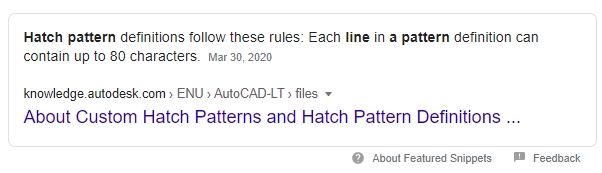
Each line in a pattern definition can contain up to 80 characters e_surprised
the script spits out a line up to 18 Characters per cell (that’s including commas and points) if you except the max output
that would make 1 line (18x7)= 126 Characters 46 more than allowed? if you take into account the parts that need to be
added to create a Hatch Delta Shifts X,Y and Pen Up…& using the same number of Characters…
Is this correct?
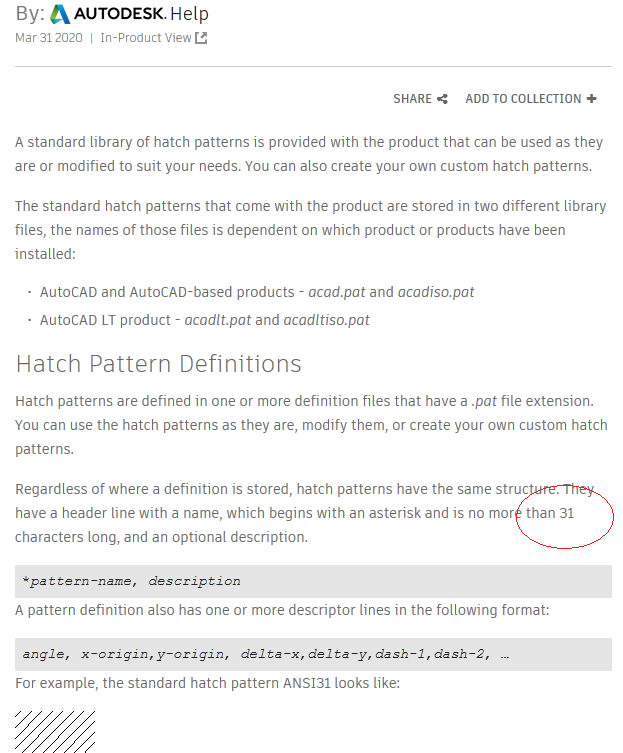
Also found out that the name of the hatch can be no longer than 31 Characters..
Interesting
Question is what happens after 80 limit, I’m guessing it’s ignored
Cheers
John
PS I like the script very handy
Here’s something interesting, the limit stated for hatch pattern Name lengths on the internet
vary from 31 to 34 characters… Well
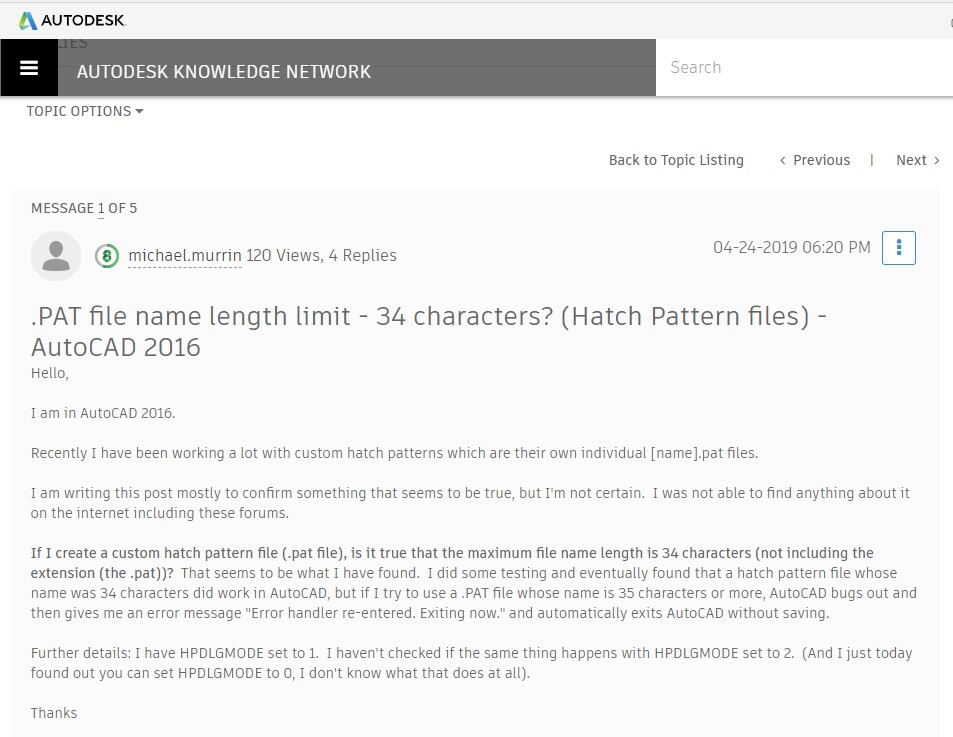
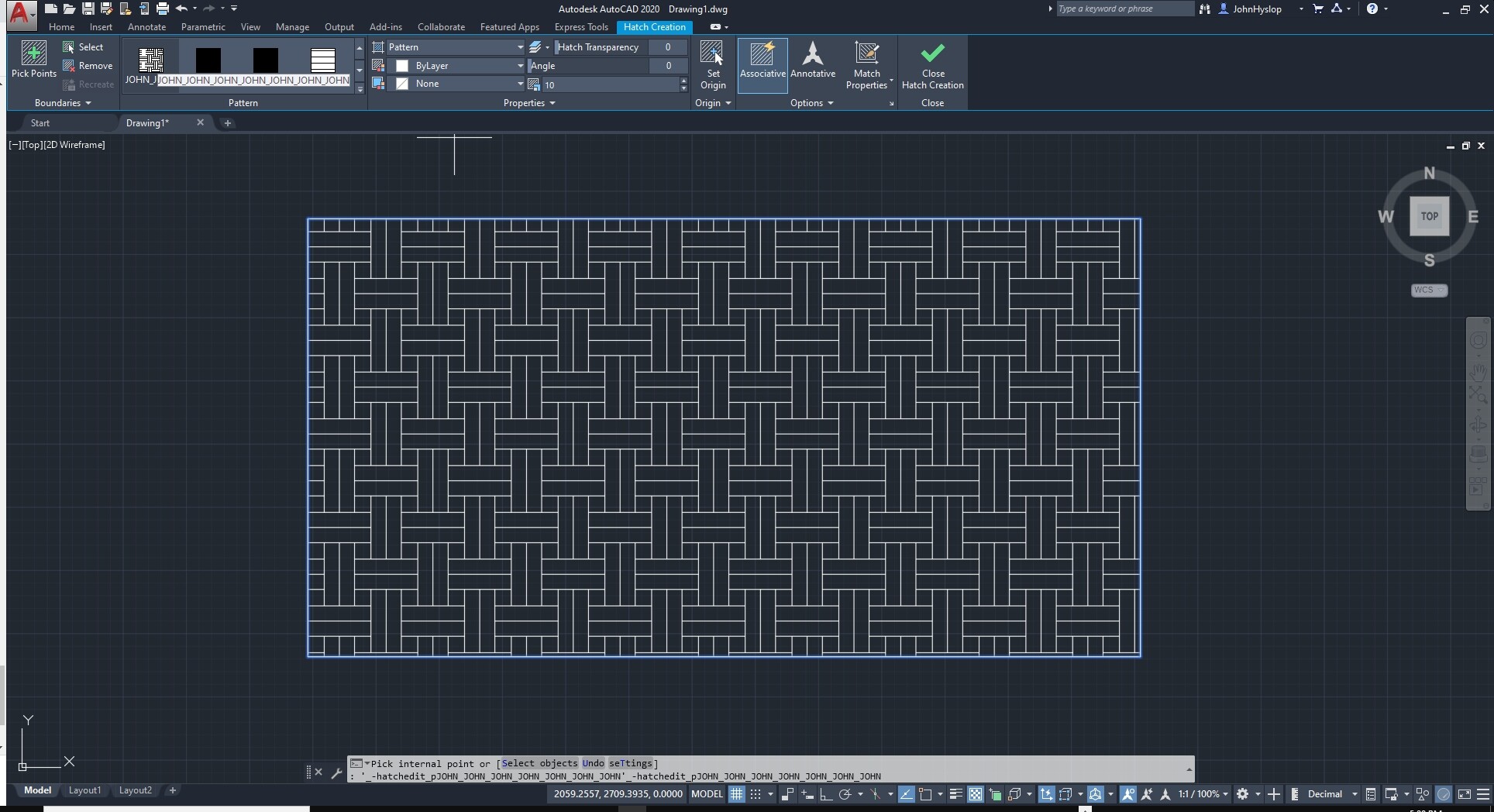
AutoCad, I did some testing and can confirm it does have a limit of 34 characters it crashes if you select a pattern larger than this.
QCAD however does not have this limitation, I just tested and loaded a hatch pattern
file 100 characters long with no problems… I know this is not practical but I was interested
in it’s limitations , I haven’t gone beyond the 100 and don’t intend to, just thought all the
Hatchers out there would find this interesting, I’m setting a limit on my "Basic Hatch Pattern Tool "
to 34 characters just to keep inline with other similar Cad software that use Hatch Patterns…
So bottom line is no need for string length counts on QCAD patterns as I couldn’t imagine anyone going over 100 characters
or what ever the limit may be?
What Software uses 31?
DO they use the same format? I know Revit is Close but the header would need changed to work..
Are you talking about AT PCs 486 with Math Coprocessors From way back… software that wouldn’t run on PC’s nowadays?
If you point me to it I’ll update to max 31 to comply ..
Someone posted on AutoCad Forum 31 Limit but this is incorrect
I already tested in AutoCad… it is confirmed 34 max..
QCAD works with 100 Characters or more e_surprised
Also the 34 does not include the Dot and the 3 characters in PAT
So String Count of the File Name Would Be 38 Max ( Including the dot and file extension PAT )
Tested & Proved working as stated above..
I can agree in that QCAD is tolerant up to a point it is not conflicting with anything else.
QCAD reads long pattern names.
It even writes long pattern names into a dxf file.
And it reloads those.
Super tolerant it seems. That is very good indeed.
ACAD isn’t. 34 max.
So it’s up to us pattern designers.
The same goes for line entry length maxed at 80.
QCAD will read any string of numbers on a line and split it up at the comma’s.
In writing it in a dxf that differs.
QCAD includes the float value not the actual string.
Another exception:
QCAD converts names into uppercase.
The allowed chars are both [A-Z] & [a-z].
The text comparisons is twofold.
Listing patterns is case depending
Use is case independent.
Regardless of where a definition is stored, hatch patterns have the same structure.
They have a header line with a name, which begins with an asterisk and is no more than 31 characters long, and an optional description.
Where is this information and to what software does this apply?
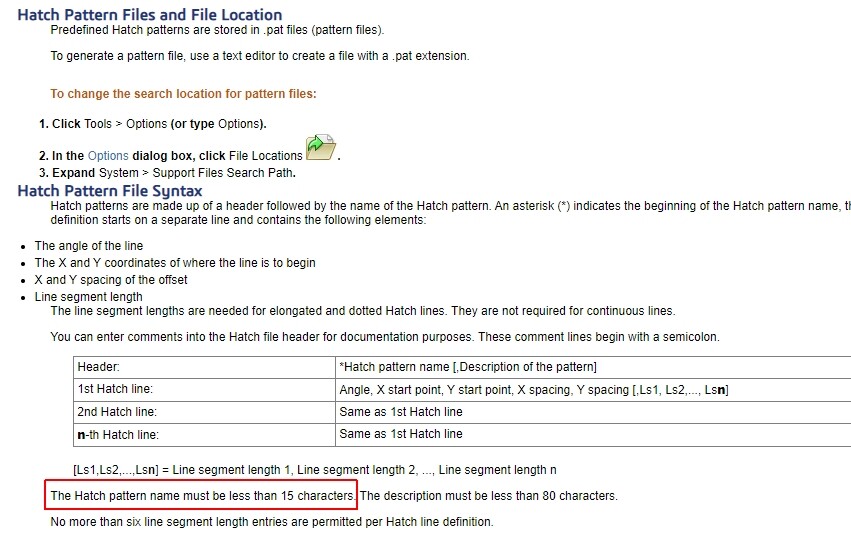
And should we comply with solid works Draftsight 15 Limit LOL
Cheers
John Welcome to the SOLIDWORKS Web Help.
Are you going to comply also to AutoCads Biggest competitor DraftSight? 15 ?
That information I can guarantee is incorrect…
would you like a screen video capture of AutoCad reading in a 34 Character filename?
A string length of 38…
This information is wrong… I have and others have proved this.. the limit is 34 file name length
Cheers
John
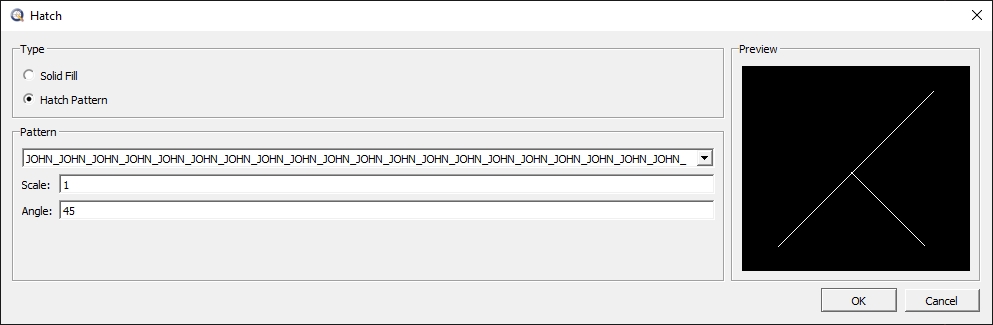
Hatch Pattern applied in AutoCad [ JOHN_JOHN_JOHN_JOHN_JOHN_JOHN_JOHN.PAT ] 34 Characters
See name in screenshot it comes up when hovered over … I used my name and an underscore for count of 5
if i add 1 more Character it crashes.. so 34 is the limit… here’s the proof…
Find this most off-topic.
Find that this is PM stuff.
I only comply with the standard until otherwise stated.
AC are those who have set the standard.
But you know what:
Again off-topic:
I just added the setting RAW to the T2H UI.
Besides all the checks it makes it will disregard these checks in RAW mode.
With that setting I don’t guarantee anything anymore.
The topic is about Hatches, and again you can’t always be right, in this case you are wrong
not your fault you just have incorrect information…
And on the subject of keeping it joyful , have a look at your posts , “the pot calling the kettle black”
and you don’t listen because you’re always right…
At the end of the day I have proved it’s 34 Characters for AutoCad & 15 for Draftsight..
Friendly banter is healthy but when you don’t listen or except facts it becomes unhealthy ..


 e_geek
 e_geek
 Forgot the shortcuts