I have drawn lines between two parallel guide lines. When I then add Dimensions to these lines I get inconsistent results.
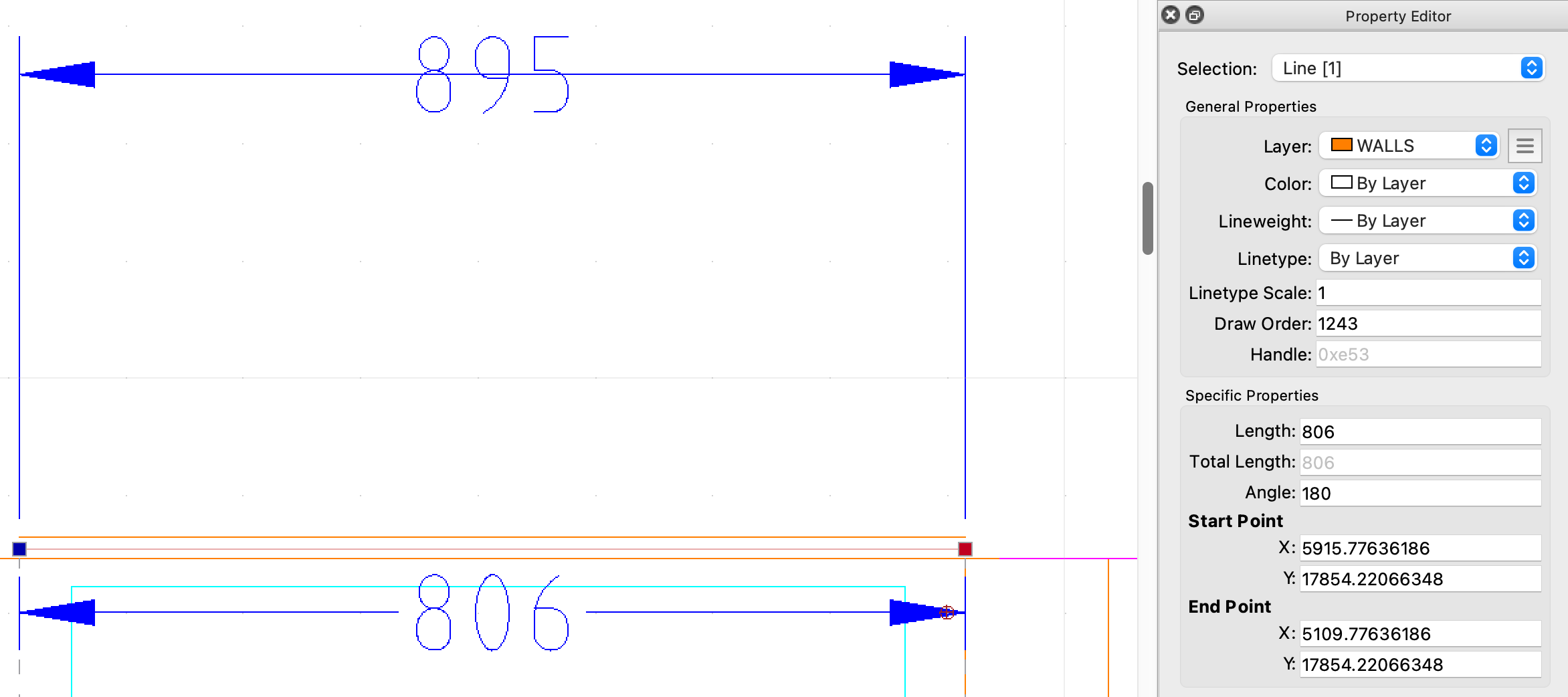
In one area of the drawings I get a measurement of 895mm and in another area (between the same parallel lines) the measurement is 806mm. Information in the Property Editor reports the lines with those lengths (895 and 806) however if I use the starting and endpoint readings for the each of the lines, they should all be 806mm. I am drawing in mm. The Dimension Scale is 1:1.
What am I missing? This seems like a bug but I am new to using QCAD so suspect I have set something up incorrectly.
This screenshot shows one of the lines with the Length Property of 806, consistent with the Dimensions. The line above the selected line has a Length property of 895, this despite the fact that it is drawn perpendicular to the same parallel lines the the select line is drawn between.
Most likely your line is drawn (partially) on top of a viewport and that viewport is scaled.
Creating a dimension inside the viewport applies the same scale to the dimension.
Creating a dimension outside the viewport does not apply the viewport scale.
Check also the options tool bar at the top while creating the dimension. You can see the scale that is applied to the dimension while drawing it. You can also see if auto scaling is on or off.
If you cannot solve the problem, please attach your drawing file, so we can help you efficiently, thanks.
Andrew, thanks for the quick response. I can’t see any viewport blocks in the drawing but this could my error. The drawings have been imported from another person’s files (I believe they were using AutoCAD) and there may be elements that I am not seeing embedded in the imported drawings.
Also when I apply the dimensions the scale is 1:1. I can’t see if auto scaling is on or off. Not sure where to see this.
I have added the file not to this post. The dimensions I am having trouble with are between the right hand vertical constructions lines that define the boundaries of the window on the back wall. Thanks again for your help with this.
 .
.