As you can see in the image below, sometimes there is no space inside a circle for the dimension.
So let’s move it outside. That can be done by exploding the dimension. That works fine. BUT: Later, when you change the dimension settings in your drawing preferences, this exploded dimension will not be changed with the rest of the dimensions.
So it would be really great if we could just drag the number to the outside of the circle (example in the middle) AND the dimension line would be extended automatically (example on the right).
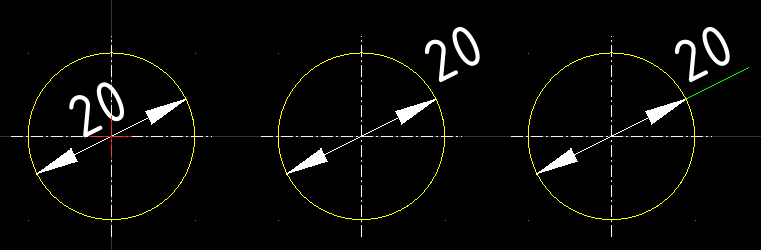
In my right example, the number is moved outside and the green line is just added manually as an extra entity. In this way, when changing the dimension settings, the number and arrows are still scaled up/down.