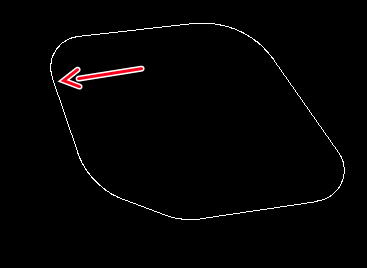
I have a simple drawing (a closed shape), constituted by connected arcs and lines. I want to convert it to a polyline.
However, after the polyline command, I can’t seem to select a “segment”… Whichever arc or line I touch, I can’t select it. Aren’t they “segments” ?
Thanks. This change you made really made it possible to be converted to polylines. I could easily select the segment(s).
How did you do it ? Finding and fixing the kind of error you shown me ?
Anyway, the reason for all this, is that I want to extrude a set of shapes from 2d to 3d.
I’m trying to use OpenScad for that, but I always get the error “No top level geometry to render”
At first, I thought the problem was the lack of polylines, as OpenScad doesn’t support arcs and splines, but trying again after the conversion I got the same result.
BTW, do you happen to know of any other way to do this (extruding a shape) ?
I used the Hatch tool - if you have some difficulties to make a hatch it will show you where to find the problem.
Most of the time a automatic (create from segments) Polygon has the same problem …
Instead of fixing all problems I simply redraw this little shape.
I created a new layer and used it as a temp layer.
Then I took the 3 Points Circle tool to determine the radius and center of each arc.
Next step - Tangent Tool, 2 circles, to connect all circles.
After that I used the Auto Trim Tool to cut the circles in arcs what brings also a perfect transition between the entities,
Switched to the “flange-p” Layer, selected all entities on that layer - deleted all entities,
Switched to the temp layer - selected all on that layer - changed in the Property editor from temp to flange-p layer, this will bring the original used Attributes back,
deleted the temp layer,
Done!
So presumably you are using the QCAD community edition (free version)?
Well the ideal situation would be for Andrew to add the option to save to the Collarda .dae format, then you could use the free Sketchup program to extrude your 2D planes!
Add a feature request for this:
In addition why not ask more questions on the Openscad mailing list, they must know how to do this.
Please post future community edition related questions in the relevant forum to avoid confusion Good luck.

 Good luck.