Hi All
Windows users files save where app is installed,
Linux users files save in “home/username” folder use WINE to run.
This is just for testing purposes but if it gets enough attention I’ll create a nicer one plus tidy up the general appearance of the application.
You will need to download DrawFromCSV (Copyright (c) 2021 of CVH) if you want to test the CSV import.
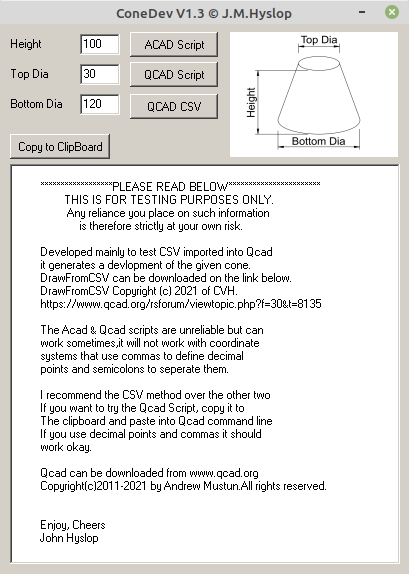
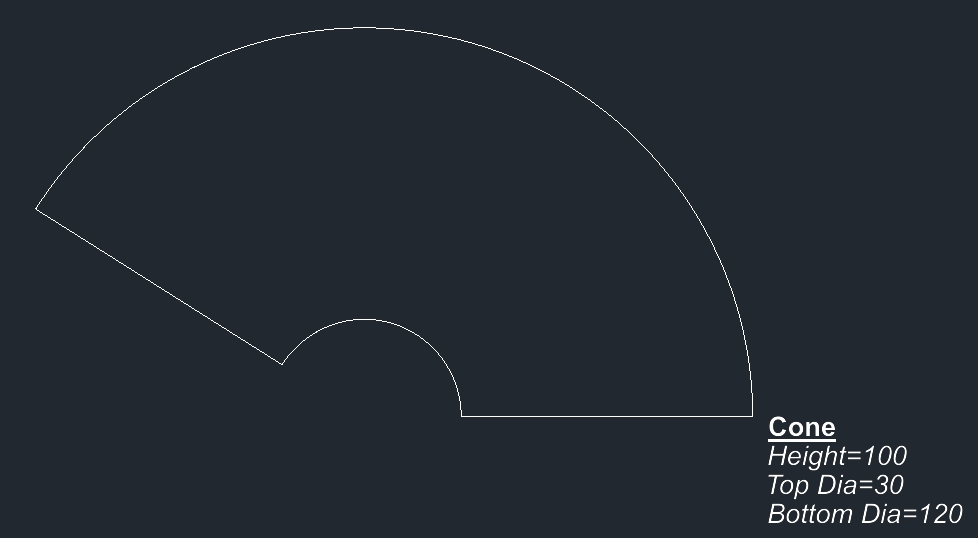
Basically all this does is create a flat pattern of a basic cone, that’s it..
Linux users can run this under WINE and for some reason the script and CSV files are saved in the “Home\User” folder..
Windows users files are saved where the app is installed…
All comments are welcome, as long as they’re nice
Cheers
John
PS This is for testing only… Updated to V1.1
Thanks CVH
… ConeDev-V1.0 (304.25 KiB) Downloaded 3 times
ConeDev-V1.1 (304.25 KiB) Downloaded 9 times
ConeDev-V1.2(303.7 KiB) Downloaded 4 times
John,
To serve any QCAD user right away …
… please include a default CSV switch upfront:
CSVcomma/dot
The Addon expects it to be in the QCAD native style to begin with.
See general info, page3, line4.
A switch would force it to the style it was written in.
Thanks.
All,
for now, simply add the switch textual if your are not a native comma/dot user.
The Addon might already be included in the latest snapshot release.
Under Misc .. Import/Export.
Just noticed a slight flaw e_surprised , if you make the top diameter zero “0” it will leave a zero length entity
and also show “Not a correct entry. Text line 6 : Radius Invalid.”. [ using the Qcad CSV ]
The cone is still correct, just delete the invalid entity at 0,0
Same when using the scripts, except there is no error report but still a zero length entity
I’ll fix this up in next version if there ever is one..
Cheers
John PS This appears to be version dependant , I was running an older version of DrawFromCSV
The new version reports the error but doesn’t create it, so no need to delete something that doesn’t exist
A few changes , fixed Icon / Added Icon for Linux Users / Bug Fix in AutoCad Script
Qcad Script Now Doesn’t Write out a txt file you must copy to clipboard and paste
into the command line.. Tidied up UI a little
Recommended you all use CSV Method as this is the most stable..
… ConeDev-V1.3.zip (309 KB)