Adding dimensions etc to an imported Autocad file

First post here and not a power user.
.
Qcad 3.27 Pro on MacOS Ventura 13.5.1


Am trying to add dimension lines, calculate areas etc to the drawing which I imported and then saved as .dxf
They are not showing, even if I try working with an existing layer
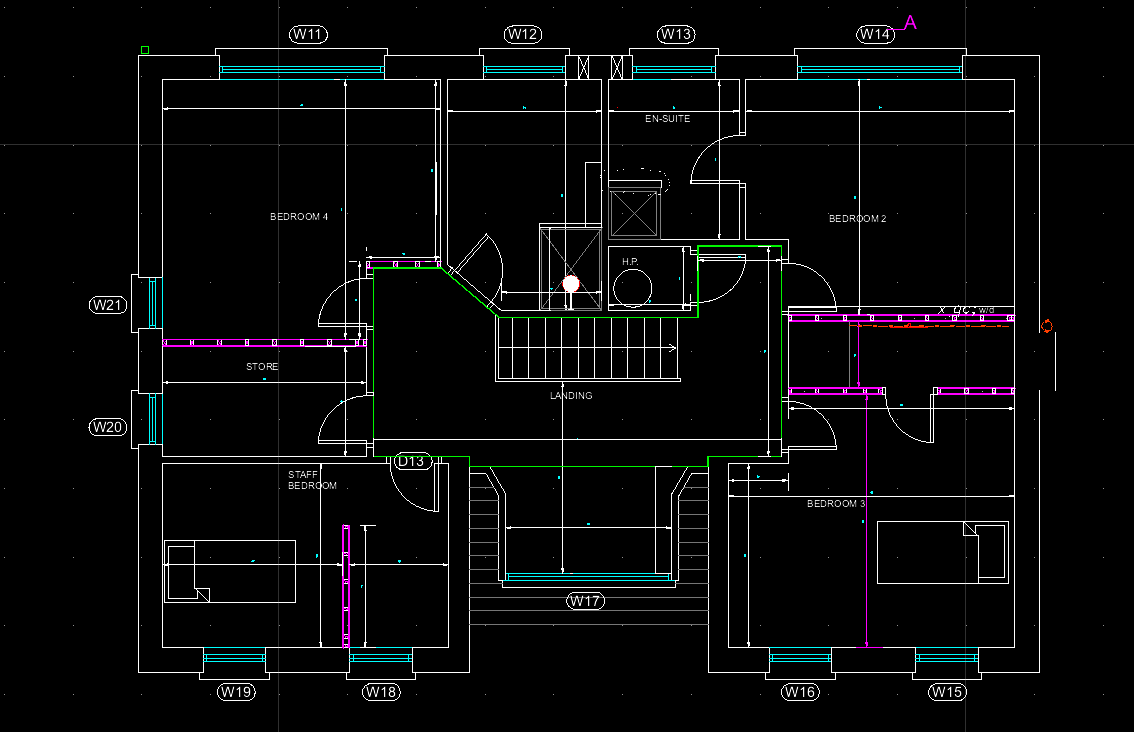
QAcad forum first floorPROPOSED GA`S Construction Set_dwg.dxf (2.42 MB)

Hi, and welcome to the QCAD forum.

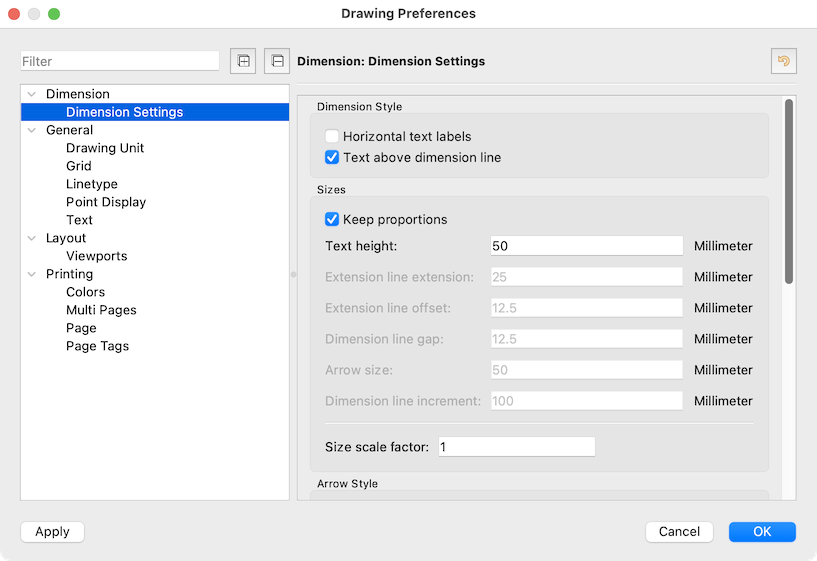
Your text height for dimensions is set to 0.18mm
See menu Edit … Drawing Preferences .. Dimension Settings
The Style Overall scale is set to 50 and the existent text is thus 9mm high.

Regards,
CVH

All existing dimensions have been created with an overall scale factor of 50.

You can either apply that same overall scale factor to all new dimensions or change your drawing settings:

  1. Open the drawing file
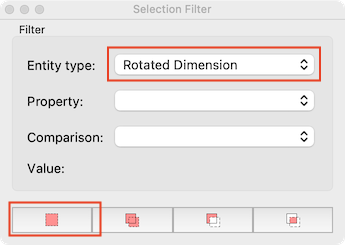
  2. View > Selection Filter
  3. Use this setting and click the button at the bottom left to select your dimension entities:
  4. View > Property Editor
  5. In the property editor, change the property “Overall scale” to “1”
  6. Edit > Drawing Preferences > Dimension > Dimension Settings
  7. Change settings to (approximately):

    New dimensions will also use these settings.

Thanks for this, lots to learn.
Where can I read about all this?

How can I change the output from the polygonal tool to sq m
Same drawing as before
Thank you

The measuring tools will output in units … Squared units.
Basically CAD is in unnamed units.

The document is in mm, simply divide the result by 1000 or 1000000.
Or you could convert your drawing to meters, see menu Edit .. Convert Drawing Unit (CU)
Regards,
CVH

Thank you, I did use the convert button but can’t see how I cannot set it to 3 places of decimals as you would see if you divided by 1,000

Dimension settings are under Drawing Preferences .. Dimensions .. Dimension Settings
Scroll down for the Label formats.

Regards,
CVH