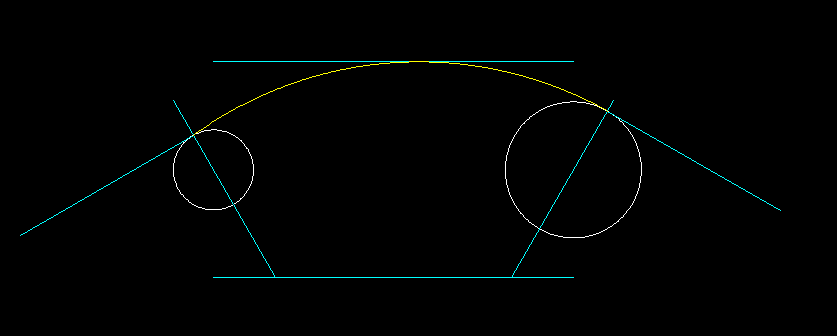
How can I draw a 3 point arc tangentially from an arc say… on the left , down to a line and then tangentially to one on the right ? You can see (hopefully my previous attempt and you should see that the circle on the left is not tangential with the arc. All help gratefully received . Thank you .
qcad question.tiff (7.82 KB)
Your original photo (I’ve re-posted it as for me it didn’t show up!):
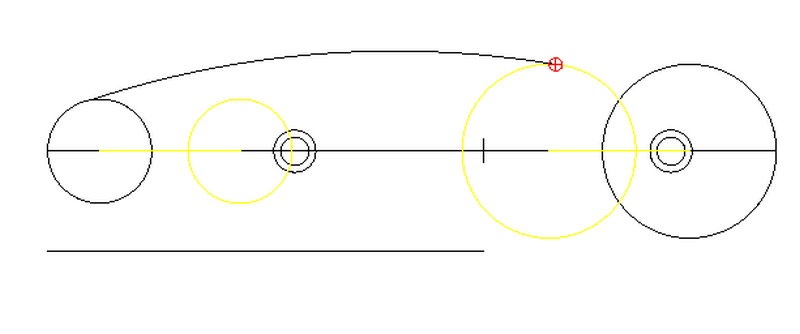
Something like this?
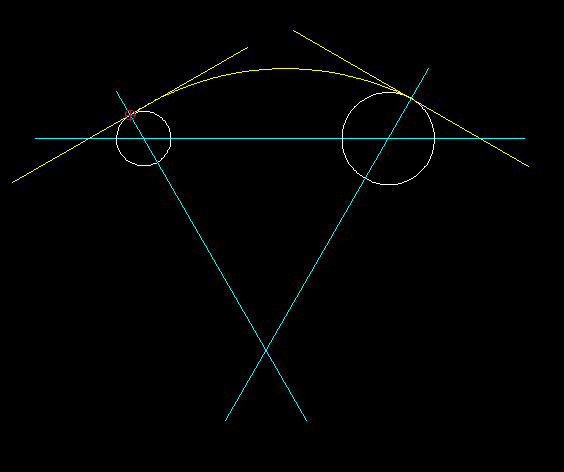
Are you working to ‘absolute’ specific parameters for the arc ? (radius,start point coordinate etc…)
If you look at my picture you will see a line atvthe bottom. The was another parallel to that. That is a restriction. I used 3 point arc but if you look close you will see it is not tangential to the left circle. I thought i might be able to snap tangentially , snap to object ( the line) and the tangentially to the right circle.
I hope i have explained that ok.
Thanks for the reply.
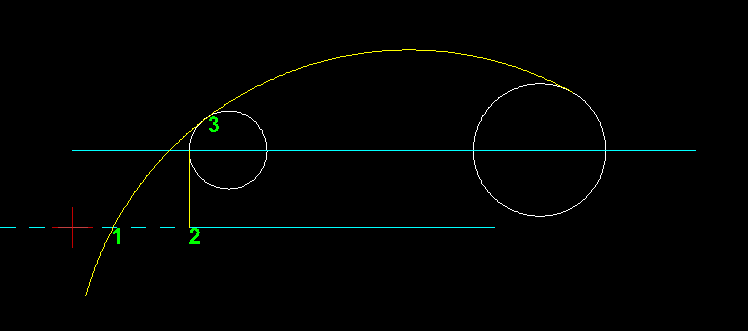
I’m still not sure I understand correctly - but does this help, what number (1, 2 or 3) do you want to snap to ?
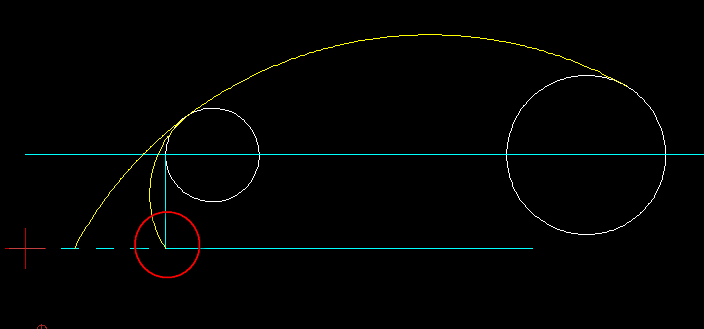
Thanks for being patient Clive . Maybe this might help you understand .
qcad 2.tiff (17.6 KB)
Thats the badger…
Unfortunately that isn’t possible in the moment - but I know that the developers are working on it for one of the next updates 
Right now you have to work with construction / help lines to solve this challenge. 
Okay - good, we got there in the end
Well as Husky correctly points out the ‘magic’ button to do it all for you in QCAD is hopefully in development… and looking at the ‘Bugtracker’ - which is also used for submitting feature requests too - this seems to be the case:
For me I often overlook the fact to mention that I use construction lines, circles and geometric principles to get the job done when I haven’t got ‘that particular’ dedicated tool in QCAD to do it for me - thank you Husky for pointing that out  .
.
Back to your question, basically I set up the circle tangents and the arc based on my sizes, what would be good is if you can post an example drawing with exact dimensions and positions of the circles and the ‘restricting’ line.
Regarding the arc - is the radius size important or does it just have to fit and look right ?
Regarding ‘snapping’ to the line - again does it just have to fit or snap to an exact coordinate point ?
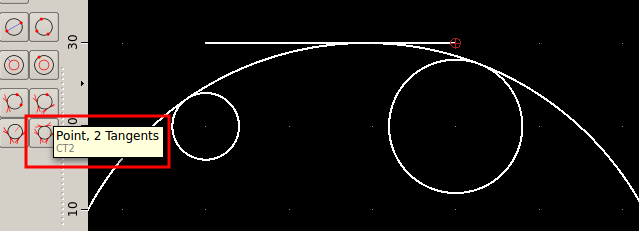
@30tooo, Andrew has now released QCAD 3.2 and worked his magic and developed some exciting new additional circle tools - including one that will now accomplish what you are needing to do:
Point, 2 Tangents.
@Husky
Hey Husky, looks like your feature request is now a reality - good news my friend
Yes, this should fit the bill.
BTW: The tool for this use case is called “3 Tangents” (not “Point, 2 Tangents”), I think the wrong tooltip might have been displayed in the screenshot above.
Yes, The ‘Point,2 tangents’ should be the tool highlighted here - I accomplished an arc as needed by using 'Point,2 Tangents - not with the 3 Tangents!
I see.. which point did you choose then? Is the exact point on the line given or another point? I thought the circle touches the two other circles as well as the line.
Well, it was just a quick test. Using the Point - 2 Tangents tool I followed the prompts and selected both circles first and then using ‘Snap on entity’ I then selected a point on the line - it wasn’t a specific point!
But after further testing of these tools I find that I produce a result that stays tangent perfectly to the line using the ‘2 Points and Tangent’ tool, of course first the 2 points need to be determined first on both circles, this is easily done by first placing two temporary construction lines from both centres at 60 and - 60 angles!
I think Apollonius ‘The Great Geometer’ would have loved these circle tools.
Andrew you have done a fantastic job with these additional tools
Well, thanks  It’s a surprisingly complex problem. QCAD is using resizing and inversion to find the solutions.
WOW - what a circle tool set!!! I have absolutely to agree with Clive - that is an extraordinary tool-set.
@Andrew:
My honest respect and compliment to you!!! Thank you very much to make the “CAD life” so easy for everybody!