Hi ,there
I am a newbie to QCAD programming.
I want to rotate lines with some degree for learning how to code with QCAD.
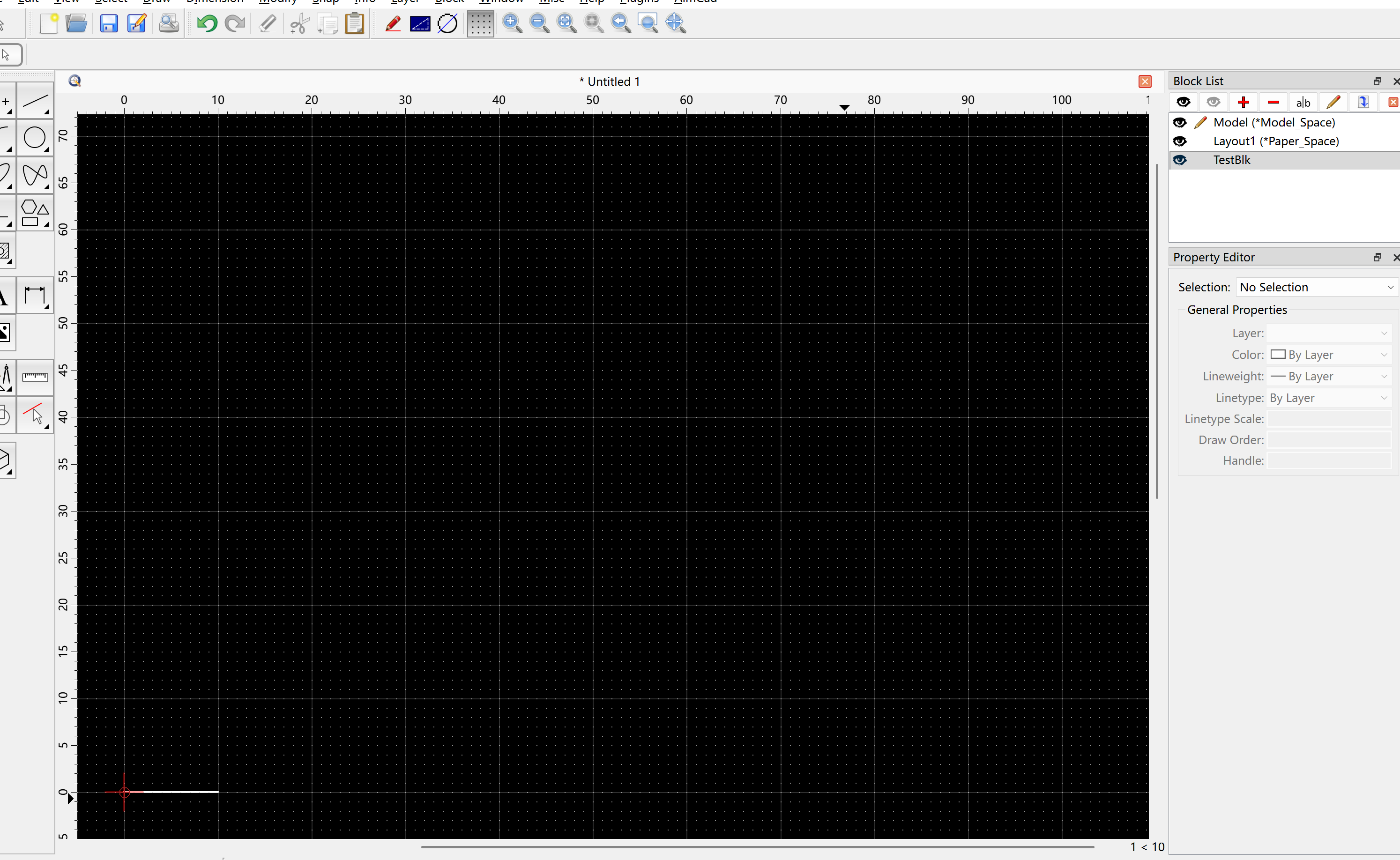
So I have given a try to write a simple GUIACTION test programming, but it does not works as expect in QCAD UI ( rotating a line with 90 degree)
hope someone can help me find problems in the code beblow ,thanks so much.
static RTransaction addObjOp(RDocumentInterface* di, const QSharedPointer& obj) {
RAddObjectOperation* op = new RAddObjectOperation;
op->addObject(obj);
return di->applyOperation(op);
}
void demo_rotation(RDocumentInterface* di,RDocument& doc)
{
//1.block
QString blkName = “TestBlk”;
QSharedPointer blk(new RBlock(&doc, blkName, RVector(0,0)));
addObjOp(di, blk);
RBlock::Id blkId = doc.getBlockId(blkName);
// 2. a horiztonal line starting from (0,0) to (10,0)
QSharedPointer lineInBlock(new RLineEntity( &doc, RLineData(RVector(0,0), RVector(10,0))));
lineInBlock->setBlockId(blkId);
addObj(di, lineInBlock);
REntity::Id childLineId = lineInBlock->getId();
// 3) switch to model space, one blockref for rotation,one without rotation
doc.setCurrentBlock(doc.getModelSpaceBlockId());
// 3.1) one without rotation,horizontal line
{
RBlockReferenceData brd(blkId,
/position/ RVector(0,0),
/scale/ RVector(1,1,1),
/rotation/ 0.0);
QSharedPointer br(new RBlockReferenceEntity(&doc, brd));
br->setBlockId(doc.getCurrentBlockId());
addObjOp(di, br);
}
// 3.2) rotation 90 degree
{
RBlockReferenceData brd(blkId,
/position/ RVector(0,0),
/scale/ RVector(1,1,1),
/rotation/ M_PI/2);
QSharedPointer br(new RBlockReferenceEntity(&doc, brd));
br->setBlockId(doc.getCurrentBlockId());
addObjOp(di, br);
}
di->regenerateScenes();
di->repaintViews();
}
 Are you sure that M_PI is defined without including something?