How to dimension multiple embedded circles?

If I have multiple circles where at least one is embedded within another, how can I dimension these without having the dimensions overlap (see the image and dxf file)? Radial dimensions have the same problem. QCAD should allow the dimensions to be placed outside the circles but I can’t see any way to do this. The only work-around I see is to use a leader.
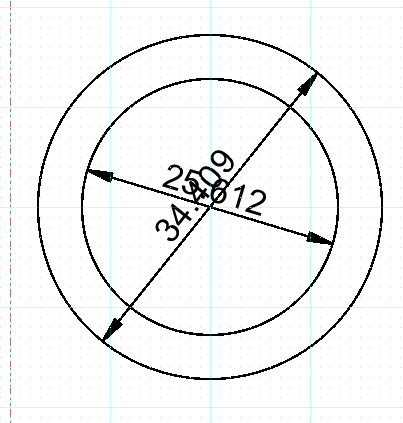
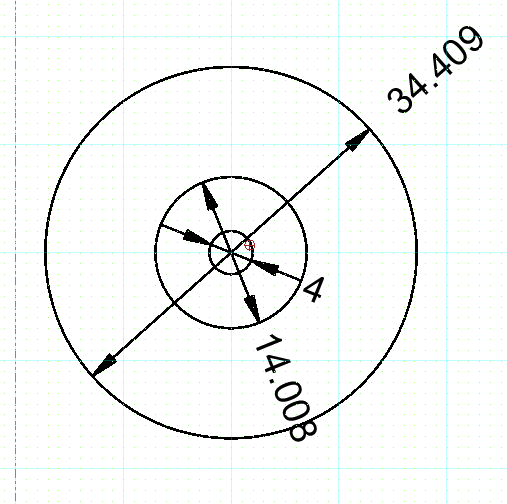
QCAD 3.25.2
Windows 7 Pro

Thanks,
Don C.
Circles, dimensioned (1a).dxf (101 KB)

you can select a dimension then select the reference point for the dimension text and drag the text to where you want it

However, this becomes a little “messy” and potentially somewhat confusing if the dimension line doesn’t extend when the dimension text is moved. See –

Yes, it does indeed, you could add your own line, but again, gets even messier.

You could ask for this feature to be included here → QCAD Suggestions and Feedback - QCAD Forum or even at the bug tracker here → Flyspray::QCAD Bugtracker: Tasklist