Thanks Husky. For some reason I thought that changing the origin of one hatch affected all other. My bad.
Now, How can I snap to parts of a hatch so that I can measure how much I need to change the origin of the hatch?
Unfortunately the ability to measure hatch segments on hatch borders were removed a few versions back, you can however explode the hatch add dimensions or measure distances, take notes then undo explode and adjust the hatch origin accordingly..as Husky noted above..
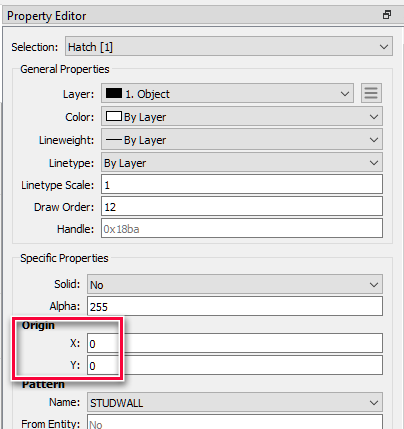
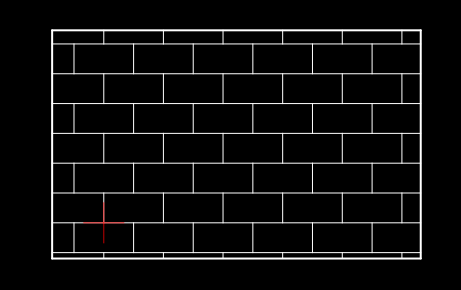
Is exploding the hatch necessary or not has to be determine with a test hatch. For that draw a rectangle over the absolute 0 point (marked by the QCAD software with a red cross). Put in the hatch, something like this …
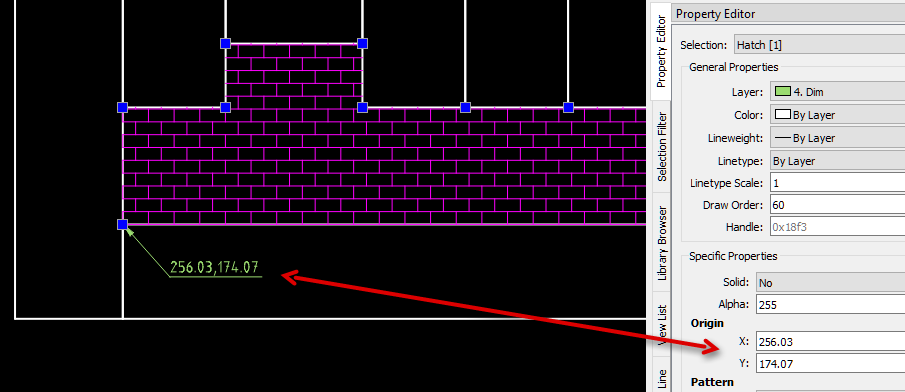
The red cross shows where the hatch starts it geometry. Is that useful for you? Great - then there is no need to explode the hatch. Take with an Info tool (IO) a x/y measurement at the point where the hatch has to start in your drawing, create the hatch and use the x/y measurement as the new hatch origin.
BTW: My test hatch pattern (“Tiles” was created with the Basic Hatch Tool V3.0.1 from J.M.Hyslop. Maybe something what you can use for your projecs. It is free Software … e_surprised
I have tested both methods and they both work for me. Husky’s method may be a bit quicker though as long as I increase the Linear dimension precision from 0 decimal places to say 4 decimal places. Then change back to zero decimal places when finished.
Yes I have downloaded the Basic Hatch Maker Tool. I will find a lot of use for this great tool. Thanks John.