Hi All
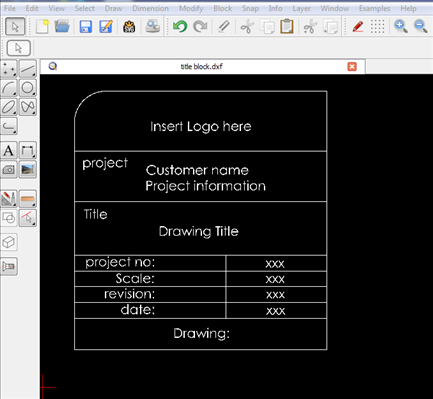
Here is a handy little title block that might be useful - see attached dxf file.
The dimension size is 80mm x 80mm.
To modify the block to change:
its size (scale up or down)
change any line/text properties/ content
- First > select all via cad tools > Selection tools (WS) > select All (TA) or ‘drag’ a window around block.
- Main menu > Modify > Explode or from command line enter X,P.
- From the property editor (View > Toolbars > property Editor) you can select individual entities and change their colour, line weight, line type, geometry attributes etc…
- To scale up/down > Select block > Main menu > Modify > Scale > Focus point > Scale options (dialog window - enter options).
- After modification the block can be saved to the part library and used when needed.
title block 80mm x 80mm.dxf (49.1 KB)