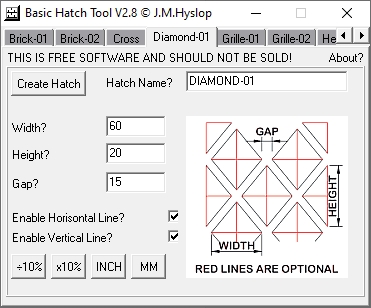
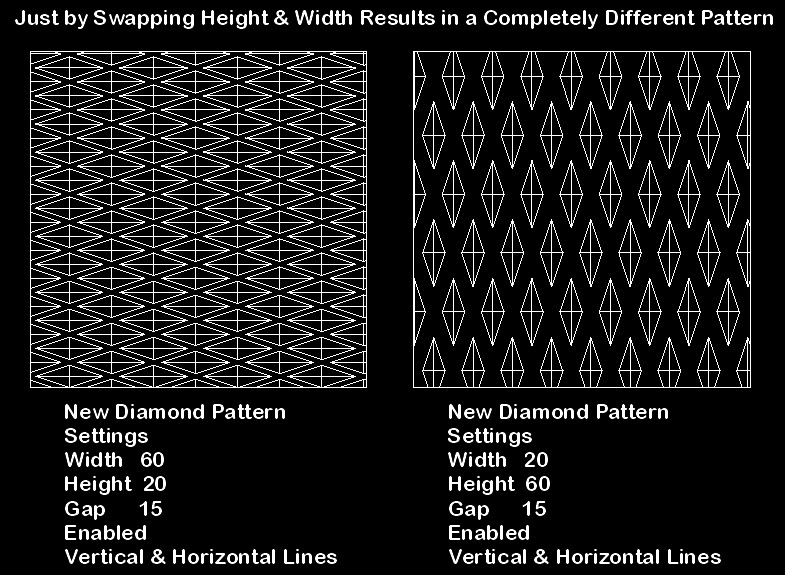
Just to let you know, all these patterns can be altered to produce different results
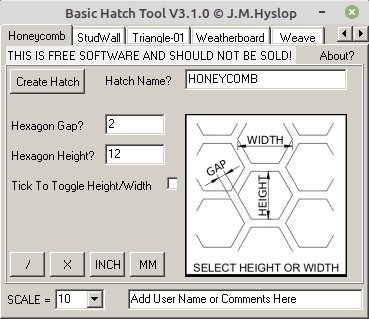
simply by playing around with the settings for instance below, just swapping 2 settings
Height & Width produces a completely different pattern… Pattern is also stable at 1000,000 Units not Tiles as previously posted from datum…
Cheers
John
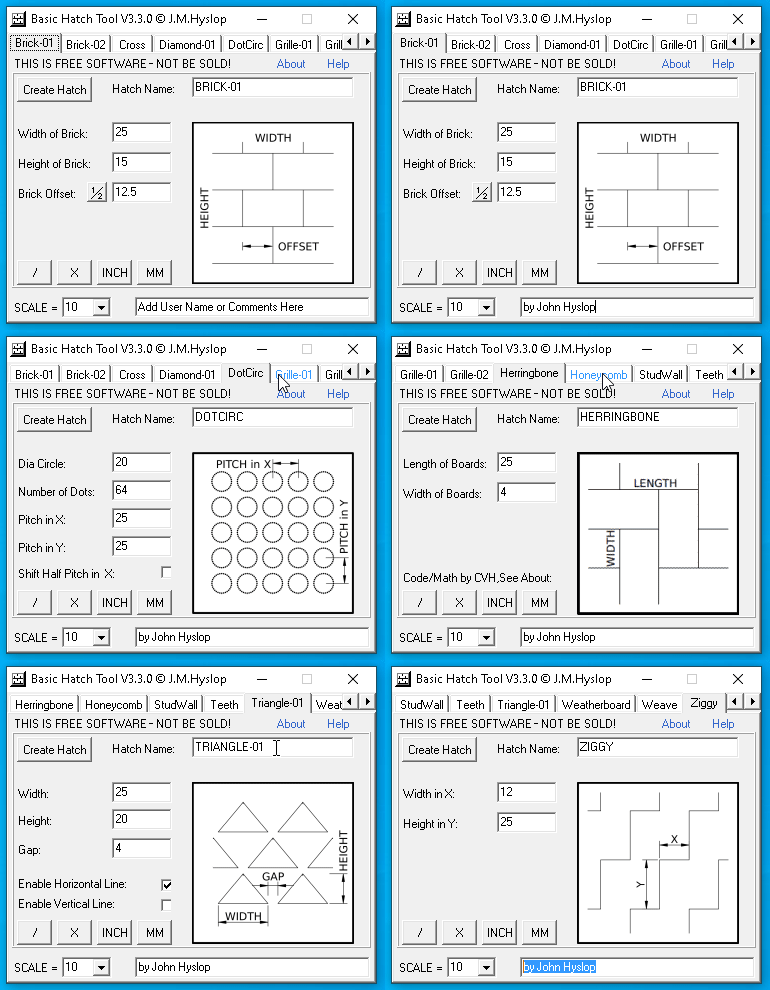
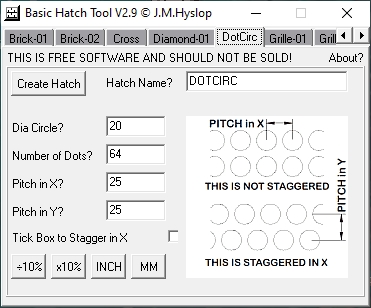
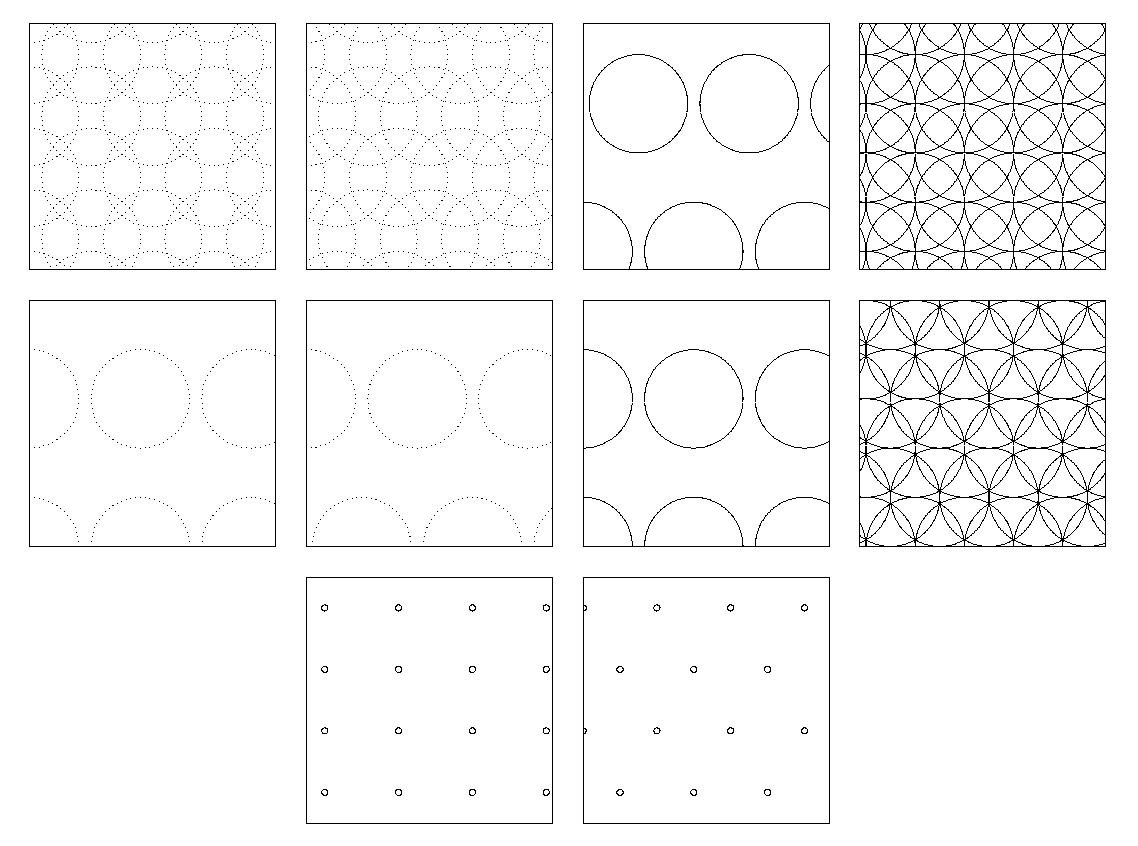
New Pattern Added “DotCirc” Read the BHT-Usage.txt on how to Simulate a Circle
Please Remember the higher the dot count the more chance there will be of the
pattern causing lag… This pattern was quite a bit of work so I hope you all enjoy
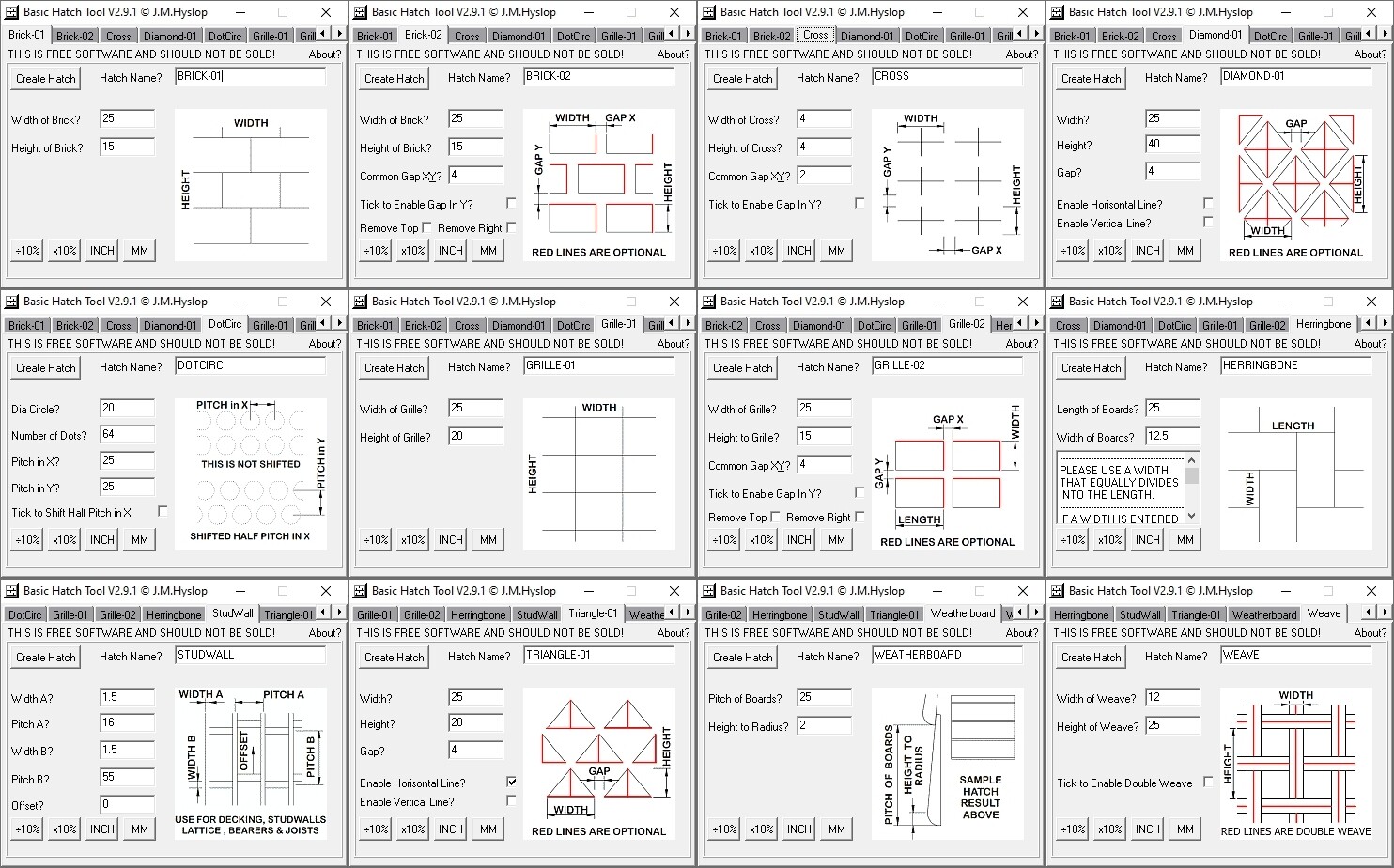
12 Adjustable Patterns to Date
Downloads:-
Version 2.0 to 2.8 Downloaded 166 Times Version 2.9 Downloaded 19 Times NEW VERSION LOOK FURTHER DOWN IN POST
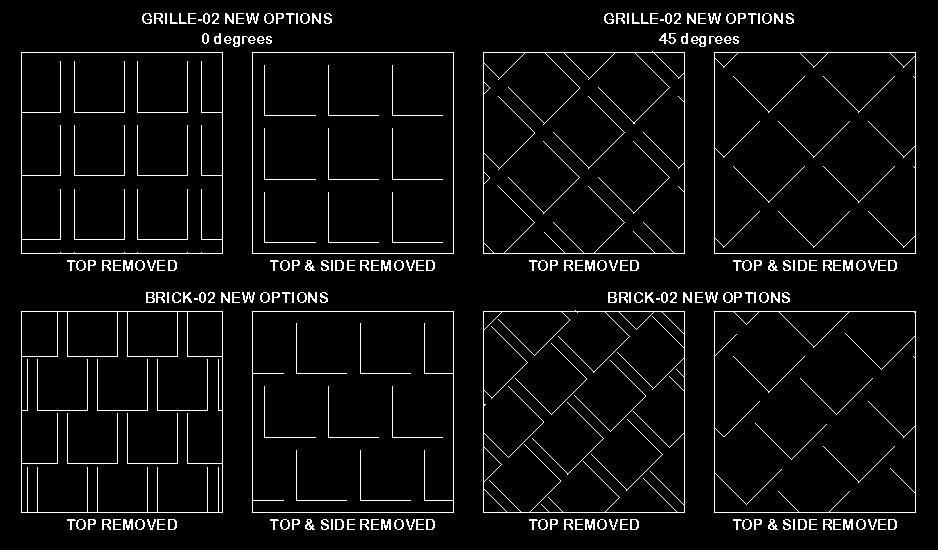
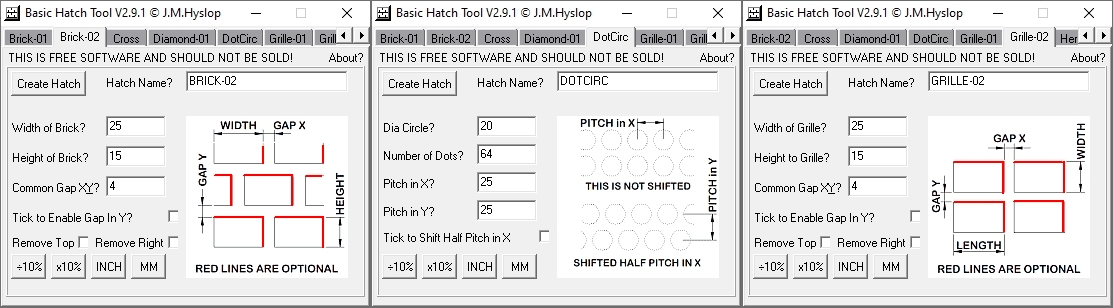
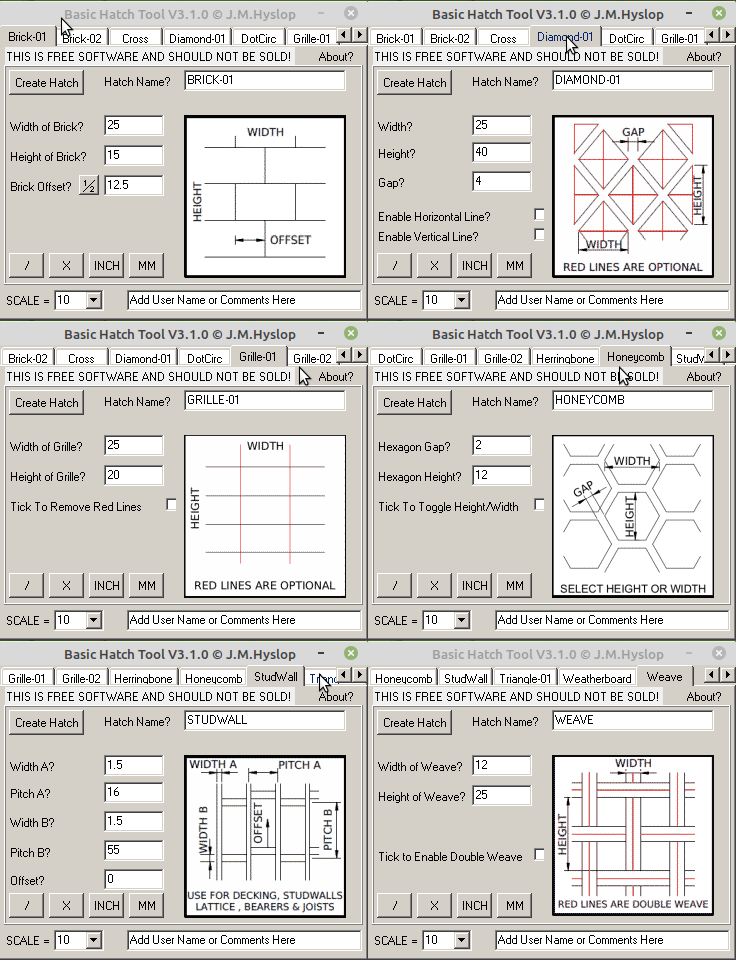
Next Version with some more options on BRICK-02 & GRILLE-02, Remember all sizes are adjustable just showing some examples below eg. GRILLE-02 with 2 lines removed resembles the installed ANGLE.PAT file but you can adjust all sides and gap to suit whatever purposes you like. Also remember that you can rotate these patterns so the 2nd pattern can be rotated to create an angle facing the other way..
Downloads:- Freeware BHT-V2.0 to 2.8 Downloaded 166 Times
Freeware BHT-V2.9 Downloaded 19 Times
Freeware BHT-V2.9.1.zip Downloaded 152 times New Version Uploaded Further Down
This is a totally free hatch pattern maker with 12 adjustable patterns to date
FYI This is a windows 32bit App that runs in Windows 32/64bit & Also Linux using WINE…
In windows the file is saved where the App is executed, in some versions of Linux
the saved file may save in your home folder even if it’s executed from the Linux desktop.
I’m using Linux Mint 20 I noticed this behaviour & thought I’d pass this it on..
Hi All
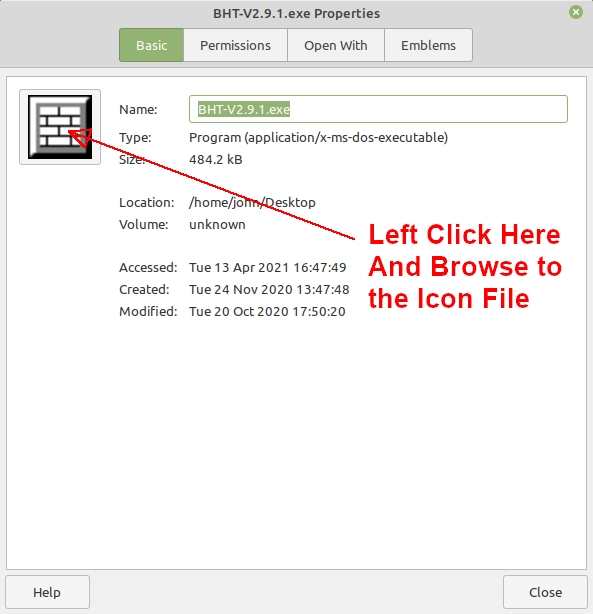
For Linux user running under WINE that would like to add the default icon, here’s the icon file.
Copy the Icon to an appropriate place eg. Home/Username/AppIcons
Right click on BHT.exe and select properties and click the icon box top left and replace.
Cheers
John PS Icon is now included in BHT-V3.0.zip + Future Releases BHT - Icon.zip (263 Bytes)
1st of all a huge thank you to forum member CVH for supplying all the code for the Herringbone pattern which is based on his XLS file, for more information click on “About?” top right in the program.
.
Thanks to Husky for initially suggesting the “StudWall” Tab plus UI comments for improving the overall look of BHT.
.
Thanks to Petevick for lots for testing, bug reporting, UI comments and improvements.
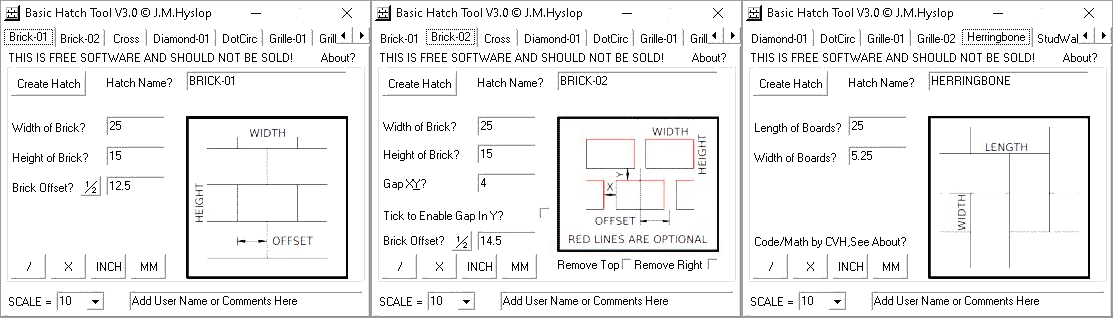
. BHT-V3.0 Changes are as follows:-
It is now adapted for both comma and dot users.
It can now minimise to the taskbar.
A User can now enter or select a scale.
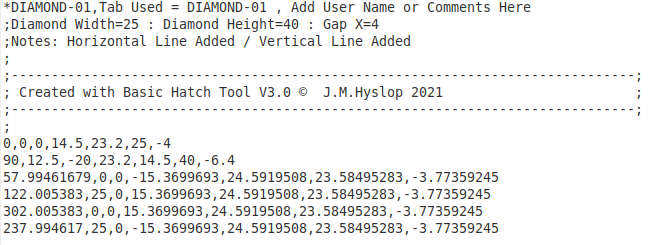
Trailing zeros have now all been removed from all patterns eg. 12.30000 now exports as 12.3
Textural information is now added to hatch patterns on export eg: width/height/gap.including a new user comments section bottom right of the application.
Brick-01 & -02 now have an option to offset, an offset of zero will produce a grid, if you want a standard brick pattern click the “[½]” button after defining the Width of Brick.
Herringbone completely recoded by CVH
.
Downloads:- Freeware BHT-V2.0 to 2.8 Downloaded 166 Times
Freeware BHT-V2.9 Downloaded 19 Times
Freeware BHT-V2.9.1.zip Downloaded 152 times Freeware BHT-V3.0.zip Downloaded 5 times New Version Uploaded
Hi All
.
One thing I did remove from the herringbone code supplied by CVH was an Information popup window on the pattern image.
.
It said the following:-
.
As rather common, the board ratio L / W can be an integer.
However, with a novel approach, the ratio can also be fractional !
The ratio must then be numerator / denominator with denominators 1 … 128.
Otherwise, it will be limited to the nearest valid fraction.
And in such case a tiny correction may be applied to the length.
Patterns with high denominators might be less stable in ‘the long run’.
.
I removed this from his supplied code because most novice users would not understand it’s meaning, I did however note in the credits and every exported Herringbone pattern the following text that explains briefly about the 128 ratio limitation:-
.
.
Also below, picked up by CVH is an Image and spelling Flaw, These will be fixed up in the next version
Caused by a Dimensioning error by me
I also spelled Horizontal wrong in Diamond-01 & Triangle-01, it’s been spelled incorrectly since version 2.8
Please read below before downloading:-
1: New option to “Select Save Folder” has been added, the filename is taken from the application only anything typed in at this dialogue will be ignored.
2: The selected folder must be writable and not a system folder that requires admin permissions.
3: New pattern added “Honeycomb”
4: Grille-01 now has the option to remove vertical lines, they will be remarked out on save.
.
.
. Freeware BHT-V2.0 to 2.8 Downloaded 166 Times
Freeware BHT-V2.9 Downloaded 19 Times
Freeware BHT-V2.9.1.zip Downloaded 152 times
Freeware BHT-V3.0.zip Downloaded 5 times
Freeware BHT-V3.0.1.zip Downloaded 143 times File Removed because I was getting False Positive from Avast.and I can assure you it is not infected .
I’ve uploaded one not using UPX to compress it..
.
.
Enjoy
John Hyslop
PS Almost forgot., a big thank you to PeteVick and Husky for there help and suggestions with this release…
Avast just triggered a warning on my VM, this is obviously a false positive..
If you are having trouble with the one above “it was downloaded 4 times” , here is the program uncompressed.
I use UPX packer that can sometimes trigger Virus software..
Saving BHT Hatch Patterns to the Local Shared Path on Linux & Windows ,Please Use The Folders Below:-
.
Linux [Running BHT in WINE ] /home/username/.local/share/QCAD/QCAD/patterns/metric
/home/username/.local/share/QCAD/QCAD/patterns/imperial
.
Windows 10 c:\Users\Username\AppData\Roaming\QCAD\patterns\metric
c:\Users\Username\AppData\Roaming\QCAD\patterns\imperial
.
Note:- If the [patterns,metric & imperial] Folders Do Not Exist You Will Need to Create Them..
The AppData [Windows] & .local [Linux] are System Hidden Folders But There is a Trick to Bypass This [See Gifs Below]
Once You Have Selected the Folder BHT Will Remember it for the Next Time You Run it and Save.
.
BHT is a Windows 32bit Application That Can Run in Linux using WINE..
. Windows 10 Example Below. Now Included with BHT-V3.2-Setup.zip
. Linux Mint Example Below. Now Included with BHT-V3.2-Setup.zip
.
I Hope This Helps..
Cheers
John Hyslop
. Downloads:- BHT-V2.0 to 2.8 Downloaded 166 Times
BHT-V2.9 Downloaded 19 Times
BHT-V2.9.1.zip Downloaded 152 times
BHT-V3.0.zip Downloaded 5 times
BHT-V3.1.0.zip Downloaded 79 times / 4 compressed with UPX
Hi All
.
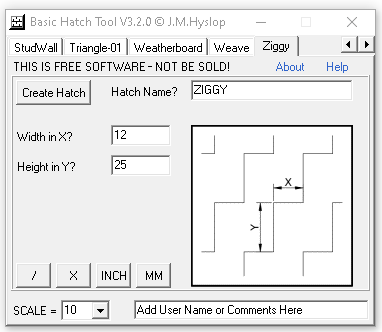
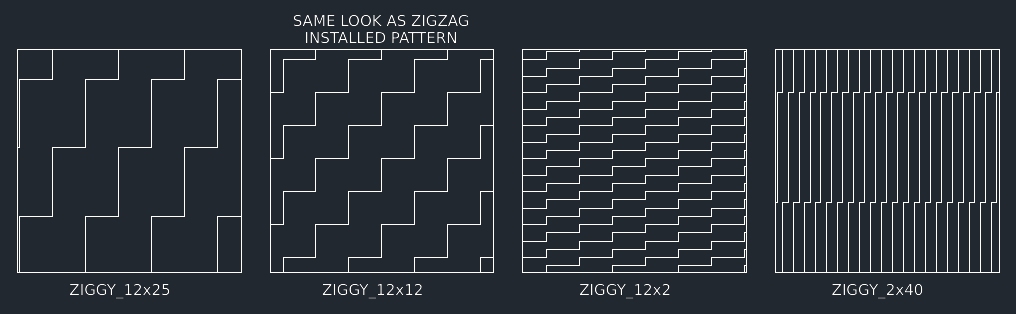
I just added a new pattern I called it Ziggy because Zigzag already exists in qcad patterns, this new pattern gives you a little more flexibility with options to change X and Y line lengths "the gaps in between the lines are the same distance X & Y..
. That’s a total of 14 user adjustable hatch patterns
.
Other changes are as follows:-
BHT is now compiled into a Setup file.
“Add User Name or Comments Here” now clears when you click on it and whatever the user types in is retained throughout until the application is closed.
Help file is now added to the menu “in RTF format.”
A folder is included in the zip file “Additional files” for some light reading and viewing
.
A big thank you to Forum user PeteVick for all the testing, bug picking, general input and comments..
.
Enjoy
Cheers
John Hyslop
.
. Below is a fix for 32bit systems not being able to open the help file, it does nothing else.
You must already have BHT v3.2, or later, installed. If you don’t, download and install BHT-V3.2-Setup.zip above
For those having trouble displaying the BHT help file
I created the above patch.. if you’re not having trouble
don’t bother downloading the patch..
If you’re feeling the urge to download something go here..
You’ll have hours of fun creating your own qcad themes
Hi John,
Just played a bit with your hatch tool. very nice work indeed.
Just a comment: the name given to the pattern is case sensitive, ie. ‘name.pat’ and ‘NAME.PAT’ don’t end up in the same order in the pattern list. I believe that this is likely a QCAD feature.
If you create in lower case the patterns will end up at the bottom of the list, if you create in upper case they will display in order along with the Qcad ones.. It’s a way of separating your patterns from Qcads.. I could of made it upper-case only but as said it’s your choice, I might look at adding a tick box is that worth doing or are you happy to type in upper case
Let me know your thoughts and if anyone has pattern ideas for future releases I’m happy to look at that too..
Cheers
John Hyslop
PS I’ll make a note about this in the help file in next release.
Hi John,
No problem, I was just puzzled the first time, I could not locate my test pattern, until I scrolled down to the bottom of the QCAD list. Don’t bother changing, as you said, that is a good method to keep them separate.
Downloads:- BHT-V2.0 to 2.8 Downloaded 166 Times
BHT-V2.9 Downloaded 19 Times
BHT-V2.9.1.zip Downloaded 152 times
BHT-V3.0.zip Downloaded 5 times
BHT-V3.1.0.zip Downloaded 79 times / 4 compressed with UPX
BHT-V3.2-Setup.zip Downloaded 34 times
BHT-3.2.1-Patch.zip Downloaded 6 times
BHT-3.2.2.zip Downloaded 31 times
.
Hi All
.
A big thank you to Forum user PeteVick for all his suggestions and testing on this release..
.
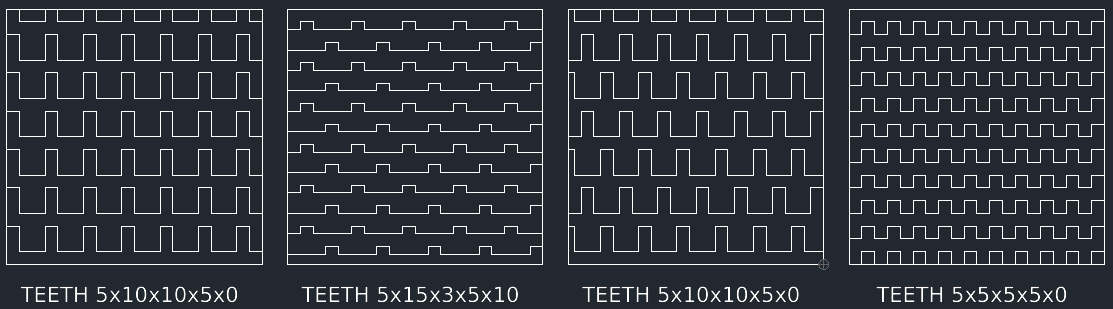
This New Version Has a Pattern Called TEETH
It Works on All Versions of Windows 7,10 & 11 32/64bit, it’s a 32bit Application & Also Runs on Linux if you have WINE or PlayOnLinux installed…
The Help menu now displays as a pdf file that has information on the program plus an image UI layout with explanations.
. BHT-V3.3.0-Setup.zip was Downloaded 120 Times
. NEW VERSION UPLOADED
.





 is that worth doing or are you happy to type in upper case