Hi CVH
1st the above post was only meant to be a link
I’ll edit it lol.. no idea why it selected the old post i only copied a link.
I understand your frustrations…it takes a bit of imagination and design skills from the user.. For me your tool would be a great time saver but for others that are not aware of the repetitive nature of hatch patterns and also designing something that’s useful they will fail to understand the use of it. This is why I made a program that users only need very little knowledge on hatching.. If I had Java programming skills i would of made mine that way, but unfortunately I don’t
Anyway I wish you luck with your program and if you can make it foolproof you’ll be onto something great..
Thank Husky for this one should come in handy for a few I’m guessing
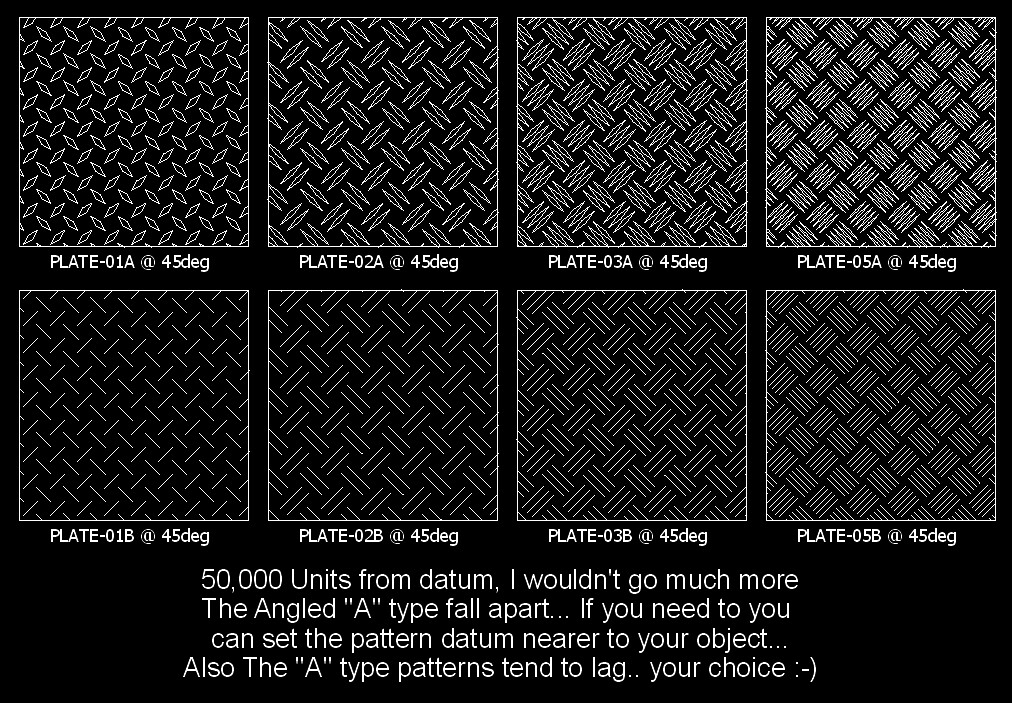
Tread Plate - Propeller Plate - Diamond plate - Chequer Plate - Checker Plate … call it whatever you like lol
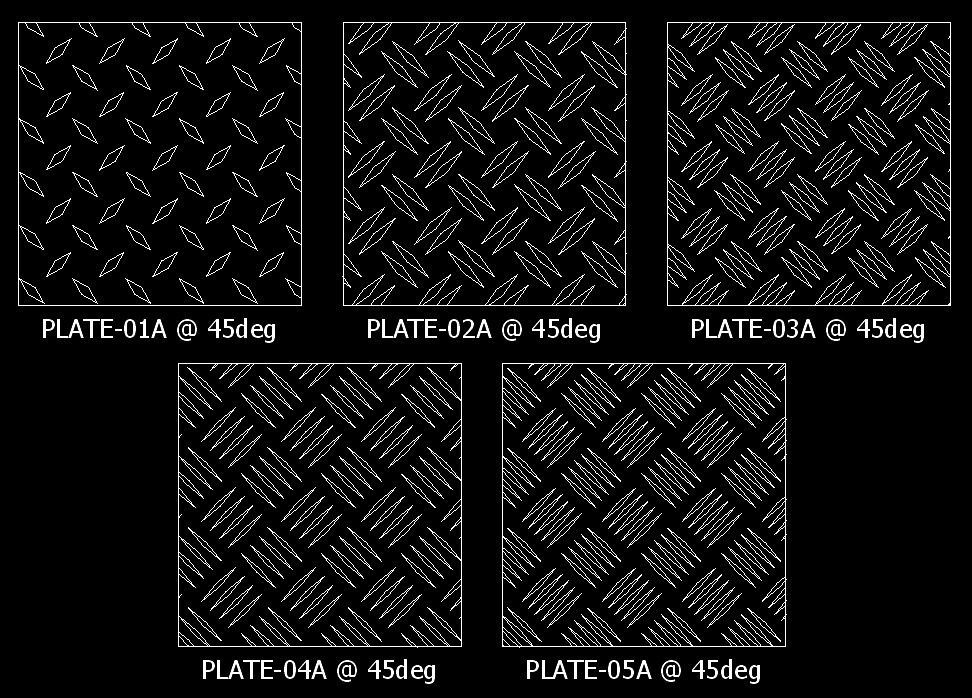
I’ve just named the hatches plate + number of bars the “A” means it uses angles the “B” means basic, just lines to simulate the plate…
I could only find
1 bar “Propeller Plate”
2 bars " Tread Plate
3 bars " Tread Plate
5 bars " Tread Plate
I wonder what happened to the 4 bars? I couldn’t find any, but if anyone does let me know and I’ll make a 4 bar pattern
Bar length in imperial is approximately 1/2" ( 0.5 ) in Metric is around 12mm depending on which hatch you use…
scale if need…
Sorry files temporarily removed CVH noticed a few errors.. I’ll try and sort out if not I’ll upload the B type patterns until the other ones are fixed..
Hi All
The Plate hatches with the angles type A
are an absolute overkill and I would highly recommend you use the type B patterns for representation purposes..
Unfortunately all I have ATM is a lisp tool that is not perfect and can cause repeats and clones in larger spans so you’ve been warned
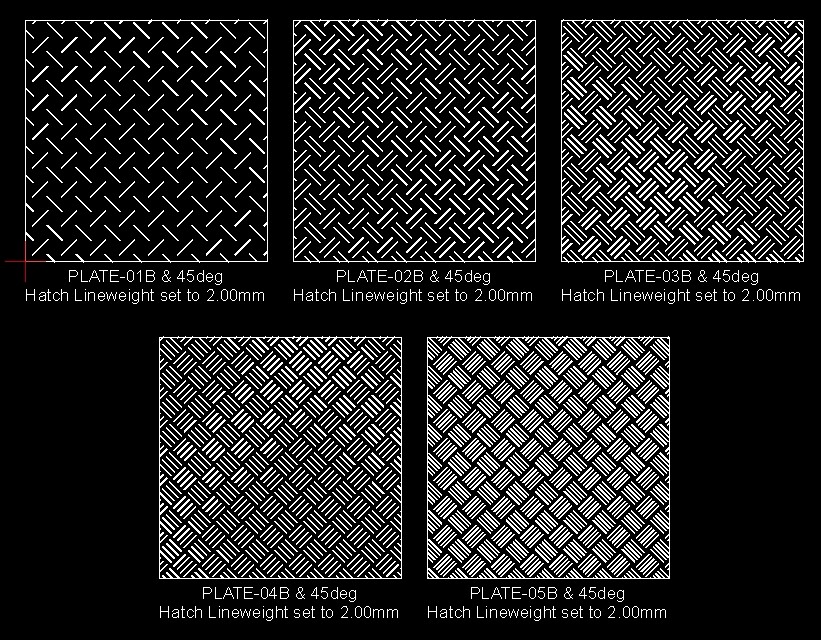
Here are a set of Basic Tread Plate Patterns…
Note the Lineweight is set to 2.00mm [ Metric ] to give it a better representation…
Also Manually Fixed Errors from Lisp Tool on a couple…
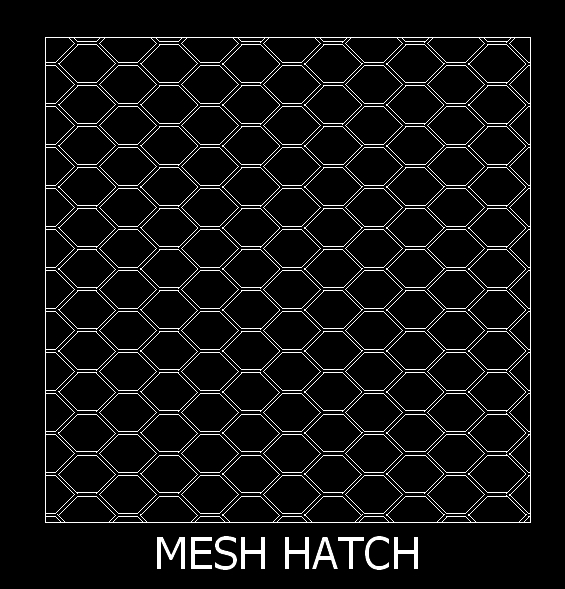
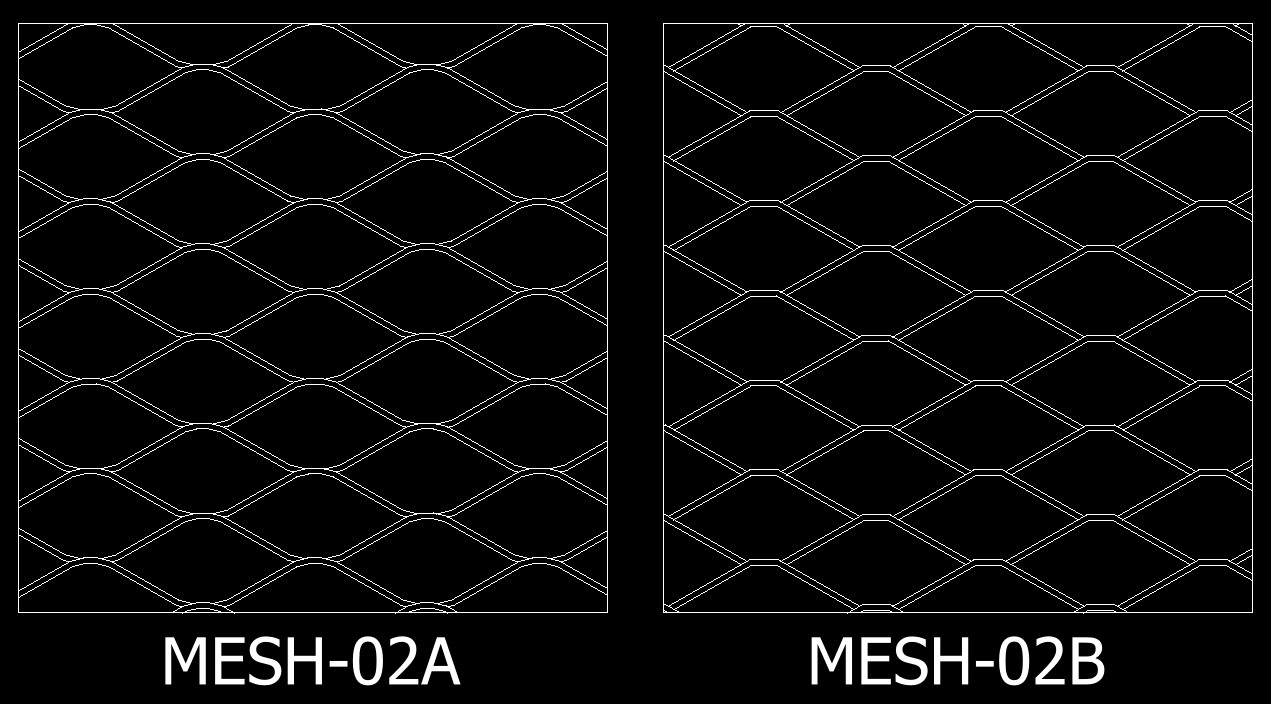
Here is a set of 2 hatch Patterns, MESH-02A & MESH-02B
It’'s supposed to resemble expanded mesh…
If you find the hatches scattering at distances simply
set the hatch Origin to the object your hatching Origin
Enjoy
Cheers
John
PS Thanks Husky for the suggested pattern
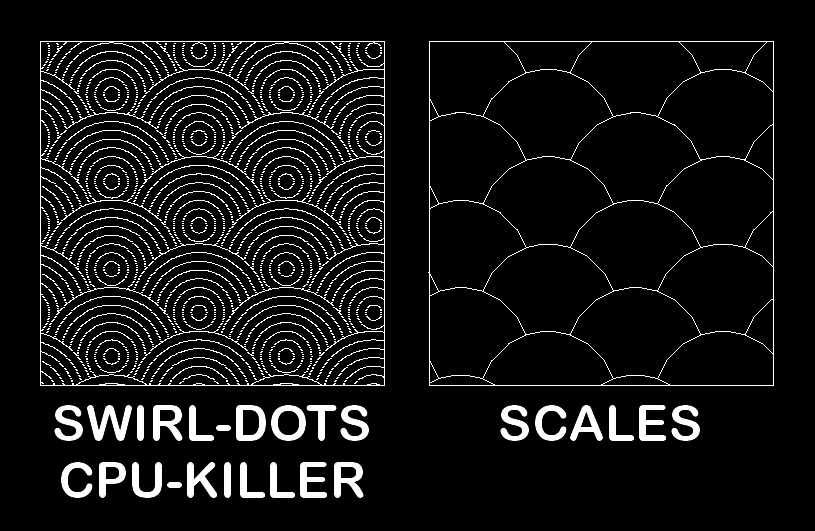
Well I have 2 Hatch Patterns Here, 1 I would use wisely , it’s a bit of a CPU-KILLER
It was a request so I thought I would share with all, it might have it’s uses for small
hatch areas where you want to show a swirl pattern like the swirl steel effect…
Anyway here they are.. Enjoy…
Cheers
John Hyslop SWIRL-DOTS and SCALES - Metric and Imperial.zip (30.7 KB)
Swirl-Dots is surely a CPU killer …
One can consider the hatch to be an intersection of the area within the boundary and 2185 planes filled with 1 dots per tile.
In Scales we see the magic of angle restriction … Cloning load is 6 or less.
Nice.
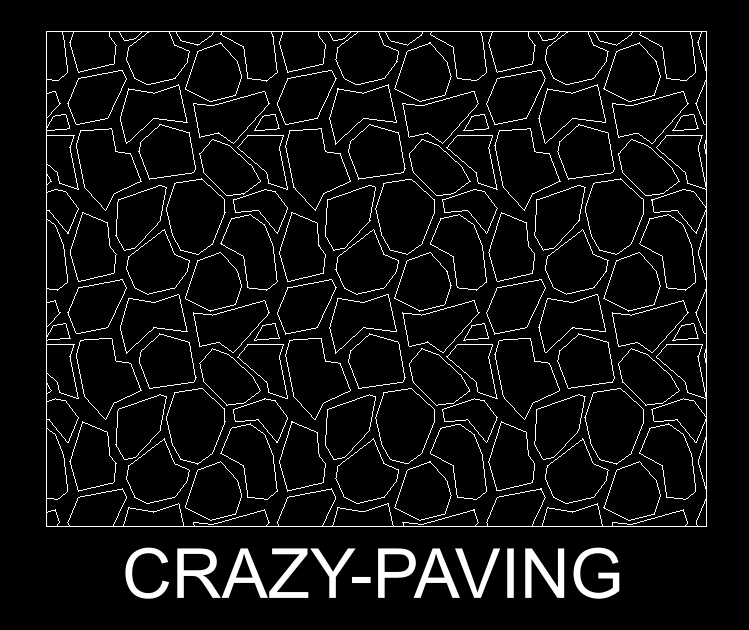
Now some CRAZY-PAVING
Sorry to those 5 who downloaded, the pattern had a couple of drifting lines , purely
poor design , my fault..
The screenshot is hatched in metric @ Hatch Origins X100,000 Y100,000..it is now fixed .
Updated zip file at the bottom of this post..
I needed a fair bit of help with this one so credits to CVH for all the trials he did to make this pattern possible
Pattern design by myself and the hatch pattern generated with Tile2Hatch b17 Copyright CVH..
CVH Changed some of the entities so this pattern could hold steady at 100,000 tiles from datum.
Some of the line endpoints in this pattern don’t touch, this was necessary to maintain a stable pattern at a distance..
Cheers
John
PS I forgot to mention, this is a strange beast the Imperial master tile is not 1x1 it is 1 X 1.090909091
and in Metric it is 25.4 X 27.7090909114 [ This is a rectangular hatch tile ]
. OK Now we have a pattern half the load and very stable, credits to CVH on this one see image..
Also keeping both patterns so people can see the difference a well thought out pattern can make… And don’t spend all your time thinking about the design Just Copy new patterns over old ones…
Testing CVH’s Tile2Hatch, thought I’d give the Orthogonal Tile Spacing a try out, IMO it works well and very useful
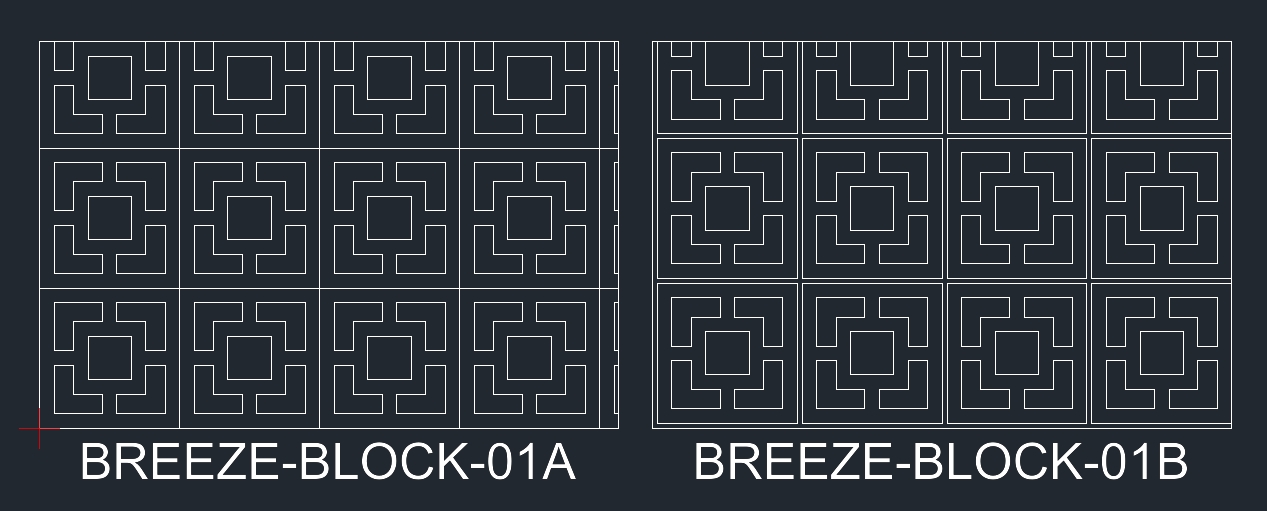
This is a Standard Retro Style Breeze Block in Australia the standard size in Metric is 290 x 290 with 10mm Appox Mortice Gap.
Sooooo the Imperial tile is 1x1 but the Metric one is 29 x 29 " or very close to it " so the user can have a preview of the pattern otherwise you wouldn’t see a preview if I did it at 290 x 290 , if you want it to scale you will need to scale the hatch pattern by 10…
.
Types A will have no Gaps
Types B will have Gaps
. BREEZE-BLOCK-01 A and B - Hatch Pattern - Metric and Imperial.zip (2.55 KB)
I wouldn’t expect otherwise.
What really happens is that the ‘Tile’ grows a certain void space up and right.
And that was made fully possible by the non-uniform ‘Tile’ math.
Now shifting … and adapt/rewrite the math to do so.
Oh Shit… Sorry about that… the last few have been the same oops…
I’ve updated this one but letting the other ones go… Folders now renamed so hopefully it won’t happen again
Cheers
John

 should come in handy for a few I’m guessing