So I did it the way i learned back in high school almost 35 years ago! I think it looks the way it’s supposed to but I assume there is an easier way to do it with the built-in tools?
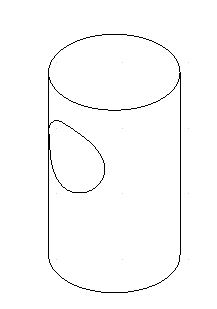
I can’t really figure out the instructions for the isometric projection:
Description
This tool creates an isometric projection of the current selection onto a cylindric surface.
Usage
Select the entities you want to project.
Launch this tool.
Choose a viewing direction for the projection in the options tool bar.
Enter the diameter of the cylinder in the options tool bar.
Enter the rotation of the projected entities around the cylinder axis in degrees in the options tool bar.
Set the start point of the unprojected cylinder axis.
Set the end point of the cylinder axis.
Set the reference point for the projection. This is the point you will use to position the projection in the next step.
Move the mouse cursor to the position where you want to create the projection and click to set the position. Before setting the definitive position, you might still want to adjust the cylinder diameter, rotation angle and viewing direction in the options tool bar, until the preview matches your expectations.